Every streaming app sends audio to your phone in its own format, and that format is not always the same thing your Bluetooth headphones end up receiving. Spotify, YouTube Music, Apple Music, Tidal and Amazon Music each pick their own codec and bitrate ceiling on the server side, and then a separate Bluetooth codec, such as SBC, AAC or LDAC, carries that signal the rest of the way to your earbuds. The two steps get confused constantly, which is why questions like does YouTube Music support LDAC or whether Spotify works with a high-res codec keep coming up. Here is what each platform actually uses, and where LDAC fits into that picture.
Streaming format and Bluetooth codec are two different things
A streaming app decides how the song is compressed before it ever leaves Google’s, Spotify’s or Apple’s servers. That decision sets a hard ceiling on quality no matter what happens next. Once the audio reaches your phone, a second and completely separate codec takes over to move that signal over Bluetooth to your headphones. This second layer, explained in more detail in this site’s breakdown of what LDAC audio actually is, includes options like SBC, AAC, aptX and LDAC. None of these care what app is playing. They only care about the connection between your phone and your headphones.
How the two layers work together
Picture the streaming format as the size of a package being shipped, and the Bluetooth codec as the size of the truck carrying it. A small package still fits in a big truck, but a big truck does not make a small package any bigger. If YouTube Music sends a 256kbps file and your phone transmits it over LDAC at 990kbps, the truck has plenty of room to spare, but the package itself never grows. LDAC only becomes useful when the package, meaning the streaming format, is already large enough to need that space.
Why the app itself rarely controls the Bluetooth codec directly
On Android, the Bluetooth codec is chosen in the phone’s system settings, not inside the streaming app. Whatever codec is selected there applies to every sound the phone makes, whether that is a podcast, a phone call or a song from any app at all. This is the main reason none of the apps below have a dedicated LDAC toggle buried in their own settings menu. There is nothing for them to toggle, since the decision sits one level up, at the operating system.
Spotify
Spotify streams in Ogg Vorbis on Android and desktop and in AAC on iOS, topping out at 320kbps on the Very High setting. Since 2025, Spotify Lossless has added a genuine CD-quality FLAC tier on top of that, reaching 24-bit resolution on supported devices, a change covered in detail by Android Authority.
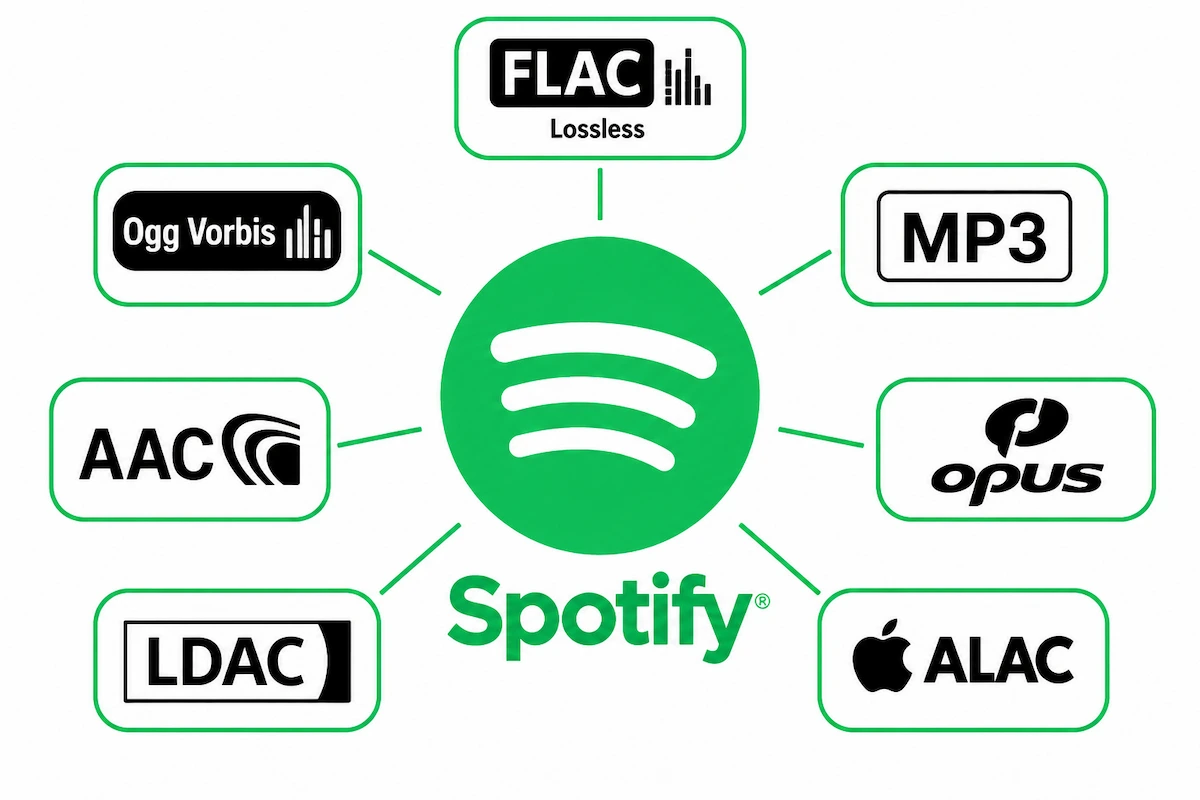
Whether LDAC helps here depends entirely on the tier. At 320kbps Vorbis, LDAC has room to spare and passes the signal through cleanly, but there is little extra detail for it to carry. With Spotify Lossless active, the source finally gets large enough that a high-bitrate Bluetooth codec starts to matter in a way it did not before.
YouTube Music
Does YouTube Music support LDAC? Not as a feature of the app itself, and there is no setting inside YouTube Music that turns it on or off. YouTube Music streams using AAC and Opus, capped at 256kbps for Premium subscribers and lower by default on mobile data. There is no lossless tier and no plan announced to add one. If a phone’s Bluetooth codec is set to LDAC while YouTube Music is playing, the connection itself will use LDAC, since that setting applies system-wide rather than per app, but the 256kbps ceiling from YouTube’s servers is reached long before LDAC’s own limit ever becomes relevant.
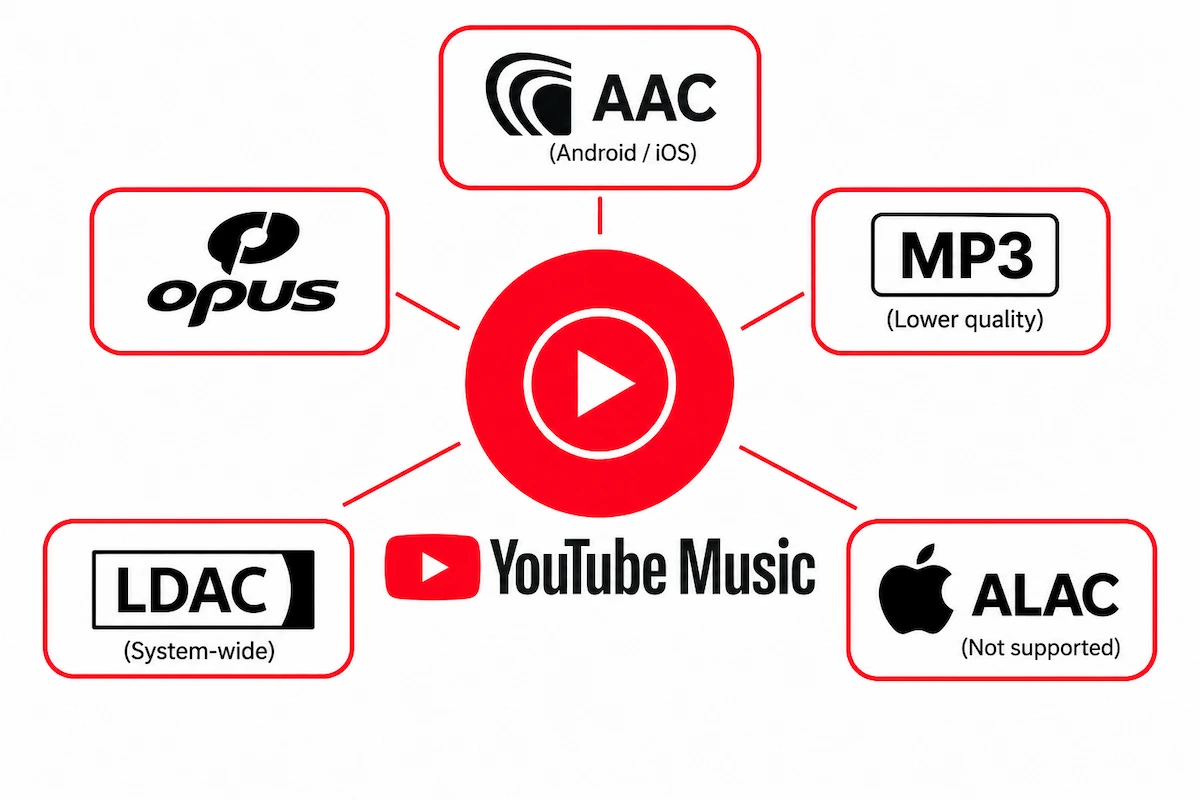
On iPhone, the question does not apply at all, since iOS has never included LDAC support regardless of which app is running. A closer breakdown of YouTube Music’s exact bitrate tiers and how they are gated behind Premium is available from this audio quality guide, which confirms the same 256kbps ceiling referenced above.
Apple Music
Apple Music streams in ALAC, Apple’s own lossless format, offering standard lossless at 16-bit/44.1kHz and Hi-Res Lossless up to 24-bit/192kHz on supported hardware. Over a wired connection or through Apple’s own AirPods Max, that quality carries through mostly intact. Over Bluetooth to a non-Apple pair of headphones, the signal gets converted down to AAC at 256kbps before it leaves the phone, the same ceiling YouTube Music runs into.
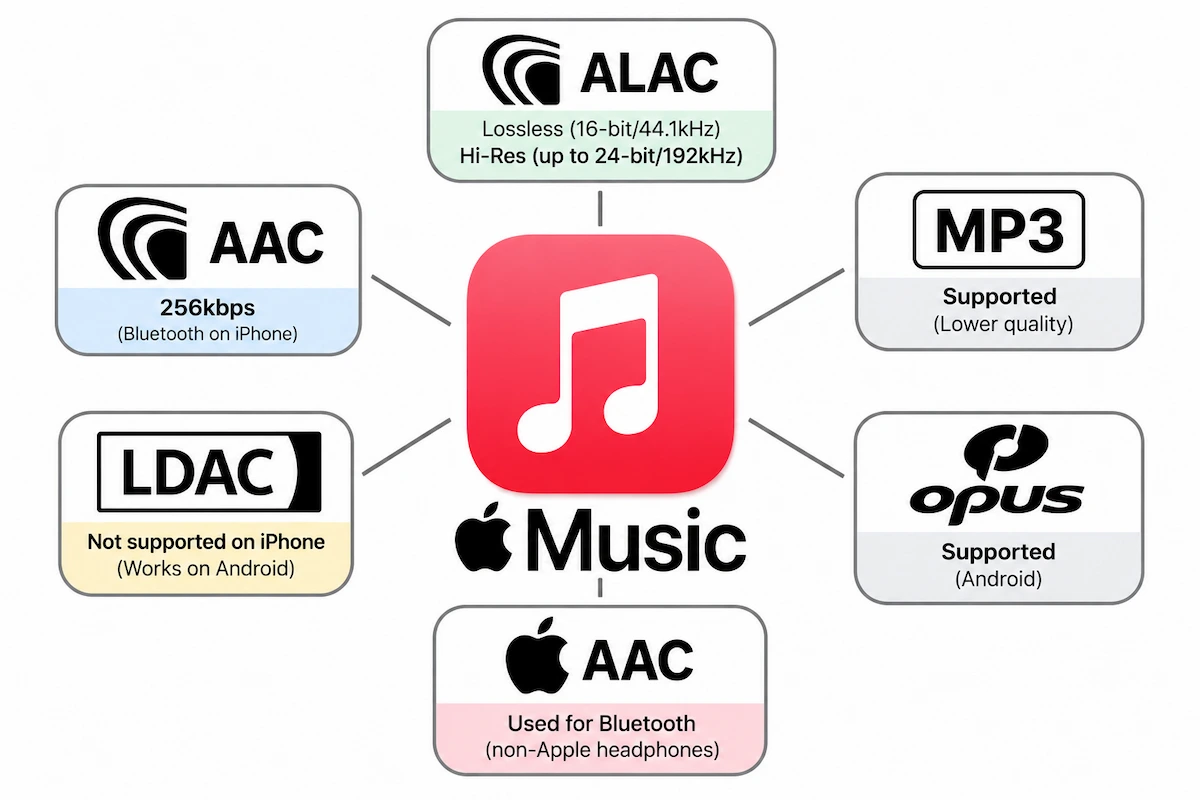
LDAC never enters the picture on an iPhone, since iOS handles Bluetooth audio differently from Android and has excluded LDAC from every version of the operating system to date. On an Android phone playing Apple Music, LDAC does work at the Bluetooth level, though Apple Music’s own app behavior on Android remains more limited than on iOS.
Tidal
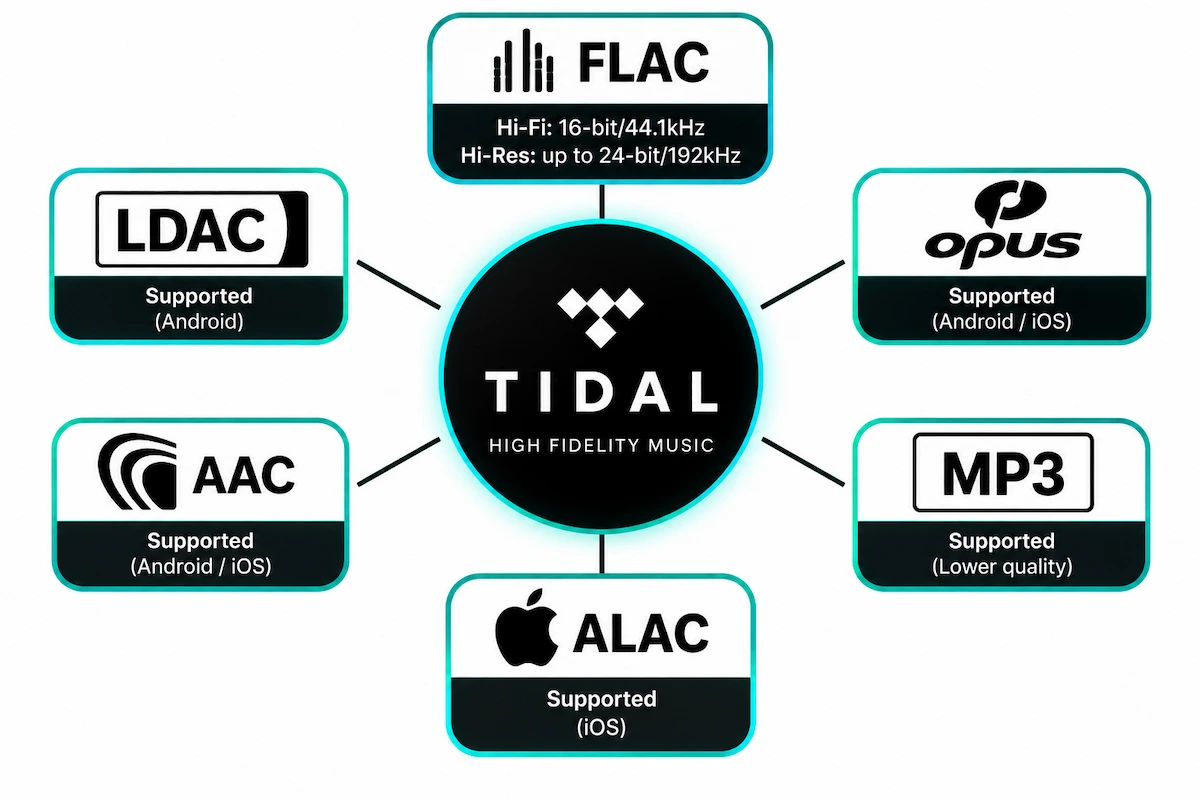
Tidal streams in FLAC, with its Hi-Fi tier reaching CD quality at 16-bit/44.1kHz and its higher tiers going up to 24-bit/192kHz. This is the streaming service where a high-bitrate Bluetooth codec has the clearest case for mattering, since the source material genuinely exceeds what SBC or even AAC can carry without noticeable compression. Pairing Tidal’s higher tiers with LDAC on an Android phone and a pair of LDAC-compatible headphones is closer to the scenario LDAC was actually designed for, compared to a 256kbps AAC stream from YouTube Music or standard Spotify.
Amazon Music
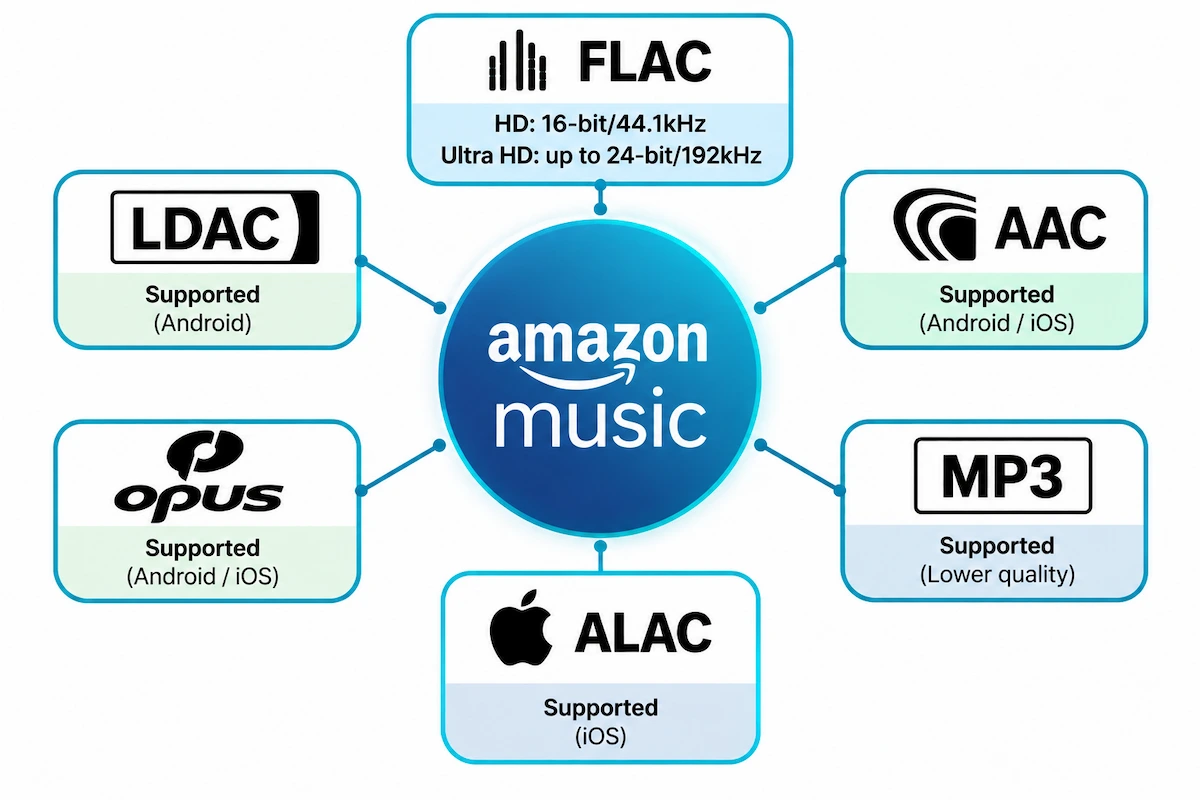
Amazon Music offers a similar structure to Tidal through its HD and Ultra HD tiers, both delivered in FLAC, with Ultra HD reaching up to 24-bit/192kHz for eligible tracks. As with Tidal, this puts Amazon Music among the services where LDAC’s extra bandwidth has an actual source to draw from, rather than passing through a stream that was already compressed well below LDAC’s ceiling.
Does wired listening skip this problem entirely?
Yes, and this is worth knowing before assuming LDAC is the only way to get better sound out of a phone. A wired connection, whether through a USB-C dongle with its own DAC or a 3.5mm jack on an older device, bypasses Bluetooth compression altogether. Whatever format the streaming app sends, whether that is Spotify’s 320kbps AAC, Apple Music’s ALAC or Tidal’s FLAC, reaches the headphones without a second codec stepping in to compress it further. For Apple Music specifically, this is the only way to get the full benefit of Hi-Res Lossless on an iPhone, since Bluetooth on iOS always falls back to AAC regardless of what a pair of headphones can technically decode.
What about podcasts and video streaming apps
Podcasts on Spotify, YouTube and Apple Podcasts stream at bitrates well below any of the music tiers discussed above, typically in the 64 to 128kbps range, since spoken word audio does not need the same bandwidth as music. Video platforms like Netflix and YouTube itself follow a similar pattern, prioritizing video bitrate over audio and rarely exceeding 192kbps AAC for stereo tracks. LDAC will pass either of these through without issue, but the ceiling is even lower than YouTube Music’s own 256kbps cap, so the codec has even less room to make a difference.
Streaming platform codec comparison
| Platform | Native streaming format | Max bitrate | LDAC on Android | LDAC on iPhone |
|---|---|---|---|---|
| Spotify | Ogg Vorbis / AAC, plus FLAC on Lossless tier | 320kbps, 24-bit on Lossless | Works, most useful on Lossless | Not available |
| YouTube Music | AAC / Opus | 256kbps | Works, limited benefit | Not available |
| Apple Music | ALAC | Up to 24-bit/192kHz, capped to AAC 256kbps over Bluetooth | Works, limited benefit unless using wired or AirPlay | Not available |
| Tidal | FLAC | Up to 24-bit/192kHz | Works, genuinely useful on higher tiers | Not available |
| Amazon Music | FLAC | Up to 24-bit/192kHz | Works, genuinely useful on higher tiers | Not available |
Does a high-res codec like LDAC actually improve sound on these apps?
The honest answer, laid out in more depth in this site’s piece on whether LDAC is actually worth using, is that it depends entirely on what is being streamed. LDAC cannot invent detail that was never present in the original file, and it cannot undo compression that already happened on a streaming company’s servers before the audio reached the phone.
When the extra bandwidth matters
Tidal’s and Amazon Music’s higher tiers, along with Spotify Lossless, all send a stream large enough that a high-bitrate Bluetooth codec has real work to do. On a good pair of LDAC headphones, the difference between AAC and LDAC on one of these sources can be genuinely audible, particularly on complex or densely mixed tracks.
When it makes no audible difference at all
Standard Spotify, YouTube Music and Apple Music’s AAC fallback over Bluetooth are all compressed well below LDAC’s own ceiling before the codec even gets involved. Turning on LDAC in this case is harmless and will not hurt anything, but there is no missing detail left for it to recover.
How to turn on LDAC on Android
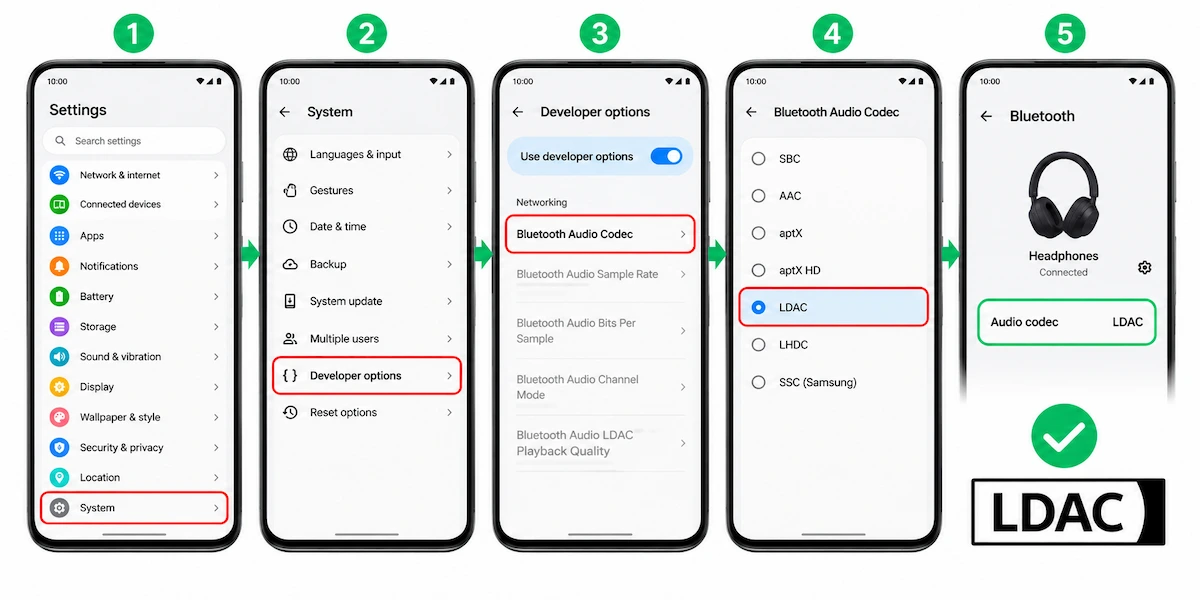
LDAC needs to be enabled in the phone’s Bluetooth settings rather than inside any streaming app. On most Android phones, this means opening Developer Options, scrolling to Bluetooth Audio Codec, and selecting LDAC from the list, provided the connected headphones support it as well. Some phones show this option directly under the Bluetooth device settings without needing Developer Options at all. One trade-off worth knowing, covered separately in the site’s explainer on whether LDAC uses more battery, is that running LDAC at its highest quality setting does draw more power than SBC or AAC, which is worth factoring in for all-day listening.
Frequently asked questions
Does YouTube Music support LDAC?
Not as a built-in feature. YouTube Music streams using AAC and Opus at up to 256kbps, and LDAC operates separately at the Bluetooth level between the phone and the headphones, so it can carry that signal but cannot add detail beyond what YouTube Music sends.
Does YouTube Music have LDAC?
YouTube Music itself has no LDAC setting anywhere in the app. LDAC is a phone-level Bluetooth option that applies to whatever is playing, YouTube Music included, rather than something the app controls on its own.
YouTube Music LDAC pairing: does it work?
A YouTube Music LDAC pairing works at the Bluetooth level on Android, meaning the phone can transmit YouTube Music’s audio using LDAC once the codec is selected in system settings and the connected headphones support it. This is different from LDAC YouTube Music integration inside the app itself, which does not exist, since the app has no codec settings of its own to adjust.
Is there LDAC support in YouTube Music on Android?
Yes, in the sense that an Android phone can transmit YouTube Music’s audio over a Bluetooth connection using LDAC if the phone’s Bluetooth codec is set to LDAC and the connected headphones support it. The benefit is limited since YouTube Music’s own streaming ceiling sits well below LDAC’s capacity.
Does YouTube Music support LDAC on iPhone?
No. iOS has never included LDAC support in any version, regardless of which streaming app is being used, so this has nothing to do with YouTube Music specifically.
Does Spotify support LDAC?
Spotify does not include LDAC as an app feature, but an Android phone can still transmit Spotify’s audio over LDAC at the Bluetooth level. The benefit becomes more noticeable with Spotify Lossless than with the standard Very High streaming tier.
Which streaming apps support LDAC?
None of the major streaming apps, including Spotify, YouTube Music, Apple Music, Tidal and Amazon Music, control LDAC directly. LDAC is set at the Android operating system level and applies to any audio the phone plays, though it only makes an audible difference with sources that stream at a high enough bitrate to begin with, such as Tidal, Amazon Music HD or Spotify Lossless.