Every time you enable LDAC on your Android phone, the codec starts pushing up to 990 kbps through the Bluetooth connection instead of the 256 to 328 kbps that AAC or SBC use. More data moving through the radio means more work on both ends of the link. Your phone encodes a denser audio stream, your headphones decode it in real time, and both chips run harder to keep up. That costs energy, and the difference shows up in battery readings faster than most people expect.
The straightforward answer is yes, LDAC uses more battery than AAC or SBC. The more useful answer is how much more, under which conditions, and whether the trade-off is worth it for how you actually listen.
The short answer: yes, and the difference is bigger than most people expect
Sony’s own official battery data for the WH-1000XM4 headphones puts the gap in plain numbers. With all processing features off and only the codec changing, LDAC delivers 30 hours of playback while AAC and SBC both deliver 38 hours on the same charge. That is a difference of 8 hours, or roughly 21% less battery life from LDAC alone, before ANC, audio upscaling or any other feature is turned on.
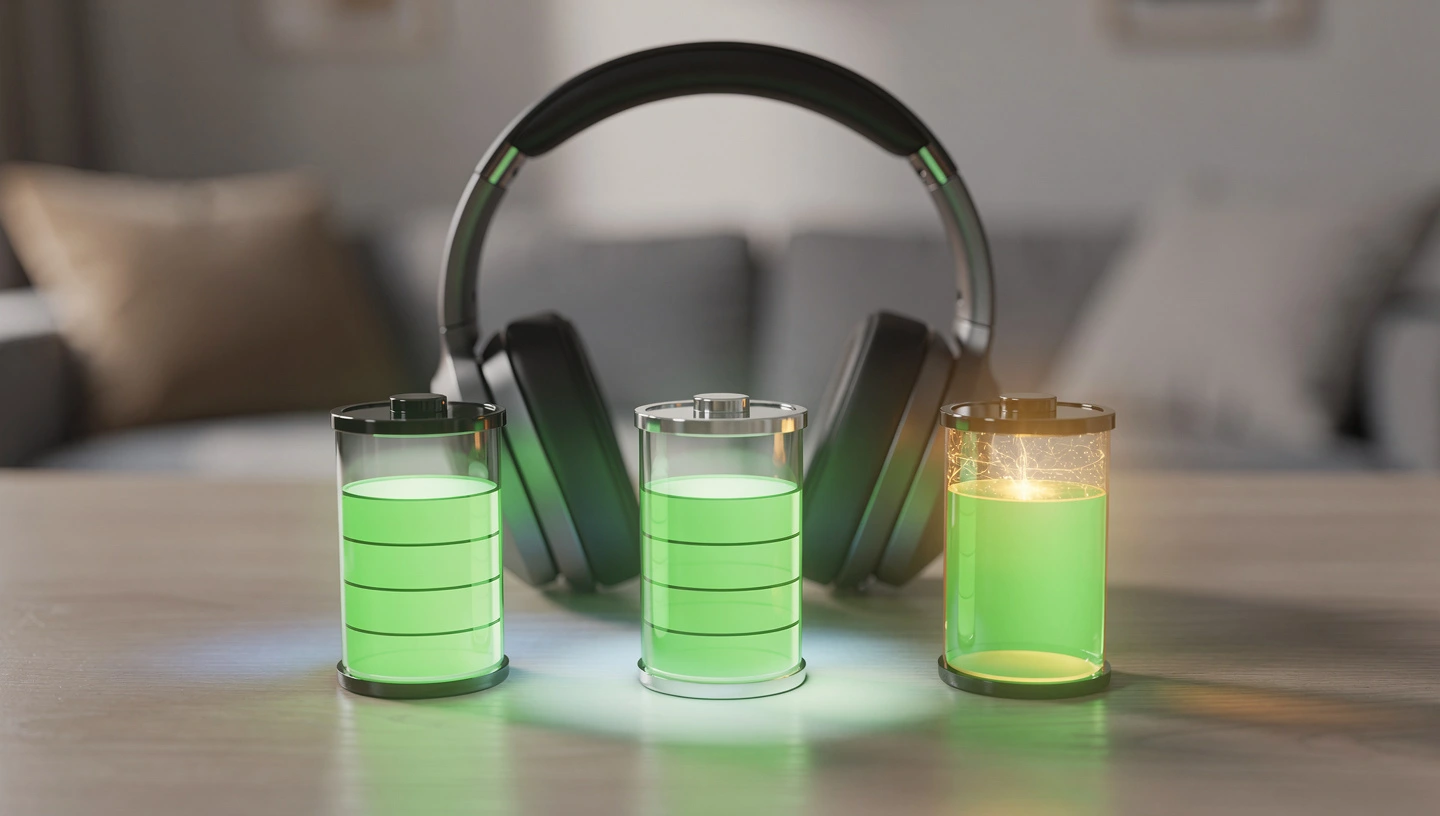
The general estimate across tested hardware puts LDAC 990 kbps at 20 to 30% more battery drain than SBC. At 660 kbps, the default Android setting, the drain is lower but still meaningfully higher than AAC. At 330 kbps, LDAC is close to AAC in power consumption, but at that point the audio quality drops below what aptX produces, which removes the main reason to use LDAC in the first place.
Why LDAC battery drain is higher than other codecs
The extra power consumption comes from three separate places in the audio chain. They add up independently, which is why LDAC affects battery on both the phone and the headphones at the same time, not just one side of the connection.
More data through the Bluetooth radio
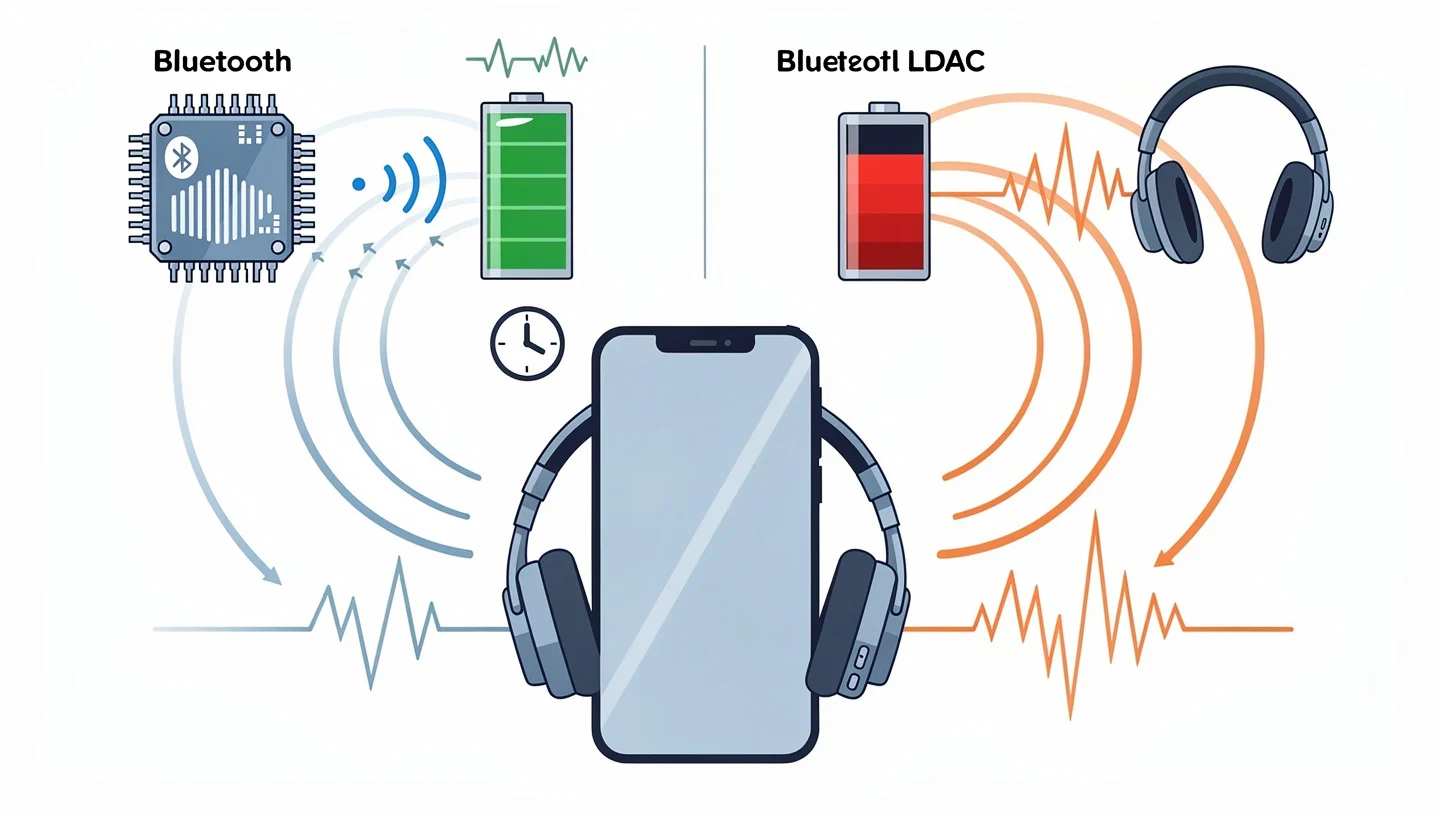
The Bluetooth radio inside your phone and headphones does not run at a fixed power level regardless of what it is transmitting. Higher bitrate means the radio stays active for longer periods per second to push the larger data packets through. SBC sends roughly 328 kbps. LDAC at 990 kbps sends three times that volume. The radio on both devices works proportionally harder, and radio activity is one of the largest single power draws in any wireless audio device.
Decoding load on the headphone chip
Inside your headphones, a small audio processor receives the compressed LDAC stream and decodes it back into audio data before sending it to the driver. LDAC’s compression algorithm is more complex than SBC or AAC. The decoder has to do more mathematical work per second to reconstruct the signal accurately, and that work draws current from the headphone battery continuously during playback. In a small battery like the one inside a TWS earbud or an over-ear headphone, that sustained processing load shortens the runtime noticeably.
Encoding load on your phone
On the phone side, the audio processor encodes the outgoing audio stream into LDAC format in real time. This is less demanding than the decoding side because modern phone SoCs are much more powerful than the chips inside headphones, and the relative power draw on a 4,000 mAh phone battery is smaller. The impact on phone battery is real but secondary compared to what happens on the headphone side. Users who primarily worry about headphone playback time are right to focus there first.
LDAC battery life vs AAC and SBC: official numbers from Sony
The table below comes from Sony’s official help guide for the WH-1000XM4. These are manufacturer-published figures, not estimates, and they cover every combination of codec, DSEE Extreme audio upscaling and ANC state.
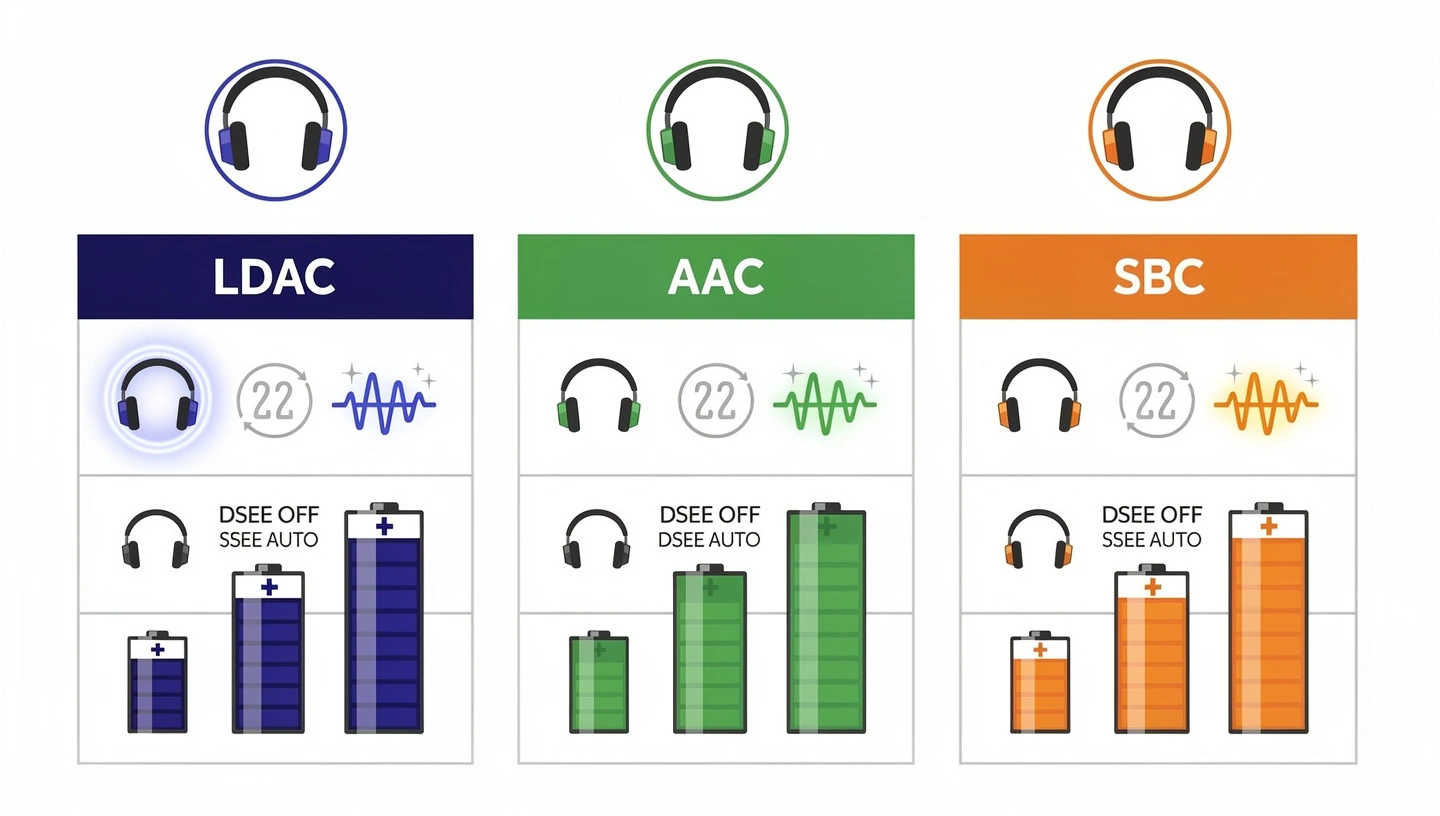
The numbers make clear how much each additional feature compounds the drain when running alongside LDAC.
| Codec | DSEE Extreme | ANC | Battery life |
|---|---|---|---|
| LDAC | OFF | OFF | 30 hours |
| LDAC | OFF | ON | 24 hours |
| LDAC | AUTO | OFF | 20 hours |
| LDAC | AUTO | ON | 16 hours |
| AAC | OFF | OFF | 38 hours |
| AAC | OFF | ON | 30 hours |
| AAC | AUTO | OFF | 22 hours |
| AAC | AUTO | ON | 18 hours |
| SBC | OFF | OFF | 38 hours |
| SBC | OFF | ON | 30 hours |
| SBC | AUTO | OFF | 22 hours |
| SBC | AUTO | ON | 18 hours |
The worst combination is LDAC with DSEE Extreme AUTO and ANC on: 16 hours, against AAC or SBC in the same configuration at 18 hours. The best-case LDAC scenario, everything off, gives 30 hours against 38 for AAC and SBC. Across every row, LDAC costs between 2 and 4 hours compared to AAC under identical conditions.
For context on what LDAC is doing with those extra bits it transmits, the full breakdown of what LDAC is and how it works covers the codec in detail.
LDAC at 330, 660 and 990 kbps: which bitrate hits battery hardest
LDAC does not run at a single fixed bitrate. It operates across three levels depending on signal conditions, and each level has a different impact on battery life.
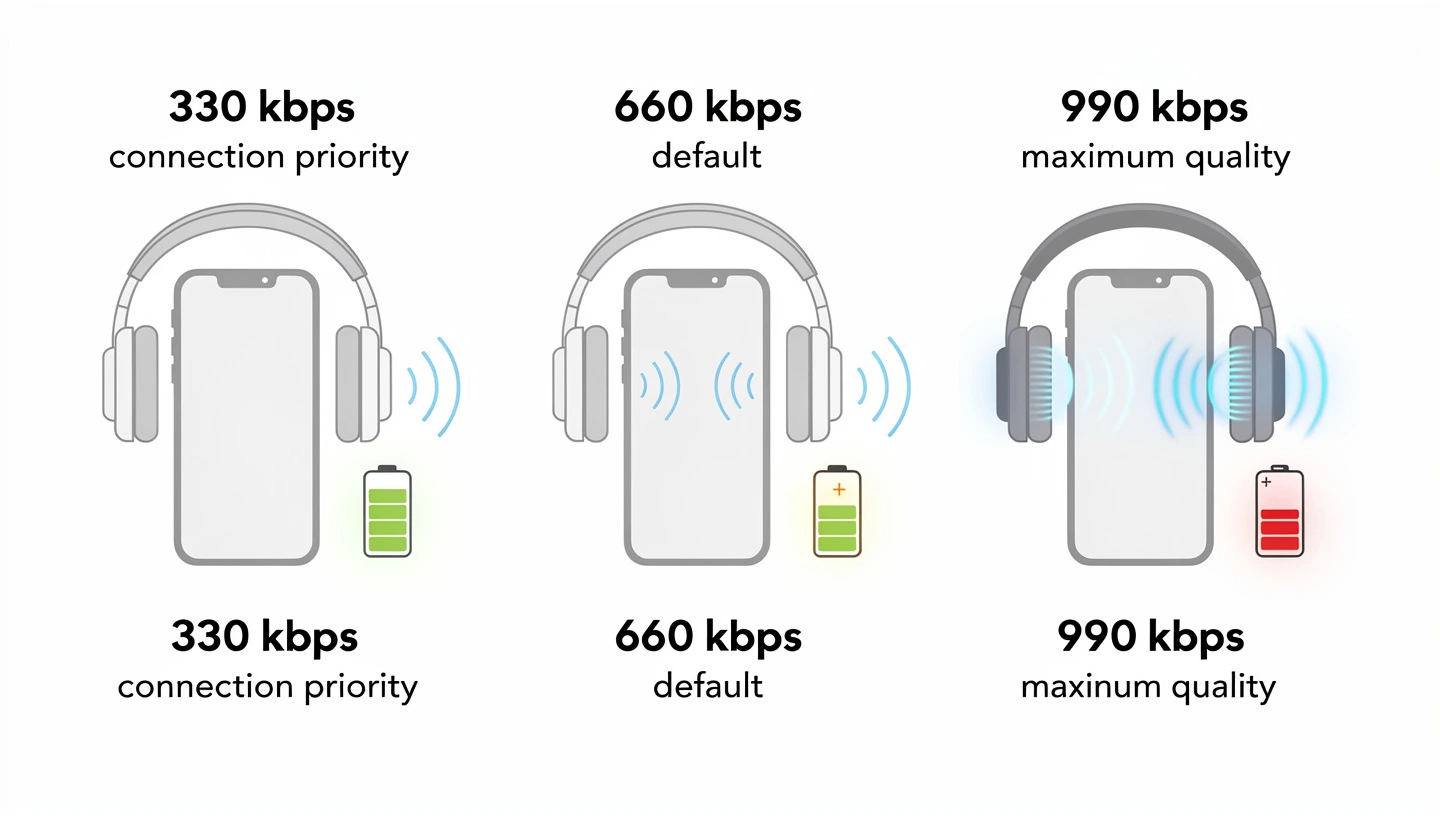
Understanding which level your device is actually using most of the time matters more than focusing on the 990 kbps maximum that appears in spec sheets.
990 kbps: maximum quality, maximum drain
At 990 kbps, LDAC runs at its full capacity and delivers 24-bit/96 kHz audio data. This is the mode that earns the Hi-Res Audio Wireless certification and the one that justifies the battery cost when the conditions are right. The Qudelix 5K documentation confirms that LDAC 990 kbps runs at three times the bitrate of AAC and provides roughly 1 to 2 hours less playback time on their hardware compared to AAC. On headphones with smaller batteries than the WH-1000XM4, the proportional impact on runtime is larger. To access 990 kbps reliably, you need to go into Developer Options on Android and set the LDAC quality mode to “Best effort” rather than leaving it on the default adaptive setting.
660 kbps: the Android default and what it actually costs
Most Android phones default to 660 kbps when LDAC is active because Sony and Android engineers consider it a stable middle point between audio quality and connection reliability. At this level the battery drain is lower than at 990 kbps but still higher than AAC. The audio quality is genuinely good and most listeners cannot reliably distinguish 660 kbps LDAC from 990 kbps in blind tests, which makes this the most practical LDAC setting for regular use when you want the codec active without pushing battery consumption to its worst point.
330 kbps: connection priority mode and why it barely saves battery
When signal conditions degrade, LDAC drops to 330 kbps, which is the connection priority mode. At this bitrate the power consumption is close to AAC, but the audio quality falls below what standard aptX produces. The codec is essentially running its full decoding complexity for an output that no longer justifies the overhead. If your device is regularly falling back to 330 kbps because of interference or distance, switching to AAC entirely gives you similar audio quality with better connection stability and equal or lower battery drain.
What makes LDAC power consumption worse on top of the codec itself
The codec is not the only variable. Three features commonly used alongside LDAC compound the power draw significantly, and the Sony battery table shows exactly how much each one adds to the drain.
Active noise cancellation running alongside LDAC
ANC runs a separate DSP pipeline that continuously samples ambient sound through the microphones and generates an inverse waveform to cancel it. That process runs in parallel with LDAC decoding and adds its own steady current draw. The Sony data shows that adding ANC to LDAC cuts battery from 30 hours down to 24 hours, a loss of 6 additional hours on top of what LDAC already costs compared to AAC. Running LDAC with ANC on at the same time is the fastest way to shorten a listening session.
DSEE Extreme and audio upscaling
DSEE Extreme is Sony’s AI-based audio upscaling feature that attempts to restore detail lost during compression of compressed audio streams like MP3 or AAC. When LDAC is active, enabling DSEE Extreme AUTO drops battery life from 30 hours to 20 hours, a loss of 10 hours compared to LDAC alone with everything else off. DSEE Extreme makes little technical sense alongside LDAC because LDAC at 660 or 990 kbps already preserves the detail that DSEE tries to reconstruct. Leaving DSEE Extreme off when using LDAC is the single largest battery saving available without changing the codec.
Multipoint connection with two devices
Multipoint keeps the headphones paired and ready to receive audio from two source devices simultaneously. The Bluetooth radio stays active for two connections instead of one, which increases standby and active power consumption. Some headphones disable LDAC when multipoint is active because LDAC requires more bandwidth than the connection can sustain across two simultaneous links. Where both are allowed to run together, expect battery life shorter than any single figure in the table above.
Does LDAC drain your phone battery or your headphone battery more
The answer is the headphones, and the margin is significant. A phone with a 4,000 mAh or larger battery encodes the LDAC stream using a full-size SoC with multiple processor cores optimized for audio workloads. The relative power increase from LDAC encoding on a phone battery is measurable but small in percentage terms across a full day of listening.
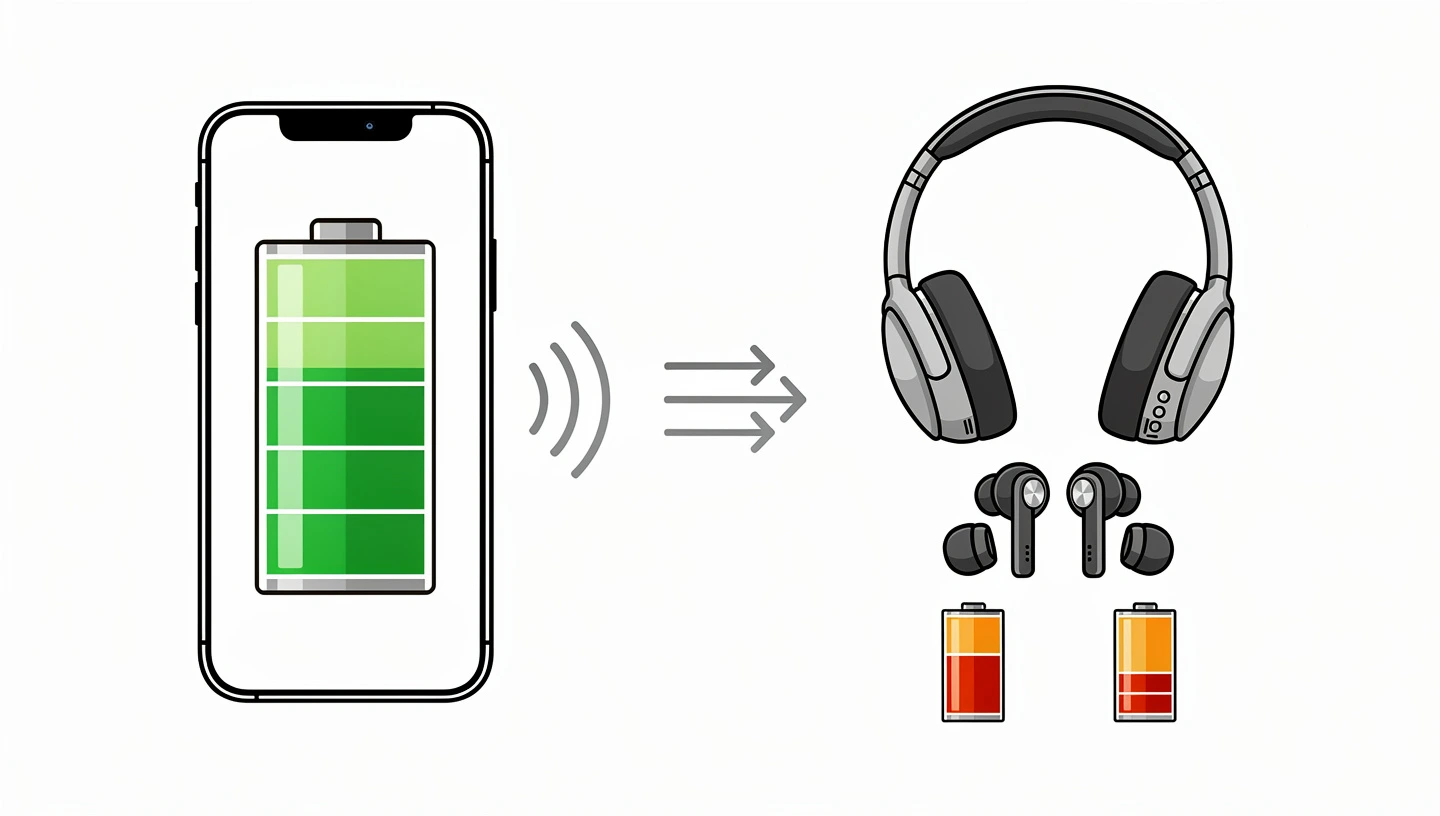
Headphones carry batteries between 300 mAh and 700 mAh for over-ear models, and below 60 mAh for TWS earbuds. The decoding chip inside the headphone is a small, low-power audio processor running continuously at its near-maximum load to keep up with the LDAC stream in real time. On a 500 mAh headphone battery, the sustained decoding load from LDAC 990 kbps is a substantial fraction of the total current draw, and it directly reduces playback hours in a way that is not proportionally visible on a phone.
Users who find their headphones dying before their phone during long listening sessions with LDAC active are observing this imbalance directly. Switching to AAC or aptX Adaptive reduces the decoding workload on the headphone chip and extends playback time without significantly affecting what you hear from most source material.
Best effort vs adaptive bitrate in Developer Options: which uses less battery
Android’s Developer Options give you direct control over how LDAC manages its bitrate, and the choice between the two available modes has a real impact on battery consumption. To access this setting, enable Developer Options by tapping “Build number” seven times in About Phone, then go to Settings > System > Developer Options > Bluetooth Audio Codec, select LDAC, and look for the codec-specific quality setting.
Best effort instructs the codec to hold 990 kbps as long as the signal allows. This maximizes audio quality but also maximizes battery drain because the radio and decoder run at peak load continuously. Any time the signal weakens, the codec attempts to recover 990 kbps rather than settling at a lower tier.
Adaptive bitrate allows LDAC to drop to 660 or 330 kbps when signal conditions require it. Battery consumption varies throughout a session rather than staying at peak, which extends playback time but means audio quality is inconsistent. In a stable home environment, adaptive bitrate tends to stay near 990 kbps anyway. In a busy or mobile environment it drops more often, saving battery but also reducing the quality advantage over AAC that justified enabling LDAC in the first place.
For anyone using LDAC primarily at home with a stable signal, best effort at 990 kbps delivers full quality. For all-day use away from a fixed location, adaptive bitrate is the more practical setting, and switching to AAC entirely is more consistent than relying on LDAC at 330 kbps when the signal degrades.
When the battery cost of LDAC is worth it
The battery drain from LDAC is a trade-off, not a flaw. Whether that trade-off works for you depends on what you are listening to, where you are, and what your headphones can actually resolve from the higher bitrate signal.
Lossless sources: Tidal, Qobuz and local FLAC files
LDAC’s quality advantage only materializes when the source audio contains the detail that 990 kbps can transmit. Streaming from Tidal HiFi, Qobuz, or local FLAC and ALAC files provides source material with enough resolution that the higher bitrate makes a difference on good headphones. Streaming Spotify at 320 kbps or YouTube audio gives LDAC nothing extra to work with, and the battery cost buys no audible improvement over AAC in that scenario.
Stationary listening with the phone nearby
LDAC holds 990 kbps most reliably when the phone is within a few meters and there is minimal 2.4 GHz interference from other devices. Listening at a desk, on a sofa or in a quiet room gives the codec the stable signal it needs to stay at the top tier without dropping. In that context, the battery cost is fixed and predictable, and you get the full quality return on the investment.
Premium headphones that can resolve the difference
The driver, diaphragm material and acoustic tuning of the headphones determine whether the extra detail in a 990 kbps LDAC stream is actually audible. Budget headphones with basic drivers compress and color the sound regardless of what the codec delivers. Headphones above the $150 range with quality drivers, like those covered in the best LDAC headphones guide, give the codec the transducer quality to make the bitrate advantage perceptible.
When to turn LDAC off and save battery instead
There are clear situations where the battery cost of LDAC produces no return in audio quality, and switching to AAC or SBC is the rational choice.
All-day use away from a charger
If you need the headphones to last through a full workday, commute, travel or an extended outdoor session without access to charging, AAC gives you 8 more hours on the same charge compared to LDAC with everything else equal, based on Sony’s published figures. For a long-haul flight or a full day at a conference, that difference is the margin between the headphones lasting or not.
Streaming from Spotify, Apple Music or YouTube
Compressed streaming sources at 320 kbps or below do not contain the audio data that LDAC is optimized to transmit. AAC handles those sources at equivalent or better perceptual quality than LDAC for most listeners, with no battery penalty. There is no reason to run LDAC on a Spotify stream.
Commuting and unstable signal environments
Dense urban environments with high 2.4 GHz traffic from Wi-Fi networks and other Bluetooth devices force LDAC to drop from 990 kbps toward 330 kbps repeatedly. At 330 kbps the audio quality is worse than aptX, the battery drain is still higher than AAC, and the connection is less stable. AAC maintains a consistent lower bitrate with a more reliable link under those conditions. For a full comparison of how each codec behaves in those environments, the Bluetooth codec comparison guide covers the tradeoffs across every major option.
Gaming and watching video
LDAC latency sits between 200 and 300 ms, which creates visible audio-video desynchronization on any content where timing between sound and image matters. For gaming or film watching, switch to a low-latency codec. The battery cost of LDAC is irrelevant for this use case because LDAC is the wrong tool regardless of battery considerations.
LC3 and LE Audio: will future codecs solve the battery problem
LC3, the codec that powers Bluetooth LE Audio, was designed from the ground up for power efficiency at lower bitrates. It achieves acceptable audio quality at bitrates where LDAC would produce noticeably degraded output, and it uses the Low Energy Bluetooth radio which transmits data in shorter, more efficient bursts rather than the sustained higher-power transmission that LDAC requires. Devices running LC3 and LE Audio consistently show lower battery drain than equivalent LDAC setups, which is one reason manufacturers pitch LE Audio as a path to longer playback times without sacrificing sound quality at typical listening bitrates.
The full picture of how LC3 compares to LDAC on battery and audio quality is in the Bluetooth LE Audio vs LDAC guide.
aptX Lossless is a separate answer to the quality question: it delivers lossless CD-quality audio at 16-bit/44.1 kHz over Bluetooth 5.2 on Qualcomm Snapdragon Sound certified hardware. It does not solve the battery problem but it reframes the trade-off by making the quality ceiling higher. For anyone tracking where Qualcomm is taking wireless audio, the Snapdragon Sound platform overview covers the full codec roadmap.
Does LDAC use more battery: the practical answer
LDAC uses more battery than AAC or SBC, and the gap is larger than the spec sheets suggest. Sony’s own published data shows 30 hours versus 38 hours on identical hardware with only the codec changing. At 990 kbps with ANC and DSEE Extreme active, that figure drops to 16 hours. The drain is concentrated on the headphone side where the decoding chip runs near its limit continuously.
The trade-off is worth it when the source audio is lossless, the signal is stable, the headphones are good enough to resolve the quality difference, and you have access to charging before the session ends. It is not worth it for compressed streaming, commuting, gaming, or any situation where you need the headphones to last as long as possible. In those cases, AAC delivers equivalent or better practical results with no battery penalty, and switching LDAC off is the simplest way to recover several hours of playback time without touching any other setting.
If you want to understand how LDAC compares to aptX Adaptive across every relevant specification including battery, latency and compatibility, the full breakdown is in the aptX Adaptive vs LDAC comparison.
Frequently asked questions
Does LDAC drain battery faster than AAC?
Yes. Sony’s official battery data for the WH-1000XM4 shows LDAC at 30 hours versus AAC at 38 hours under identical conditions with ANC and DSEE Extreme both off. That is 8 hours less, or roughly 21% shorter battery life from the codec change alone.
How much more battery does LDAC use compared to SBC?
Between 20 and 30% more at 990 kbps, based on published hardware measurements. SBC and AAC perform identically on battery in Sony’s published data. At LDAC 660 kbps, the gap is smaller but still present. At 330 kbps, LDAC is close to AAC in power consumption but audio quality drops below aptX at that level.
Does LDAC drain the phone battery or the headphone battery more?
The headphone battery takes the larger hit. The decoding chip inside headphones is a small, low-power processor that runs at near-maximum load continuously to decode the LDAC stream in real time. The phone has a much larger SoC and battery, so the relative impact of encoding is smaller. Headphones dying before the phone during LDAC sessions is a direct consequence of this imbalance.
Should I use LDAC if I am streaming from Spotify?
No. Spotify streams at up to 320 kbps in compressed AAC or OGG format. LDAC has nothing extra to transmit because the source material does not contain hi-res data. AAC handles Spotify at equivalent perceptual quality with no battery penalty. Save LDAC for lossless sources like Tidal HiFi, Qobuz or local FLAC files.
What is the difference between LDAC best effort and adaptive bitrate?
Best effort forces the codec to hold 990 kbps as long as the signal allows, maximizing quality and battery drain. Adaptive bitrate allows LDAC to drop to 660 or 330 kbps when signal conditions require it, which saves some battery but makes quality inconsistent. Both settings are accessible through Developer Options on Android under Bluetooth Audio Codec settings.
Does turning off ANC save battery when using LDAC?
Yes, significantly. Sony’s WH-1000XM4 data shows LDAC without ANC at 30 hours and LDAC with ANC on at 24 hours, a difference of 6 hours. ANC runs a separate DSP pipeline that adds its own power draw on top of the LDAC decoding load. Turning off ANC when battery life matters is one of the most effective steps independent of which codec is active.
Will LC3 and Bluetooth LE Audio use less battery than LDAC?
Yes. LC3 was designed for power efficiency at lower bitrates and uses the Bluetooth Low Energy radio, which transmits in shorter, more efficient bursts compared to the sustained higher-power transmission that LDAC requires. Manufacturers pitching LE Audio devices commonly cite better battery life as one of the primary advantages over LDAC-based setups at comparable audio quality levels.