SOUNDPEATS sent me the SoundPEATS CC3 Pro for an honest review, and I was pleasantly surprised. These are $69.99 clip-on earbuds that do most things right for the money. Comfort is the first thing you notice, and the second is how much sound comes out of an open-ear design.
The headline specs: 12 mm dual-magnet driver plus a 9 mm piezoelectric ceramic driver, LDAC and Hi-Res Audio, Bluetooth 6.0 with multipoint, IPX6, 5.5 g per earbud, up to 10 hours per charge and up to 44 hours with the case, wireless charging and physical buttons. The CC3 Pro goes on sale on October 28, 2026 through the SOUNDPEATS stores on Amazon, and the launch code PRCC3PRO gives an extra 10% off, up to 30% off in total with the on-page offer.
Below I go through design, fit, sound, LDAC, battery, the app, calls and everything that bothered me. If you are choosing between clip-on earbuds, the comparison near the end shows where the CC3 Pro sits in the SOUNDPEATS range.
SoundPEATS CC3 Pro specifications at a glance
| Feature | SoundPEATS CC3 Pro |
|---|---|
| Type | Open-ear, clip-on |
| Drivers | 12 mm dual-magnet dynamic + 9 mm piezoelectric ceramic |
| Codec | LDAC, Hi-Res Audio |
| Bluetooth | 6.0 with multipoint (two devices) |
| Battery | Up to 10 h per charge, up to 44 h with the case |
| Quick charge | 10 minutes gives up to 3 hours |
| Charging | USB-C and wireless charging |
| Weight | About 5.5 g per earbud |
| Water resistance | IPX6 |
| Controls | Physical buttons |
| Microphones | One per earbud |
| Impedance | 30 ohm |
| App features | Dynamic EQ, Adaptive EQ, Spatial Audio, Privacy Mode, Game Mode, Find My Earbuds, button customization, firmware updates |
| Color | Black |
| Warranty | 12 months |
| Price | US$69.99 / £75.99 / €79.99 |
What’s in the box
The box is simple. You get the two earbuds, the charging case, a USB-C cable and the user guide. The cable is very short, so if you charge from a wall adapter or a power bank, keep a normal USB-C cable around. No charger is included, which is standard these days.
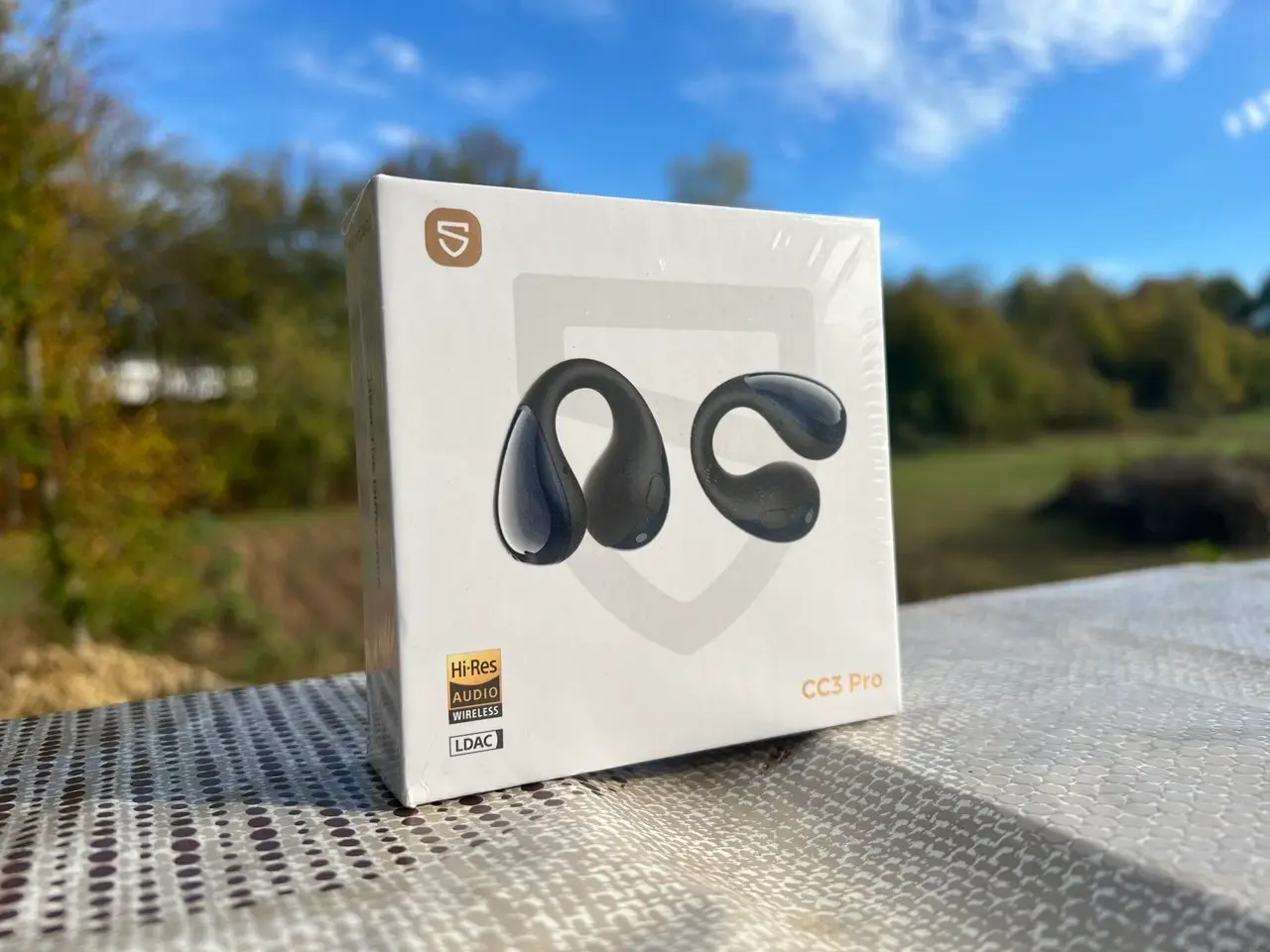
One small detail is that the earbuds ship with a protective film. SOUNDPEATS asks you to peel it off before the first pairing, and then close the case lid for about two seconds to wake the earbuds up. Skip that step and you will wonder why nothing connects.
Design and build quality – lightweight, glossy and premium
The CC3 Pro looks like a small, smooth capsule on a flexible arm. The glossy body is clean and the part that rests behind the ear has a soft, rubberized feel. At about 5.5 g per earbud they are very light. The arm uses liquid silicone over a thin 0.5 mm memory wire, and SOUNDPEATS says the silicone is antibacterial. I will be honest, they look a bit like earrings, which I actually like.
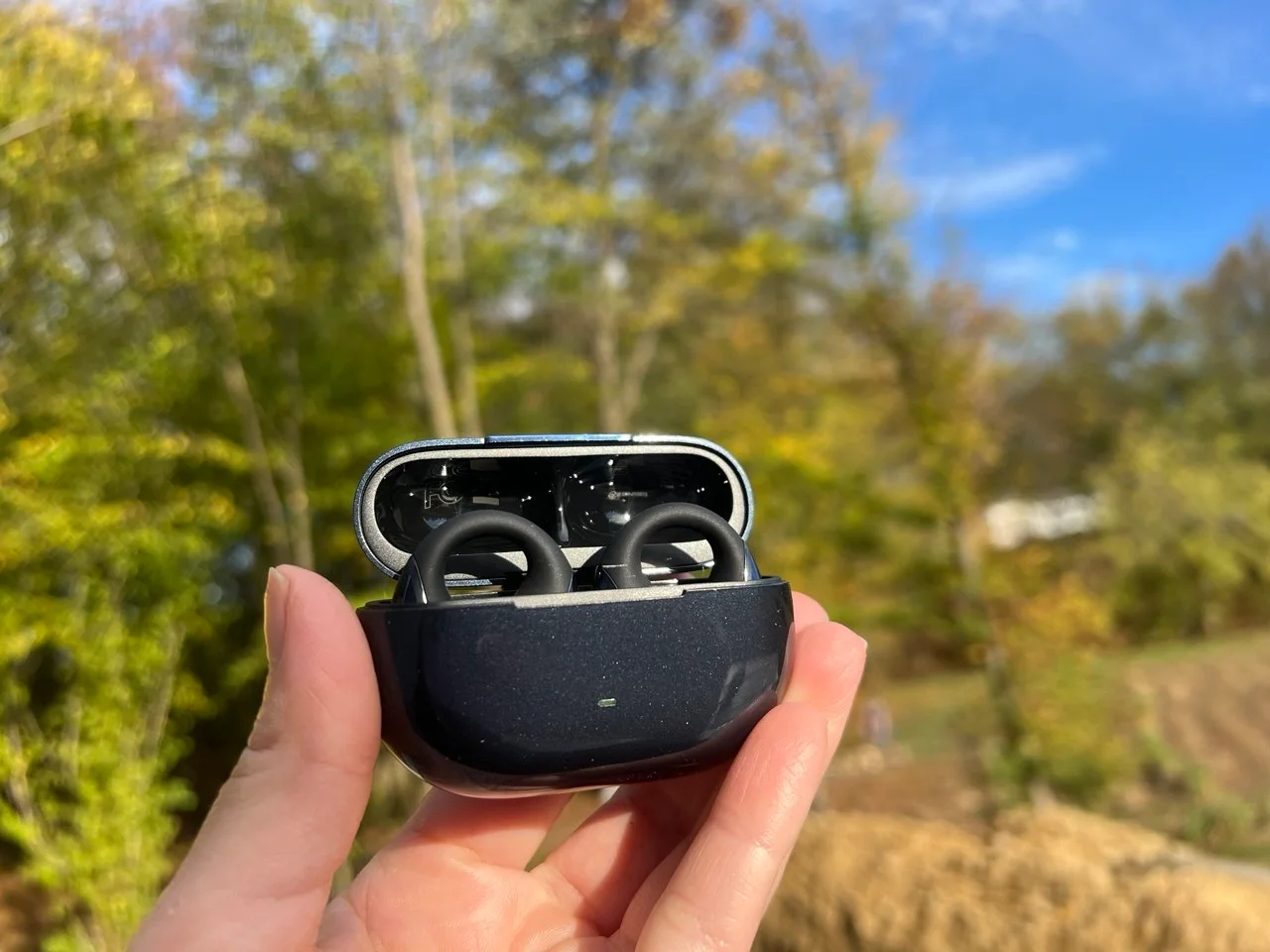
The charging case is a step up from the older clip-on models. It has a smooth, glossy dark blue finish and a lid that closes with a satisfying snap. The earbuds sit in it with magnets that pull them into the right position, so the contacts always line up. There is a small light on the front that shows the charge, a button on the case and a USB-C port at the bottom. The light is green at 50 to 100%, yellow at 20 to 49% and red below 20%, so you see the level at a glance. If you want to know what the port is, our guide to what USB-C is explains it.
Get the SoundPEATS CC3 Pro on Amazon with code PRCC3PRO
One nice touch is the left and right adaptation. You can drop either earbud into either slot, and the case assigns the channels automatically when you close the lid. That is one less thing to think about.
One more thing you might notice is the logo. The CC3 Pro is the first SOUNDPEATS product with the new, rounder logo, and some models on the market may carry the old one for a while. SOUNDPEATS says the change is only about the brand look and does not touch the specs or quality.
How to wear the CC3 Pro
Fit takes a minute to learn. Check the front and the back of the earbud, then slide the earbud over the top of the ear. The speaker goes toward the front of the ear, and the back part rests behind it. Adjust the angle until the sound outlet points straight at your ear canal.
SOUNDPEATS says small changes in placement change the bass and the vocals, and I agree. Move the earbud a few millimeters and the sound changes. Mine felt a little loose at first, and bending the arm slightly inward fixed it.
Comfort and fit – I forgot I was wearing them
This is where the CC3 Pro wins. They are the most comfortable clip-on earbuds I have worn from SOUNDPEATS. The silicone cushions the ear, nothing pinches, and there is no pressure like you get from a normal in-ear earbud. I wore them for a full day and never felt the need to take them out. A few times I only remembered I had them on when I went to bed.
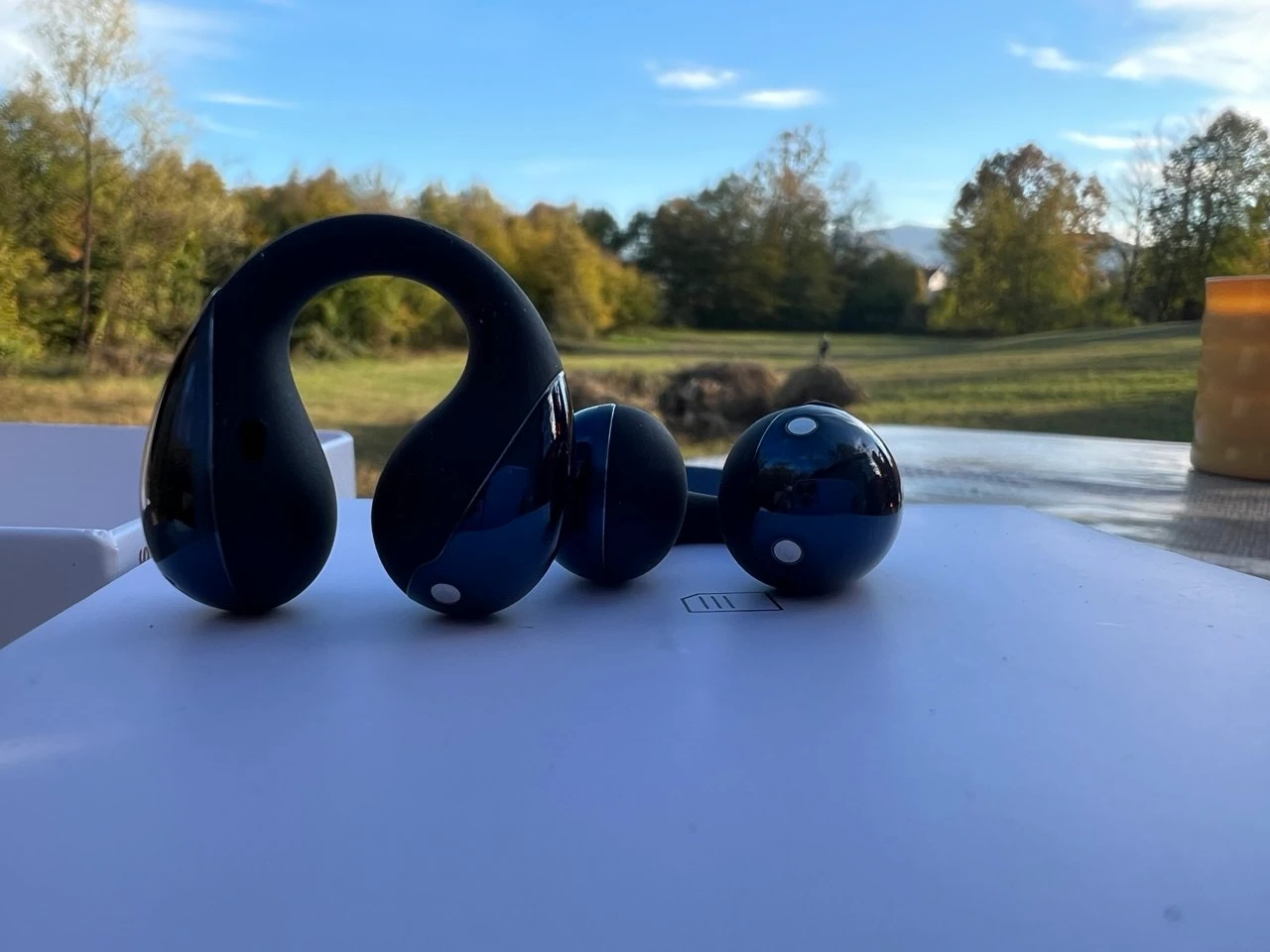
They stay in place when I walk, climb stairs or do light exercise, and they do not feel plugged up like in-ears do. The open shape lets the ear breathe, which matters on long sessions. They also sit fine with earrings. If you have never worn this kind of earbud, our page on clip-on earbuds shows how the style differs from hooks and in-ears.
One thing to know is that the volume drops fast when the earbud shifts out of position. Because they sit outside the canal, a small move changes what you hear. If that happens, push them back and the sound returns.
Sound quality – dual drivers that sound bigger than they look
Each CC3 Pro earbud has a 12 mm dual-magnet dynamic driver and a 9 mm piezoelectric ceramic driver. SOUNDPEATS claims 3% or less distortion across the range, and the aim is cleaner sound from low to high. In daily use, the result is an open-ear sound with more body than I expected.
There is plenty of volume. I listen at around 40% and still hear highs, mids and bass clearly, and there is a lot of room left if you need more in a noisy place. The bass is surprisingly solid for an open-ear design. It is not in-ear bass, but it has texture and does not turn muddy.
The default Classic setting sounds a little muted to me, and a bit dull on some tracks. Switching the EQ in the app fixes that, and I will cover that in the app section. Vocals are clear, which makes podcasts, audiobooks and calls sound natural. Compared with the UU2, the CC3 Pro bass is more controlled and less boomy, and it sounds fuller and more realistic. The highs are slightly soft, and I would have liked a bit more sparkle at the top.
I also want to be fair. Open-ear earbuds do not beat in-ears for music, and the CC3 Pro does not change that. Where they shine is media while you stay aware of your surroundings. For runners and walkers they make a lot of sense.
Hi-Res Audio and LDAC support
The CC3 Pro supports LDAC and Hi-Res Audio Wireless on compatible phones. LDAC sends more data over Bluetooth, which helps preserve subtle details like texture in vocals and cymbals. If you want the full picture, we explain it in our article on what LDAC audio is.
You turn LDAC on in the SOUNDPEATS app, or in the Bluetooth settings of your phone. It is worth using at home or on a quiet walk, because open-ear earbuds let outside noise in and the extra detail is easier to hear in a quiet place. The Dynamic EQ also works with LDAC.
There are two trade-offs, and SOUNDPEATS does not hide them. First, LDAC drains the battery faster. The product image itself shows the up to 10 hours dropping to about 6 hours with LDAC on. Second, you cannot run LDAC and multipoint at the same time. Multipoint is on by default, and you need to switch LDAC on in the app when you want it.
Open-ear awareness and Privacy Mode
The open design is the point. You hear traffic, a person talking to you, a door or an announcement, and music plays on top of it. SOUNDPEATS uses Directional Sound Transmission to aim the sound at your ear, so more of it goes toward you and less spills out. In a quiet room or in a loud street, you still know what is going on.
That is also the weakness. A louder place hides your music, and you do not get isolation. A bus, a train or a busy gym will mask podcasts, and you will push the volume up.
The CC3 Pro also has a Privacy Mode, which SOUNDPEATS calls the Sound Seal System. It makes the sound slightly muffled, and this reduces what the people next to you can hear. It is useful in an office or a quiet place. The trade-off is that the sound loses some brightness, so I turn it on only when I need it.
Physical buttons – real clicks instead of touch controls
The CC3 Pro uses physical buttons on both earbuds, and I love that choice. Touch controls on small earbuds are easy to trigger by accident when you fix your hair, put on a hat or sweat.
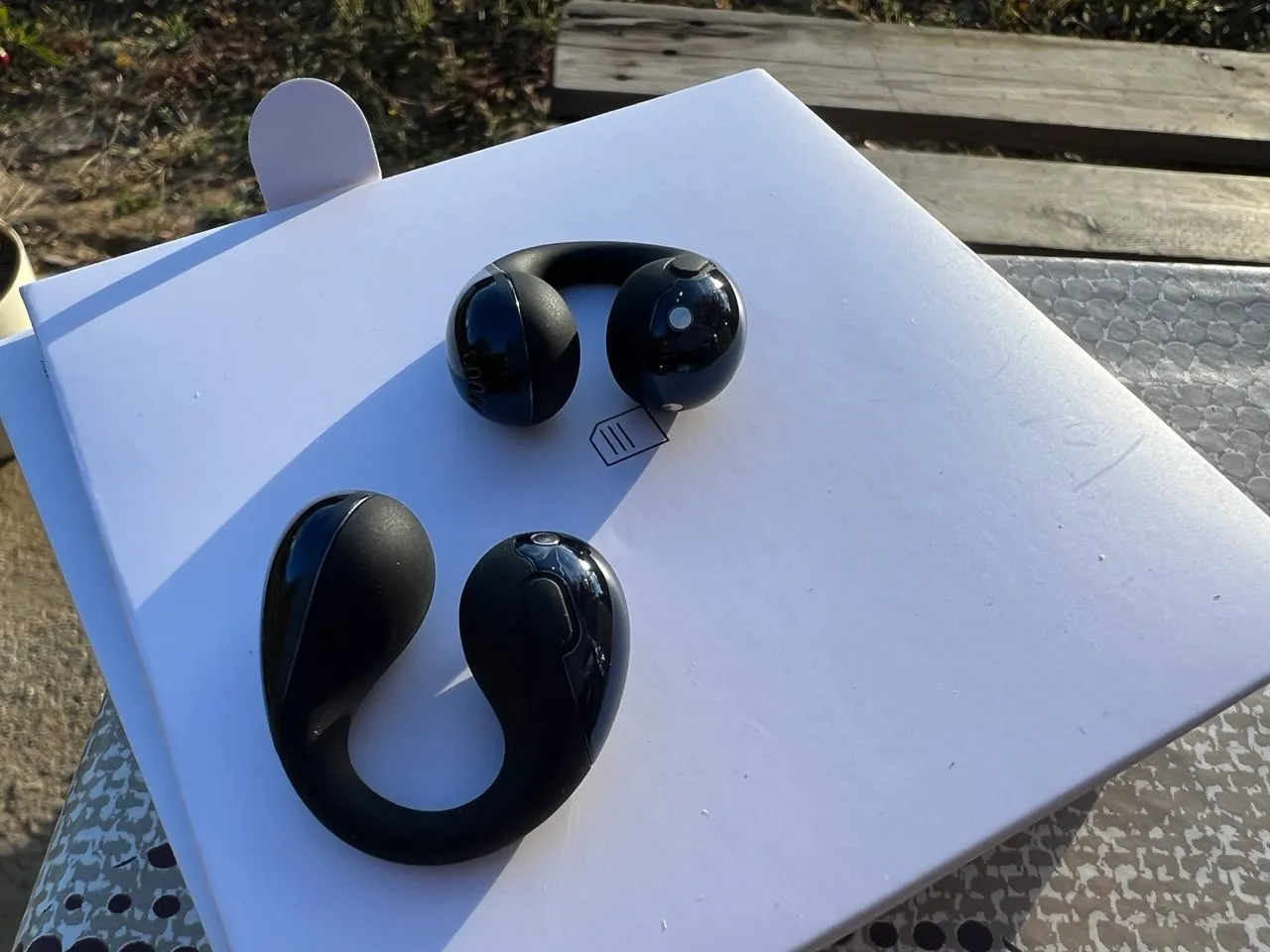
The buttons here are fully wrapped, give a clear click like a mouse button and make it easy to control playback with one hand.
| Action | Control |
|---|---|
| Volume up | Press the right earbud once |
| Volume down | Press the left earbud once |
| Play, pause, answer or end a call | Press either earbud twice |
| Previous or next track | Press and hold for 1.5 seconds (left and right handle one direction each) |
| Reject a call | Press and hold both earbuds for 1.5 seconds |
You can also change the button actions in the app. There are two small downsides. The click can be heard when you press, which some people will notice in a quiet room. The second is that the CC3 Pro has no wear sensor, so music does not pause when you take an earbud out. If you are used to that from other earbuds, you will miss it.
Battery life – a week between case charges is realistic
SOUNDPEATS lists up to 10 hours per charge and up to 44 hours with the case. With LDAC off, that figure held up for me over a couple of days of normal use. Because the open design does not need a high volume, the battery lasts longer than the numbers suggest. The case gave me around a week of use before I had to plug it in.
Turning LDAC on changes things. The battery warning came sooner, which matches the roughly 6 hours on the SOUNDPEATS product image. If you want the full story on why, read our piece on whether LDAC uses more battery. My routine is simple. I leave LDAC off for the day and turn it on when I sit down to listen properly.
| Battery | CC3 Pro | PearlClip Pro | UU2 |
|---|---|---|---|
| Earbuds | 10 hours | 6 hours | 10 hours |
| With case | 44 hours | 24 hours | 42 hours |
| 10 minute charge | 3 hours | 2 hours | 2 hours |
| Wireless charging | Yes | No | No |
Wireless charging is the feature that sets the CC3 Pro apart in this range. I dropped the case on a wireless pad and it charged without any trouble. Most SOUNDPEATS clip-on models do not have it, so this is a real plus.
Bluetooth 6.0 and multipoint connection
The CC3 Pro runs on Bluetooth 6.0. If the version number is new to you, our guide to Bluetooth 6.0 goes through what changed. Pairing was quick. You take the earbuds out of the case, open Bluetooth on your phone and tap SOUNDPEATS CC3 Pro. The earbuds connect within seconds each time you take them out of the case.
Multipoint is one of my favorite features. I connect the CC3 Pro to my phone and my computer at once, and I can switch between them without repairing or digging through Bluetooth menus. It works well with Windows too, which has finally got better at handling Bluetooth headsets.
Range is about average. I got a stable connection across the house, and I had brief dropouts only when I moved far away from my phone or into another floor. The signal recovered right away. To connect two devices, pair the first, turn Bluetooth off on it, pair the second, then turn Bluetooth back on on the first. Remember that multipoint and LDAC do not run together.
SOUNDPEATS app and features
The SOUNDPEATS app is worth installing. It handles firmware updates and gives you a lot of control for the price.
- Dynamic EQ and Adaptive EQ, plus several presets and the option to create your own.
- Spatial Audio and listening modes.
- Privacy Mode for lower leakage.
- Game Mode for lower latency.
- Find My Earbuds, which makes a lost earbud play a sound.
- Button customization and an LDAC switch.
- Auto power-off and a timer, plus the language of the voice prompts.
The Adaptive EQ made the biggest difference for me. It lifted the lower mids a little and softened the sharp edge of the highs, without pushing the bass until it drowned everything else. The stock preset is fine, but the EQ gets you to a sound you actually like. If you like a lot of bass, you will enjoy the default, and if you prefer other parts of the music, you can lower the bass a notch.
The app could be better. It needs an internet connection, which is a small downside, and it asks for a few permissions. It does the job, though.
Microphone and call quality
The CC3 Pro has one microphone per earbud, while the UU2 has two. In practice, the mics suppress background noise fairly well. They struggle a little in wind, and voices sound slightly compressed but are easy to understand. Calls feel natural, because you hear your own voice through the open ear and do not get that blocked-up feeling you get with in-ear earbuds.
If you want to understand how noise reduction works on calls, our explainer on AI ENC covers it. For long calls outside in strong wind, I would still pick a headset with a boom mic. For walking calls and home office calls, the CC3 Pro is good.
Gaming mode and video latency
Game Mode lowers latency, and with it on, video stayed in sync for me. I watched videos on my phone and computer without any visible lag between the picture and the sound. For casual games and video, the CC3 Pro is fine.
Is the CC3 Pro good for running and the gym?
Yes, and this is where the open design makes the most sense. The earbuds stay in place when I walk fast, climb stairs and do light exercise, the physical buttons do not trigger from sweat, and I hear traffic, people and the room around me. The 5.5 g weight means you do not feel them bouncing, and the IPX6 rating handles sweat and light rain.
Battery is not a worry either. 10 hours per charge covers long runs and workdays, and a quick 10 minute charge gives about 3 hours. The limit is the same as with all open-ear earbuds. Music loses punch in loud places, so a gym with loud music will cover your playlist. For running outside, walking and light workouts, I find them a better fit than in-ears.
Sound leakage – what others can hear
Open-ear earbuds always leak some sound, and the CC3 Pro is no exception. At low and normal volume, people next to you hear very little, and that is why I could use them in a quiet room without bothering anyone. At high volume, the sound spreads. The Privacy Mode in the app cuts some of it by softening the highs, and the Directional Sound Transmission aims more of the sound toward your ear. If you share an office or a train seat, keep the volume down and switch Privacy Mode on.
Water resistance – IPX6 for sweat and rain
The CC3 Pro has an IPX6 rating. That covers sweat, light rain and splashes, so it keeps up with workouts. The integrated button design is part of that, since the sealed construction helps keep water out. SOUNDPEATS says clearly that they are not made for swimming, showering or submerging. After a workout, wipe the earbuds and the charging contacts dry before you put them back in the case.
What I like about the CC3 Pro
Comfort that lets me forget them, a sound that is fuller than most clip-on earbuds, physical buttons, multipoint that works, wireless charging, a battery that lasts about a week with the case, and an app with a proper EQ. The case looks and feels premium for $69.99, and the open design keeps me aware of what is happening around me.
Room for improvement
The default EQ is a bit dull, and the highs are slightly soft. LDAC cuts the battery to around 6 hours and does not work with multipoint. There is only one mic per earbud, no wear sensor, and the app needs the internet. The button click can be heard, the very short USB-C cable is not very practical, and, like all open-ear earbuds, they offer no isolation, so noisy places will drown your music.
Who should buy the CC3 Pro and who should skip it
Buy the CC3 Pro if you want to hear your surroundings, if in-ear earbuds hurt your ears or feel plugged up, or if you use earbuds for podcasts, calls, walking and workouts. It also suits people who switch between a phone and a computer all day, and anyone who likes physical buttons and wireless charging.
Skip it if you want the strongest bass and the best isolation, if you commute in loud places, or if you want noise cancelling. In-ear earbuds will sound better for music, and a model with a wear sensor will pause the music when you take an earbud out, which the CC3 Pro does not do.
SoundPEATS CC3 Pro vs PearlClip Pro vs UU2
The SOUNDPEATS clip-on range now has three models that are easy to mix up.
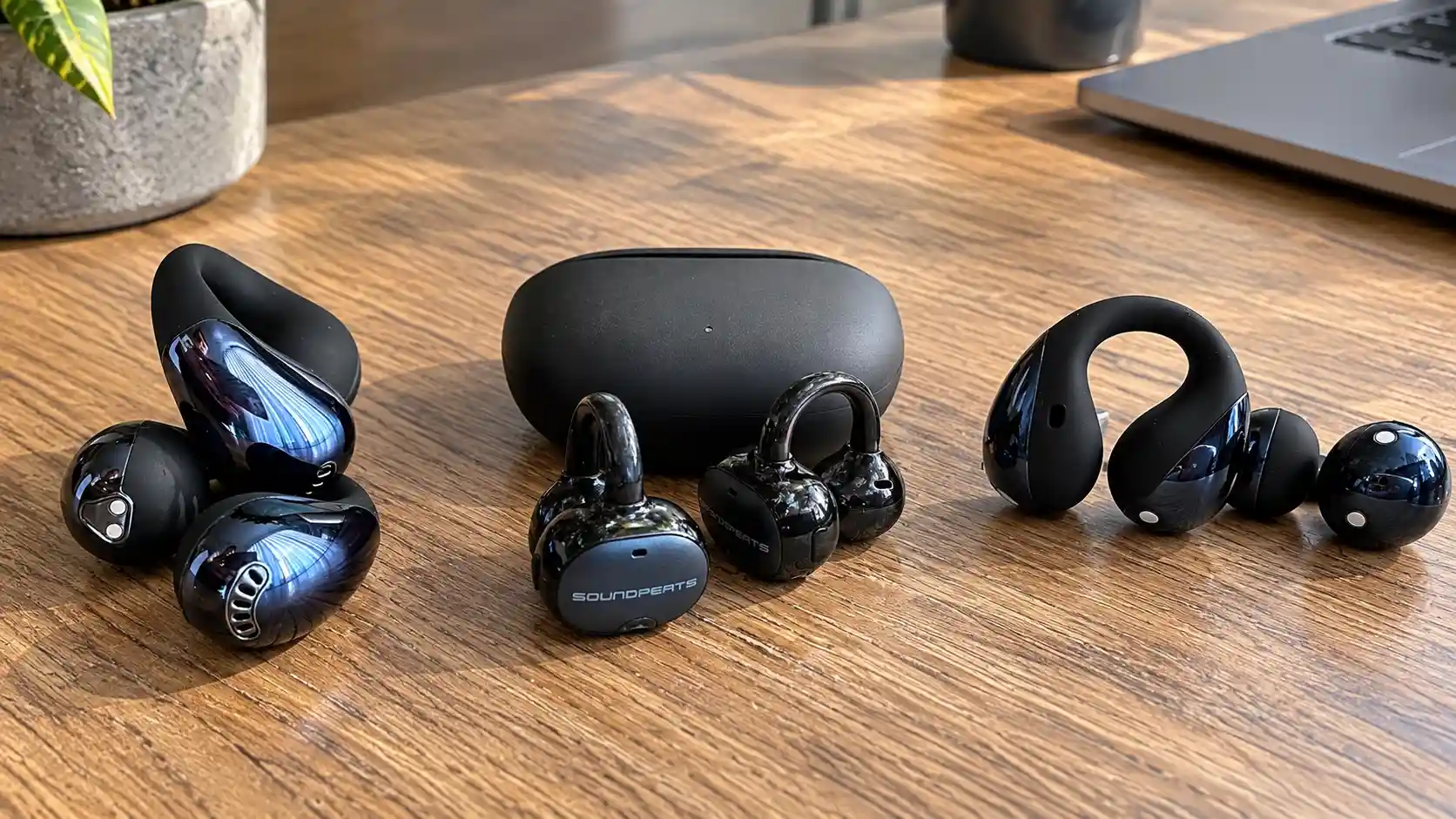
The table shows where the CC3 Pro stands next to the PearlClip Pro and the UU2.
| Feature | CC3 Pro | PearlClip Pro | UU2 |
|---|---|---|---|
| Controls | Physical buttons | Touch | Physical buttons |
| Battery (earbuds / case) | 10 h / 44 h | 6 h / 24 h | 10 h / 42 h |
| 10 minute charge | 3 hours | 2 hours | 2 hours |
| Weight per earbud | About 5.5 g | About 5 g | About 5 g |
| Wireless charging | Yes | No | No |
| Water resistance | IPX6 | IPX5 | IPX5 |
| Microphones per earbud | 1 | 1 | 2 |
| Drivers | 12 mm dual-magnet + 9 mm piezo ceramic | 12 mm dual-magnet | 12 mm titanium-coated dual-magnet |
Against the PearlClip Pro, the CC3 Pro wins on battery, physical buttons, wireless charging and the water rating. The PearlClip Pro still has its own look and is slightly lighter, and we cover it in detail in our PearlClip Pro review.
The two also differ in feel. The PearlClip Pro has a cuff-style shape with touch controls, while the CC3 Pro is a clip with a flexible arm and real buttons. If you sweat a lot or wear a cap, the buttons are easier to use and far less likely to be pressed by accident. The biggest reason to move up is the battery. Twenty-four hours with the case is a lot less than 44, and the PearlClip Pro earbuds last only about 6 hours per charge.
The UU2 is the cheaper option at $49.99, and it has two microphones per earbud, AI call noise reduction and a very similar battery. The CC3 Pro costs $20 more and adds the piezo ceramic driver, faster charging, wireless charging and the better water rating. If your budget is tight, our SoundPEATS UU2 article shows what you get for less. If you can stretch, the CC3 Pro is the better pair.
Price, launch discount and where to buy
The CC3 Pro launches on October 28, 2026, and Amazon is the main sales channel. SOUNDPEATS lists these launch prices.
| Market | Price |
|---|---|
| US | $69.99 |
| UK | £75.99 |
| Europe | €79.99 |
| Canada | C$92.99 |
| Australia | A$83.99 |
| UAE | AED 209 |
| Saudi Arabia | SAR 239 |
You can save more with the launch code PRCC3PRO. It gives an extra 10% off, which can bring the total discount to up to 30% when combined with the offer on the page. The code works from October 28 to November 30, 2026, until 11:59 PM local time, in all SOUNDPEATS stores on Amazon. SOUNDPEATS also runs a launch bonus, a free limited Panda Protective Case for purchases between October 28 and November 4 from an eligible Amazon SOUNDPEATS Official Store, claimed through a gift claim form.
Get the SoundPEATS CC3 Pro on Amazon with code PRCC3PRO
The link takes you to the Amazon store of your region. Prices and offers change, so check the final price on the product page before you buy.
Overall – IMHO the CC3 Pro is a great buy for open-ear fans
The SoundPEATS CC3 Pro is the best open-ear clip-on model from SOUNDPEATS I have used. Comfort is excellent, the buttons are the right call, the battery lasts for days, and the sound has more body than the size suggests. Wireless charging and multipoint make it easy to live with, and the app gives you the control to fix the sound if the default does not suit you.
It is not for everyone. If you want the best sound for music or you commute on noisy trains, in-ear earbuds with noise cancelling will do better. If you want to hear the world, take calls, listen to podcasts and walk, run or work in comfort, the CC3 Pro is easy to recommend. SOUNDPEATS was founded in 2010, says it has more than 38 million users in over 31 countries and holds 285+ patents. If you wonder about the brand itself, read our article on whether SoundPEATS is a good brand. For $69.99, or less with the code PRCC3PRO, I think the CC3 Pro is a great bang for the buck.
SoundPEATS CC3 Pro FAQ
Is the SoundPEATS CC3 Pro waterproof?
It has an IPX6 rating, so it handles sweat, light rain and splashes. It is not made for swimming, showering or submerging in water.
Does the SoundPEATS CC3 Pro support LDAC?
Yes. It supports LDAC and Hi-Res Audio Wireless on compatible phones. You switch LDAC on in the SOUNDPEATS app or in your phone’s Bluetooth settings.
Can the CC3 Pro connect to two devices at once?
Yes. It supports multipoint, so you can stay connected to a phone and a computer and switch between them without pairing again.
Can I use LDAC and multipoint together?
No. Multipoint is on by default, and you have to switch LDAC on in the app when you want it. The two do not run at the same time.
How long does the CC3 Pro battery last?
Up to 10 hours per charge and up to 44 hours with the case. With LDAC on, the earbuds drop to about 6 hours. A 10 minute quick charge gives up to 3 hours of playback.
Does the CC3 Pro have wireless charging?
Yes. The case charges on a wireless pad, and it also charges over USB-C.
Does the CC3 Pro have noise cancelling?
No. It is an open-ear design, so it keeps you aware of your surroundings and does not block outside sound. It does have a Privacy Mode that reduces how much others can hear.
Is the CC3 Pro good for calls?
Yes, for walking and home calls. The microphones suppress background noise fairly well, struggle a little in strong wind, and voices are clear and natural to speak with.
Does the CC3 Pro have a wear sensor?
No. Music does not pause when you take an earbud out, so you press the physical button to pause.
How do I reset the CC3 Pro?
Put the earbuds in the case with the lid open, press and hold the button on the case for 10 seconds until the red light flashes rapidly, and the earbuds return to factory settings and enter pairing mode.
Is there a discount code for the CC3 Pro?
Yes. Use PRCC3PRO for an extra 10% off, up to 30% in total with the page offer. It is valid from October 28 to November 30, 2026, in all SOUNDPEATS stores on Amazon.
Is the CC3 Pro good for running?
Yes. The clip stays in place, the buttons ignore sweat, IPX6 handles rain, and the open design lets you hear traffic. The 10 hour battery covers long runs.
Does the CC3 Pro leak sound?
Some, like every open-ear design. At normal volume people next to you hear very little, and at high volume the sound spreads. Privacy Mode in the app reduces it.
What do the case lights mean?
The light on the case shows the battery level when you open it. Green means 50 to 100%, yellow 20 to 49% and red below 20%.
What is the difference between the CC3 Pro and the PearlClip Pro?
The CC3 Pro has physical buttons, a 44 hour battery, wireless charging and IPX6. The PearlClip Pro has touch controls, a 24 hour battery with the case, no wireless charging and IPX5.