The best wireless earbuds for students are light, comfortable for long sessions and good for a full day on campus. They also need clear calls for online classes and a price that fits a student budget.
A student uses earbuds in a quiet library, in a loud lecture hall, on the bus and at the gym. One pair has to cover all of that, so battery, fit and noise control matter more than a long list of extra features.
Below we list six picks for different phones and budgets, with specs, pros and cons for each. After that we explain what to check before buying earbuds for students, and which pair fits which situation.
Our Top Picks for the Best Wireless Earbuds for Students
We built this list around the way students use earbuds, from budget buyers to college students who want premium noise cancelling. Each pick has its own review further down, and for a wider list outside this topic, see our guide to the best wireless earbuds.
- Apple AirPods Pro 3: best for students with an iPhone
- Samsung Galaxy Buds3 Pro: best for Android and Samsung phones
- Bose QuietComfort Ultra Earbuds (2nd Gen): best for noise cancelling
- Shokz OpenFit 2: best open-ear pick
- Soundcore P31i: best budget pick with noise cancelling
- EarFun Air Pro 4: best value with more features
Mini Reviews of the Best Wireless Earbuds for Students
Apple AirPods Pro 3
The Apple AirPods Pro 3 are the pick for college students who use an iPhone. They offer noise cancelling and a Transparency mode that lets the room in, which helps when a student walks across campus or waits for a bus.
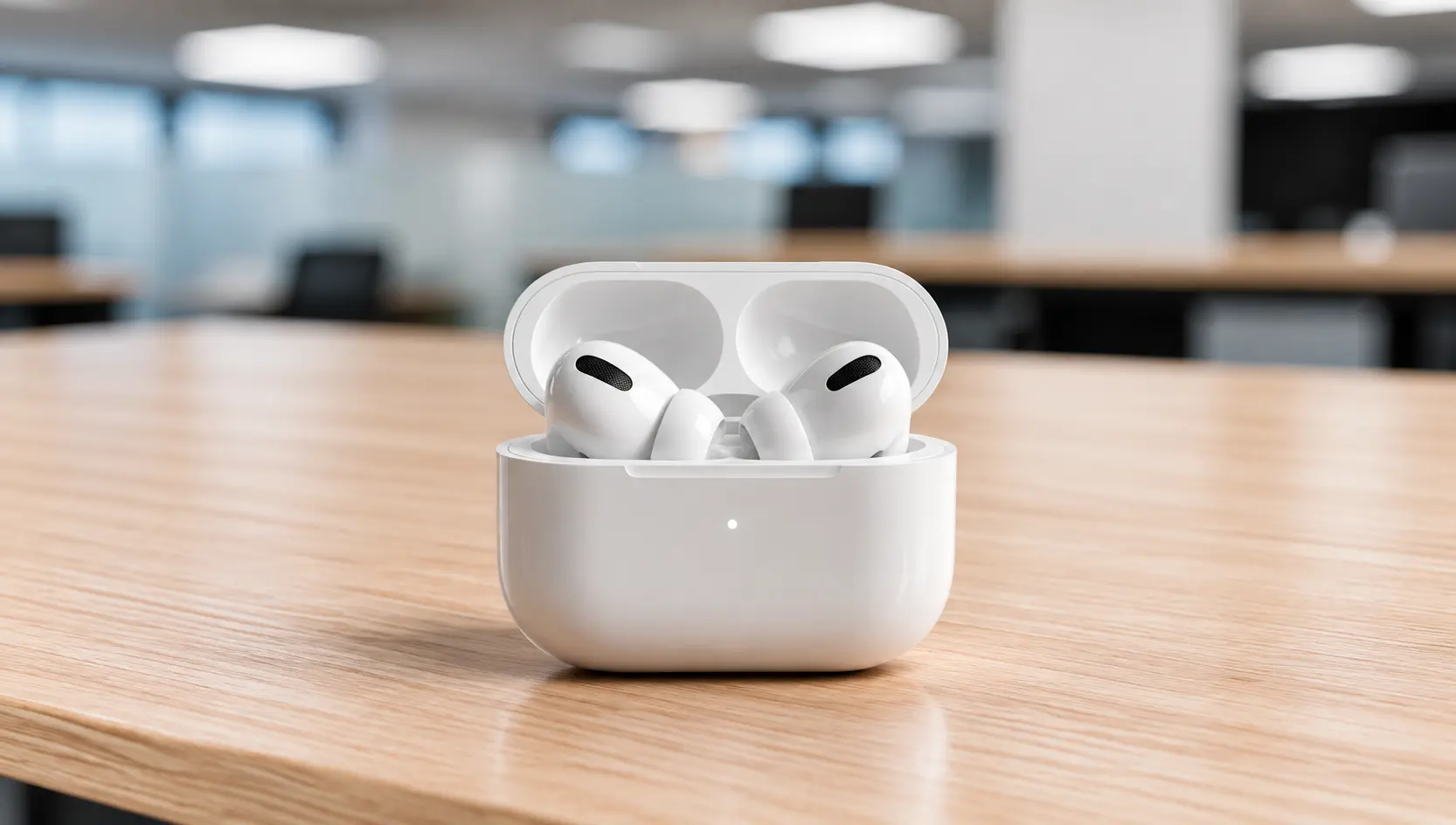
The chip inside is the Apple H2, and we explain what it does in our guide to which earbuds have the H2 chip. At 5.55 g per earbud, they are light enough for a long day of lectures.
| Spec | Detail |
|---|---|
| Battery | Up to 8 hours, up to 24 hours with the case |
| Water resistance | IP57 |
| Weight | 5.55 g per earbud |
- Pro: light 5.55 g earbuds with an IP57 rating
- Pro: noise cancelling and Transparency mode
- Con: 8 hours per charge is shorter than the 11 hours of the Shokz OpenFit 2
Samsung Galaxy Buds3 Pro
The Samsung Galaxy Buds3 Pro are the pick for Android students, and they work best with a Samsung phone. They offer noise cancelling, Adaptive sound and an Ambient sound mode, and the Galaxy Wearable app handles the settings.
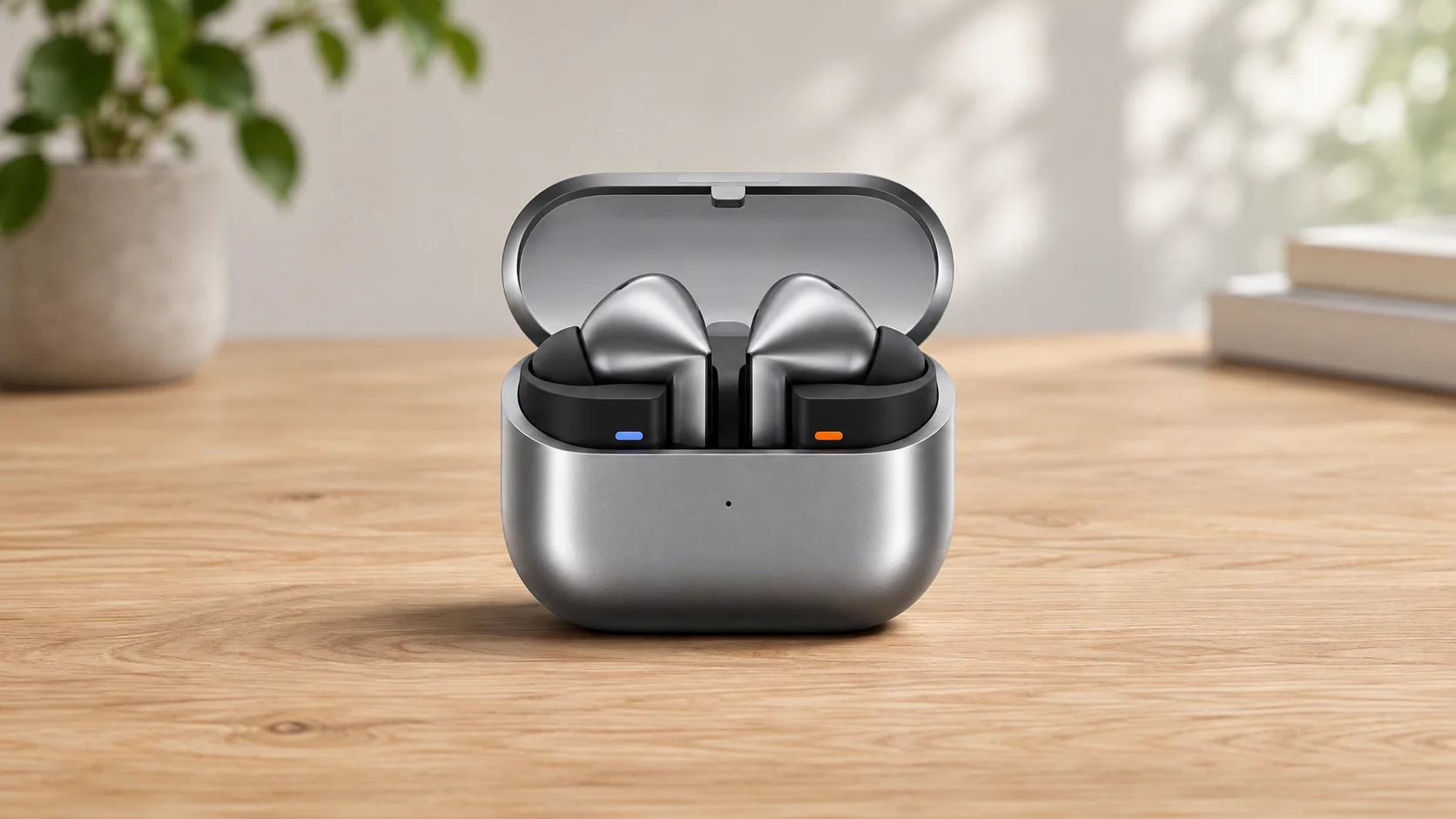
They use Bluetooth 5.4, which we cover in our article on Bluetooth 5.4. The battery numbers below come from a third-party listing and not from a Samsung page, so we label them that way.
| Spec | Detail |
|---|---|
| Battery | 6 hours, 26 hours with the case |
| Battery with ANC on | 4.5 hours |
| Water resistance | IP57 |
| Weight | 5.4 g per earbud |
- Pro: noise cancelling, Adaptive sound and Ambient sound
- Pro: light 5.4 g earbuds with an IP57 rating
- Con: only 4.5 hours with noise cancelling on, so the case is needed between classes
Bose QuietComfort Ultra Earbuds (2nd Gen)
The Bose QuietComfort Ultra Earbuds (2nd Gen) are the pick for students who want noise cancelling for a loud dorm, a bus or a crowded library. We explain how the feature works in our article on active noise canceling.
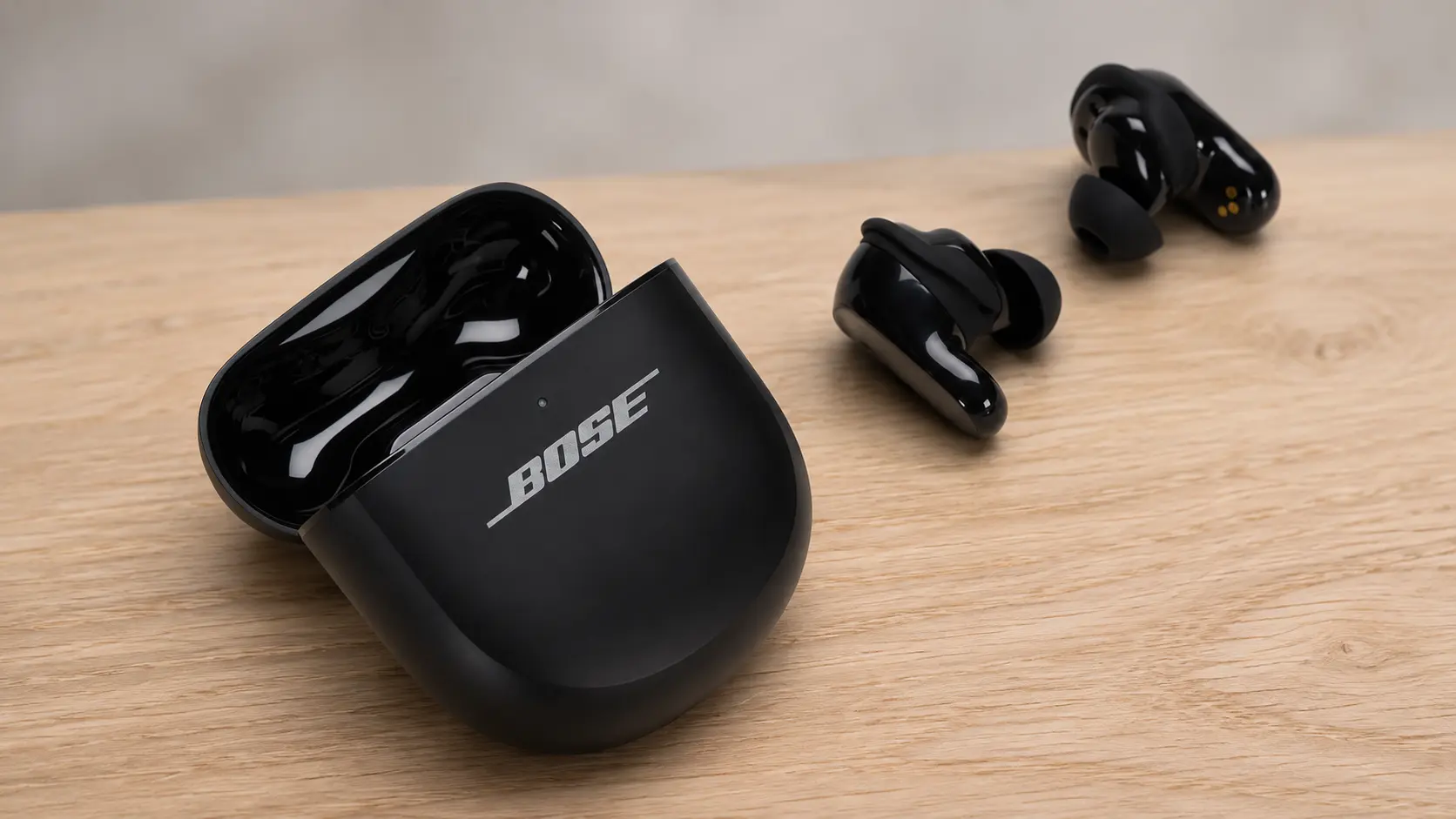
Bose lists four microphones in each earbud for calls and a wireless range of up to 30 feet. The codec list is SBC, AAC and aptX Adaptive.
| Spec | Detail |
|---|---|
| Battery | 6 hours, case up to 18 hours |
| Quick charge | 20 minutes gives up to 2 hours |
| Water resistance | IPX4 |
- Pro: 4 microphones in each earbud for calls
- Pro: 20 minute quick charge gives up to 2 hours
- Con: 6 hours per charge, and 4 hours with Immersive Audio on
- Con: IPX4 is the lowest water rating on our list
Shokz OpenFit 2
The Shokz OpenFit 2 is an open-ear design that sits outside the ear canal. A student can still hear a roommate, an announcement or a person who walks in, which is why it is on our list. For a closer look at this type, see our article on clip-on earbuds.
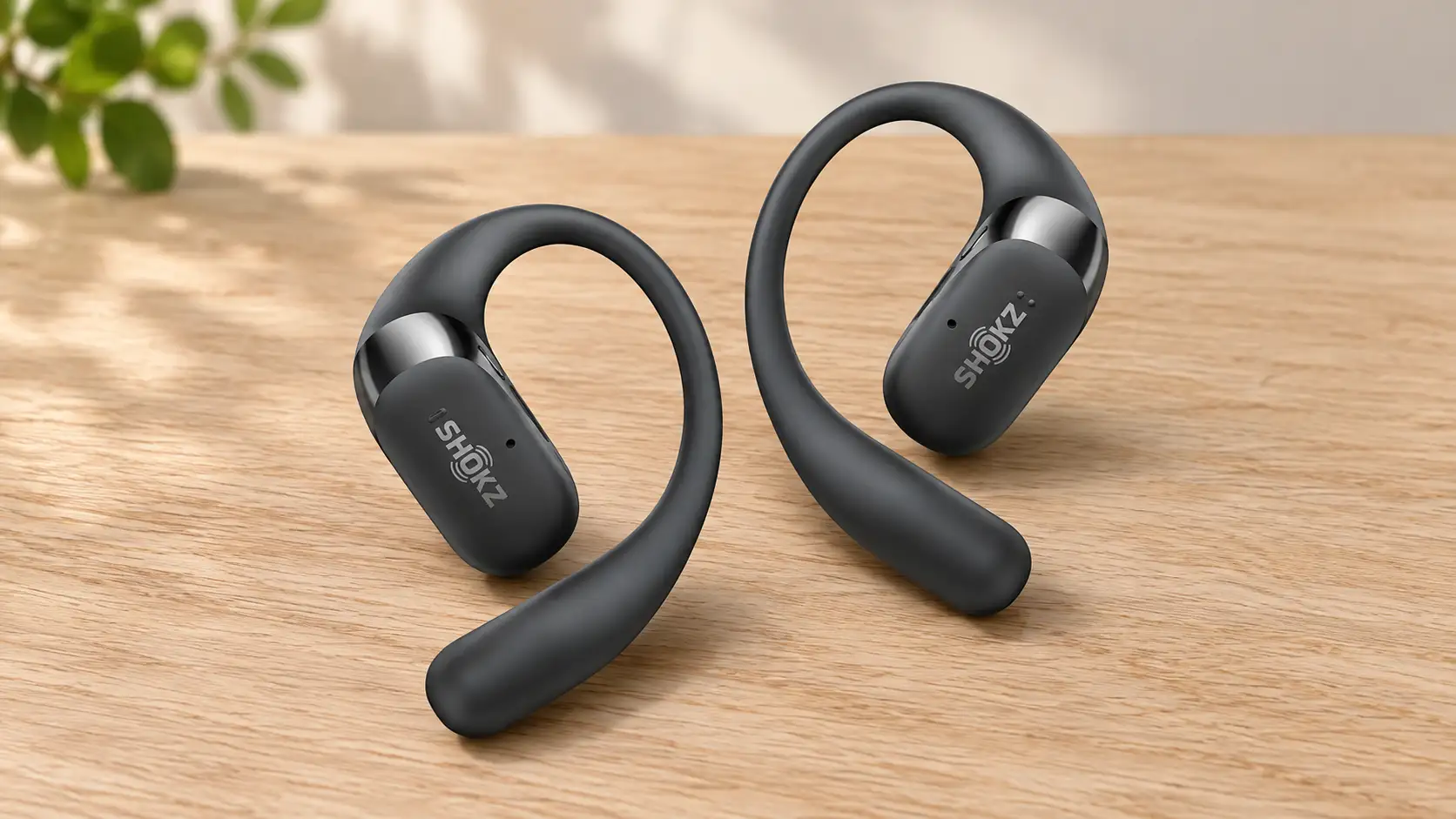
The OpenFit 2 has physical multifunction buttons, and touch controls can be turned on in the Shokz app. The app also has four EQ modes and MultiPoint for two devices.
| Spec | Detail |
|---|---|
| Battery | 11 hours, up to 48 hours with the case |
| Quick charge | 10 minutes gives 2 hours |
| Water resistance | IP55 |
| Weight | 9.4 g per earbud |
- Pro: open-ear design and 11 hours per charge
- Pro: a 2 year warranty
- Con: heavier than the AirPods Pro 3 at 9.4 g per earbud
- Con: $179.95 list price
Soundcore P31i
The Soundcore P31i is the pick for students on a budget who still want noise cancelling. Soundcore lists Adaptive ANC with up to 52 dB of noise reduction and six microphones for calls.
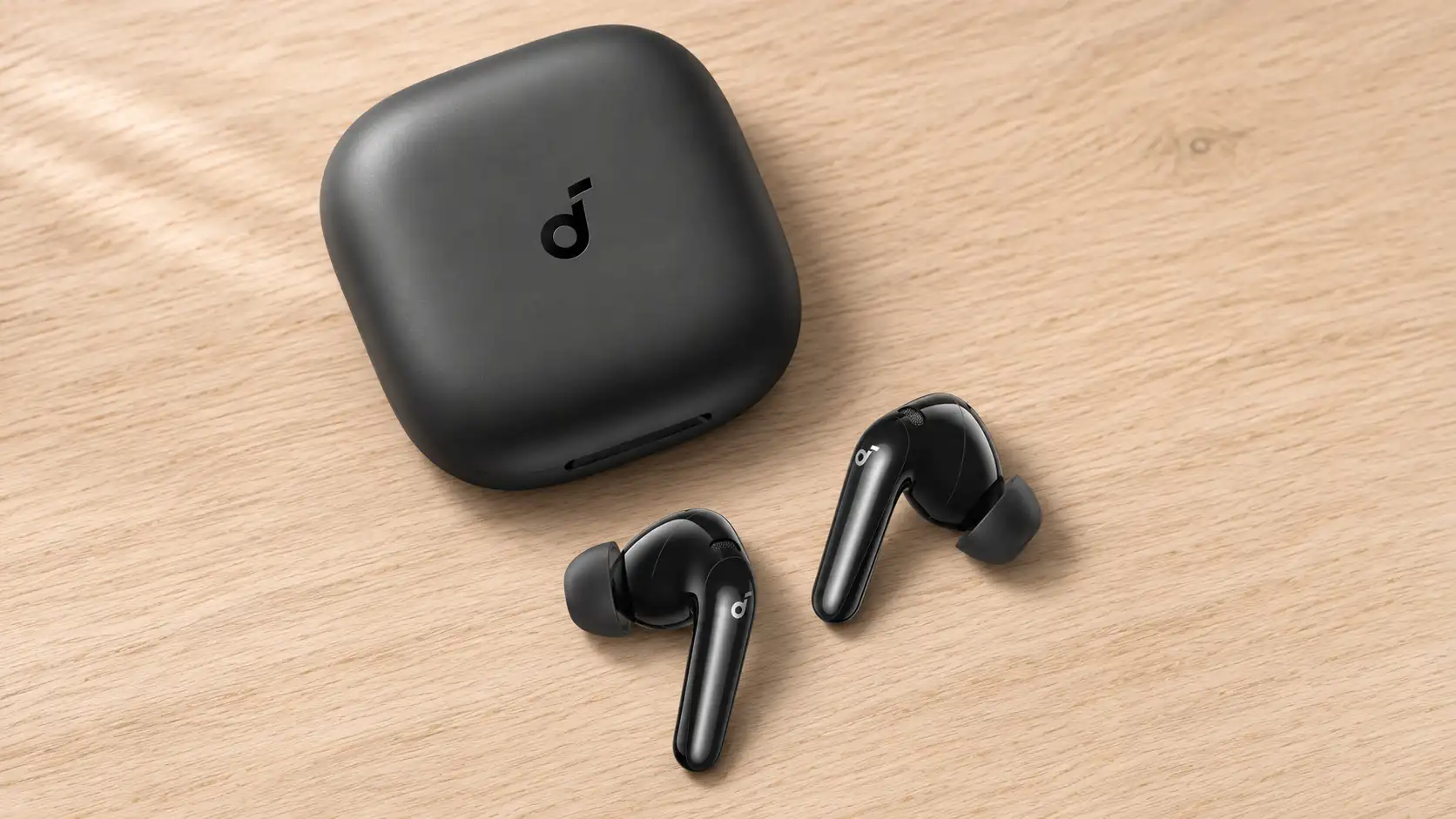
The listing shows $59.99 in one place and $49.99 in another, so check the price at checkout. The page also lists Bluetooth 6.1, LDAC support and an app with a fitting test and ambient sound modes.
| Spec | Detail |
|---|---|
| Battery, ANC on | 8 hours, 40 hours with the case |
| Battery, ANC off | 10 hours, 50 hours with the case |
| Fast charge | 10 minutes gives 3.5 hours |
| Water resistance | IP55 |
- Pro: 8 hours with ANC on, which covers a long day
- Pro: Adaptive ANC and six microphones at a budget price
- Con: the page says LDAC turns off spatial audio
- Con: the weight is not listed
EarFun Air Pro 4
The EarFun Air Pro 4 is the pick for students who want more features at a middle price. EarFun lists QuietSmart 3.0 adaptive ANC with up to 50 dB and Bluetooth 5.4, and the codec list is aptX Adaptive, LDAC, SBC and LC3.
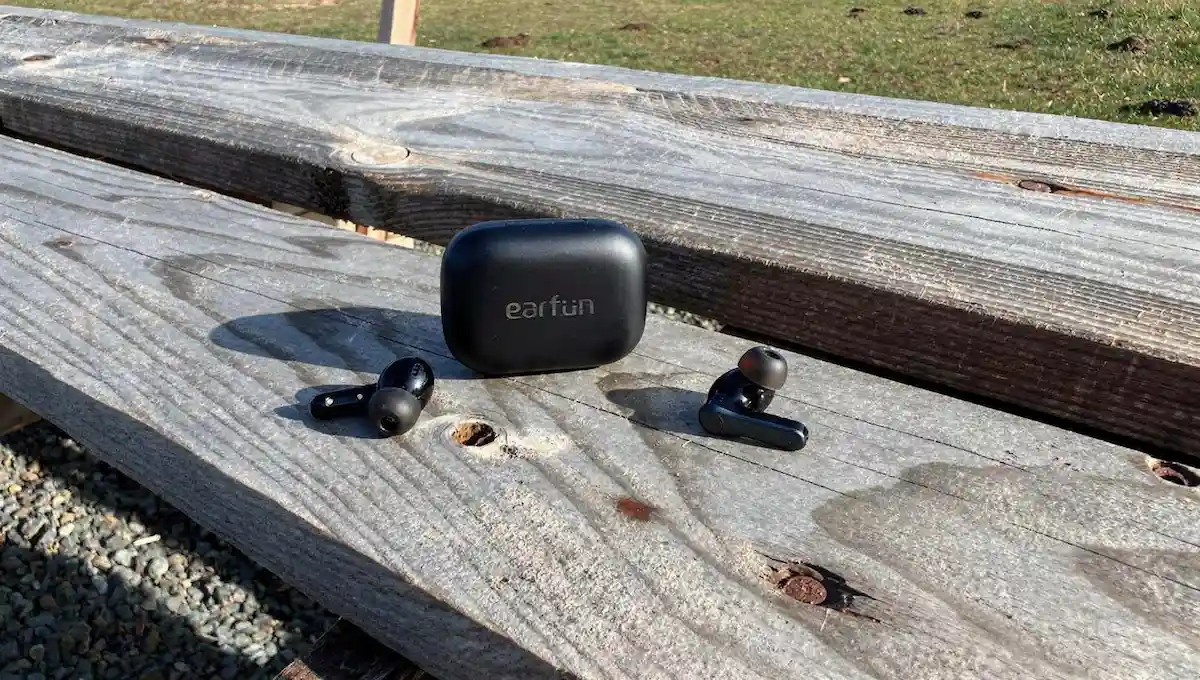
It connects to two devices at once, so a phone and a laptop stay paired together. We wrote a full EarFun Air Pro 4 review if more detail is needed. The price on the EarFun page is $79.99 on sale and $89.99 list.
| Spec | Detail |
|---|---|
| Battery, ANC on | 7.5 hours, 35 hours with the case |
| Battery, ANC off | 11 hours, 52 hours with the case |
| Quick charge | 10 minutes gives 2 hours |
| Water resistance | IPX5 |
- Pro: connects to two devices at once
- Pro: 7.5 hours with ANC on and an 18 month warranty
- Con: Auracast works only after a firmware update
- Con: the $89.99 list price is above the Soundcore P31i
Quick Comparison of Our Six Picks
The table puts the main numbers side by side, so a student can compare battery and water resistance in one look. The figures are the ones listed by the makers or, for the Galaxy Buds3 Pro, by a third-party listing.
| Earbuds | Battery per charge | Water resistance |
|---|---|---|
| AirPods Pro 3 | Up to 8 hours | IP57 |
| Galaxy Buds3 Pro | 6 hours (4.5 with ANC) | IP57 |
| Bose QC Ultra Earbuds | 6 hours | IPX4 |
| Shokz OpenFit 2 | 11 hours | IP55 |
| Soundcore P31i | 10 hours (8 with ANC) | IP55 |
| EarFun Air Pro 4 | 11 hours (7.5 with ANC) | IPX5 |
What Makes Wireless Earbuds Good for Students?
These are the points we check first before choosing a pair for college students. Most of them cost nothing to check before buying.
Comfort and Fit for Long Study Sessions
A student may wear earbuds for hours in a library, so comfort counts before sound. Light earbuds are easier to wear for a long time. The AirPods Pro 3 and the Galaxy Buds3 Pro weigh about 5.5 g each, and the Shokz OpenFit 2 weighs 9.4 g.
Look for several ear tip sizes in the box. A tip that fits well keeps the earbud in place and blocks outside noise, so the volume stays lower. An open-ear pair is another option for students who dislike a blocked ear canal.
Noise Cancelling vs Transparency Mode
Noise cancelling removes much of the background noise in a dorm, a bus or a library. Transparency mode does the opposite and lets the room in, which is useful when a student walks, crosses a road or waits for an announcement.
Noise cancelling earbuds for students cost more than basic pairs, but the picks on our list start at a budget price. The Soundcore P31i and the EarFun Air Pro 4 both list adaptive ANC.
Does Noise Cancelling Help With Studying?
Noise cancelling reduces background noise, and that is all it does. Whether a quieter room helps a student focus depends on the student and the task. Some students work best in silence, and others need a little sound.
We suggest trying a pair in the real study spot, such as the library or the dorm, before the return window ends. A good test is one full study session with the feature on and then one with it off.
Battery Life Through a Full Day of Classes
Read the battery time with noise cancelling on, because that is the figure students use most. The Galaxy Buds3 Pro list 4.5 hours with ANC on, the Bose pair lists 6 hours, the EarFun Air Pro 4 lists 7.5 hours and the Soundcore P31i lists 8 hours.
We suggest at least 6 hours per charge with noise cancelling on, so the earbuds last through a long block of lectures. The case adds more charges. A quick charge helps between classes, and the Bose pair gives up to 2 hours from 20 minutes while the Shokz OpenFit 2 gives 2 hours from 10 minutes.
Microphone Quality for Online Classes and Group Calls
Wireless earbuds for online classes need clear microphones. Bose lists four microphones in each earbud, and Soundcore and EarFun each list six microphones in the pair. We explain how call noise is reduced in our article on AI ENC.
Test a call in a quiet room and then in a noisy one before the return window ends. A good call is the main reason many students buy earbuds in the first place.
Controls: Buttons, Touch and Gestures
Controls decide how often a student reaches for the phone during a lecture. The Galaxy Buds3 Pro use touch, swipe and pinch gestures on the blade of each earbud, while the Shokz OpenFit 2 has physical multifunction buttons.
Touch controls can trigger by accident when a student adjusts an earbud or pulls on a hood. Buttons are easier to find by feel, and the app lets a student turn off a gesture that causes trouble.
Water Resistance and Durability for Campus Life
Earbuds go into a bag, a pocket and a gym locker. Look for an IP rating. The second digit shows water protection, so IPX4 covers splashing, IPX5 covers water jets and IP57 covers short immersion.
Among our picks, the Bose pair has the lowest rating at IPX4, and the AirPods Pro 3 and Galaxy Buds3 Pro have IP57.
Bluetooth Version, Multipoint and Pairing
Pairing should take a minute and never need a manual. Multipoint keeps the earbuds connected to two devices, such as a phone and a laptop, which suits a student who switches between music and a video call. The Shokz OpenFit 2 and the EarFun Air Pro 4 both list it.
The Soundcore P31i lists Bluetooth 6.1, and the EarFun Air Pro 4 and the Galaxy Buds3 Pro list Bluetooth 5.4. For a student buying earbuds, the version matters less than a stable connection and battery time.
App and Smart Features
The app can add more value than a student expects. The Soundcore app lists a fitting test, a tinnitus check, ambient sounds and Music, Movie and Gaming modes. The EarFun app lists a 10-band EQ, ANC level control, Ambient Sound and Google Fast Pair.
The Shokz app has four EQ modes and MultiPoint, and the Galaxy Wearable app handles the Samsung settings. The EarFun Air Pro 4 also lists in-ear detection, which pauses the music when an earbud comes out.
Warranty and Return Policy
Students often buy earbuds once and use them for years, so the warranty counts. Shokz lists a 2 year warranty for the OpenFit 2, and EarFun lists 18 months plus a 30 day money-back guarantee for the Air Pro 4.
Soundcore lists a warranty without giving the length, plus a 30 day money-back guarantee for the P31i. We did not verify the warranty terms for the AirPods Pro 3, the Galaxy Buds3 Pro or the Bose pair, so check the seller before buying.
What Each Price Tier Offers
Budget wireless earbuds for students now include noise cancelling, which was once a premium feature. The table shows what each tier of our picks offers, and we do not list prices for pairs where we did not verify one.
| Tier | Our pick | Main strength |
|---|---|---|
| Budget | Soundcore P31i | ANC and 8 hours with ANC on |
| Middle | EarFun Air Pro 4 | Features, codecs and two devices at once |
| Open-ear | Shokz OpenFit 2 | Room awareness and 11 hours |
| Premium | AirPods Pro 3, Galaxy Buds3 Pro, Bose QC Ultra | Phone fit, apps and noise cancelling |
Which Phone Do the Earbuds Pair With?
The phone a student owns shapes the choice, so we check the match first. College students with an iPhone get the most from the AirPods Pro 3, because the Apple H2 chip and the iPhone work together. Soundcore notes that an iPhone connects over AAC, and we explain the codec in our article on the AAC codec.
Students with a Samsung phone should look at the Galaxy Buds3 Pro, and the Galaxy Wearable app handles the settings. Other Android students have more choice. The EarFun Air Pro 4 lists Google Fast Pair, and the Soundcore P31i and the EarFun Air Pro 4 both list LDAC, which is an Android feature according to the Soundcore page.
At the budget tier a student gets noise cancelling, 8 hours with ANC on and six microphones from the Soundcore P31i. The EarFun Air Pro 4 adds a dual connection and more codecs at $79.99 on sale. At $179.95, the Shokz OpenFit 2 adds an open-ear design and a 2 year warranty, and the premium pairs add a closer fit with an iPhone or a Samsung phone.
Earbuds vs Headphones for Students
Many students also look at over-ear headphones. Earbuds fit in a pocket and weigh a few grams. Over-ear headphones are bigger, sit on the head and take more room in a bag.
| Feature | Earbuds | Over-ear headphones |
|---|---|---|
| Carry | Fit in a pocket | Need space in a bag |
| Gym use | Small and light | Larger and heavier |
| Calls | Microphones in each earbud | Boom or built-in microphones |
Open-Ear vs In-Ear for Studying
In-ear earbuds seal the ear canal, and that blocks noise. Open-ear earbuds for students leave the ear open, so the room stays audible and the ear canal stays free. The trade-off is that open-ear pairs let more outside noise in, so they fit a quiet space better than a loud one.
Wired vs Wireless Earbuds for Students
Wired earbuds plug into the phone and never need charging. Wireless earbuds need a charge and a pairing step, but they leave the hands free and the cable out of the way. For calls, gym use and walking between classes, we find wireless the easier choice, and that is the type this guide covers.
Best Wireless Earbuds for Students by Situation
The right pair depends on where the student spends the day. We match each situation to a pick from our list.
For the Library and Quiet Study
Earbuds for studying in a library need noise control and comfort for long sessions. The Bose QuietComfort Ultra Earbuds, the Soundcore P31i and the EarFun Air Pro 4 all list noise cancelling, and the Galaxy Buds3 Pro does too.
For Lectures and Online Classes
Lectures and calls call for good microphones and a battery that lasts. The Bose pair lists four microphones in each earbud, and the Soundcore P31i and EarFun Air Pro 4 list six. A pair with two device connections makes it easy to switch from a phone to a laptop.
For the Commute and Campus Walks
A commute needs a way to hear the road. The AirPods Pro 3 have Transparency mode, the Galaxy Buds3 Pro have Ambient sound and the Shokz OpenFit 2 is open-ear by design.
For the Gym and Workouts
Sweat and a secure fit matter at the gym. The AirPods Pro 3 and Galaxy Buds3 Pro list IP57, the EarFun Air Pro 4 lists IPX5 and the Shokz OpenFit 2 lists IP55.
For the Dorm and Shared Rooms
A shared room means noise from roommates at any hour. Noise cancelling helps there, and our guide to wireless earbuds for small apartments covers the same problem for shared living spaces.
For Cafe Study and Remote Learners
A cafe is full of voices, music and machines. Noise cancelling earbuds for students reduce that background, and a pair with Transparency mode or Ambient sound lets the student hear a name called at the counter. Remote learners who sit at home all day should look at battery life first, because a long call can drain a small battery fast.
A Simple Study Setup With Earbuds
A good setup takes five minutes and saves time every day. We keep it simple, and college students can copy it on any of the pairs above.
- Library: turn noise cancelling on and keep the volume low.
- Walking: switch to Transparency mode or Ambient sound.
- Online class: connect the earbuds to the laptop and keep the phone as the second device.
- Night: put the case on the charger, so the battery is full in the morning.
Some students like silence with noise cancelling on, and others like quiet background music. Earbuds for studying should fit whichever habit helps focus, and the choice is personal.
Wireless Earbuds as a Gift for Students
Earbuds are a practical gift for a student starting college. For a tight budget, the Soundcore P31i lists noise cancelling at a low price. For a student with an iPhone, the AirPods Pro 3 are the natural match, and for a Samsung phone we pick the Galaxy Buds3 Pro.
Ask which phone the student uses before buying, and keep the receipt for a return. A gift pair that does not fit the phone or the ear is hard to enjoy.
Safe Listening and Healthy Study Habits
Long study sessions with earbuds can push the volume up without a student noticing. The NIDCD says 70 dBA is considered safe for most people if all the sounds heard over a day average out to that level or lower. It also says sounds at 85 dBA can cause damage after a few hours, and that headphones can reach 110 dBA at maximum volume.
We suggest keeping the volume low and using noise cancelling, so the volume does not need to go up to cover background noise. Take short breaks during long sessions, and choose a pair that lets the student set a volume limit on the phone.
How to Take Care of Wireless Earbuds on Campus
Earbuds last longer with a few simple habits. These habits cost nothing, and they keep the sound clear.
- Wipe the earbuds: use a soft dry cloth after each use.
- Check the ear tips: wax can block the speaker mesh and make one side quieter.
- Use the case: it protects the earbuds in a bag and keeps them charged.
- Charge on a routine: put the case on the charger at night, so the battery is ready each morning.
- Keep the box: the receipt and the return window both matter in the first weeks.
Small earbuds are easy to lose in a dorm or a lecture hall. Always put them back in the case, so earbuds for students stay in one place.
Common Problems and Quick Fixes
One Earbud Sounds Quieter
Clean the speaker mesh gently and check that the ear tip is not blocked. Then check the left and right balance in the phone settings, and confirm that the volume limit is not set too low.
Earbuds Keep Disconnecting
Keep the phone close and charge the earbuds fully. If the problem stays, remove the earbuds from the Bluetooth list and pair them again.
Calls Sound Muffled
Check that the microphone area is clean and that the earbuds sit in the ear the right way. Test a call in a quiet room to see whether the trouble comes from the earbuds or from the place.
Mistakes to Avoid When Buying Earbuds for Students
- Buying for bass: clear calls and battery time matter more on campus.
- Ignoring the ANC battery figure: the listed time often drops with noise cancelling on.
- Skipping the fit: a loose earbud falls out and pushes the volume up.
- Choosing the wrong phone match: some features work best with an iPhone or a Samsung phone.
- Forgetting water resistance: a gym bag and a rainy walk both test the case and the earbuds.
- Skipping the return policy: try the pair for a week and keep the box.
Final Verdict
The best wireless earbuds for students depend on the phone, the budget and the day. For an iPhone owner we pick the AirPods Pro 3, and for Android we pick the Galaxy Buds3 Pro.
For noise cancelling we pick the Bose QuietComfort Ultra Earbuds, and for an open-ear fit we pick the Shokz OpenFit 2. For a tight budget, the Soundcore P31i is the pair to look at first, and the EarFun Air Pro 4 adds more features for a little more money.
Keep the volume low, check the fit and the battery with noise cancelling on, and test a call before the return window ends. Prices change, and the figures here are the ones we saw at the time we checked.
FAQ
What are the best wireless earbuds for students?
It depends on the phone and the budget. We pick the AirPods Pro 3 for iPhone, the Galaxy Buds3 Pro for Android, the Bose QuietComfort Ultra Earbuds for noise cancelling, and the Soundcore P31i for a tight budget.
How much should students spend on wireless earbuds?
Budget pairs such as the Soundcore P31i list adaptive noise cancelling at a low price, and the EarFun Air Pro 4 lists $79.99 on sale. Spend more only for a feature the student will use, such as an iPhone fit or open-ear comfort.
Are noise cancelling earbuds worth it for students?
Yes, for a student who studies in a dorm, a library or on a bus. Noise cancelling cuts background noise, so the volume can stay lower. Keep Transparency mode on for walking and crossing roads.
Can students use wireless earbuds for online classes and Zoom calls?
Yes. Look for earbuds with several microphones, such as the Bose pair with four microphones in each earbud or the Soundcore P31i with six. Test a call before the return window ends.
Are open-ear earbuds good for studying?
They suit a quiet space, because the room stays audible and the ear canal stays free. The Shokz OpenFit 2 is our open-ear pick. A loud dorm or bus is better handled by a pair with noise cancelling.