Wireless earbuds for seniors can make music, phone calls and TV shows easier to enjoy. The best pair is light, comfortable and simple to use, with a battery that lasts through the day.
Earbuds are not hearing aids, and that is the first thing to know before spending money. We keep the two apart in this guide, so each pick fits the job it is made for.
Below we list five picks for music, calls and TV, with specs, pros and cons for each. After that we explain the features that matter most in earbuds for seniors, how to set them up, and when a different device makes more sense.
Our Top Picks for Wireless Earbuds for Seniors
We chose these picks by the job they do, because the same pair cannot be the best for every user. Some are made for iPhone owners, one is made for TV listening, and one leaves the ear canal open. For a wider list outside this topic, see our guide to the best wireless earbuds.
- Apple AirPods Pro 3: best for iPhone owners
- Samsung Galaxy Buds3 Pro: best for Android and Samsung phones
- Bose QuietComfort Ultra Earbuds (2nd Gen): best for noise cancelling
- Shokz OpenFit 2: best open-ear pick with real buttons
- Avantree Medley Clear: best for TV listening
Mini Reviews of the Best Wireless Earbuds for Seniors
Apple AirPods Pro 3
The Apple AirPods Pro 3 are our pick for seniors who already own an iPhone. They are light, they pair with an iPhone in a few taps, and they offer both noise cancelling and a Transparency mode that lets the room in.
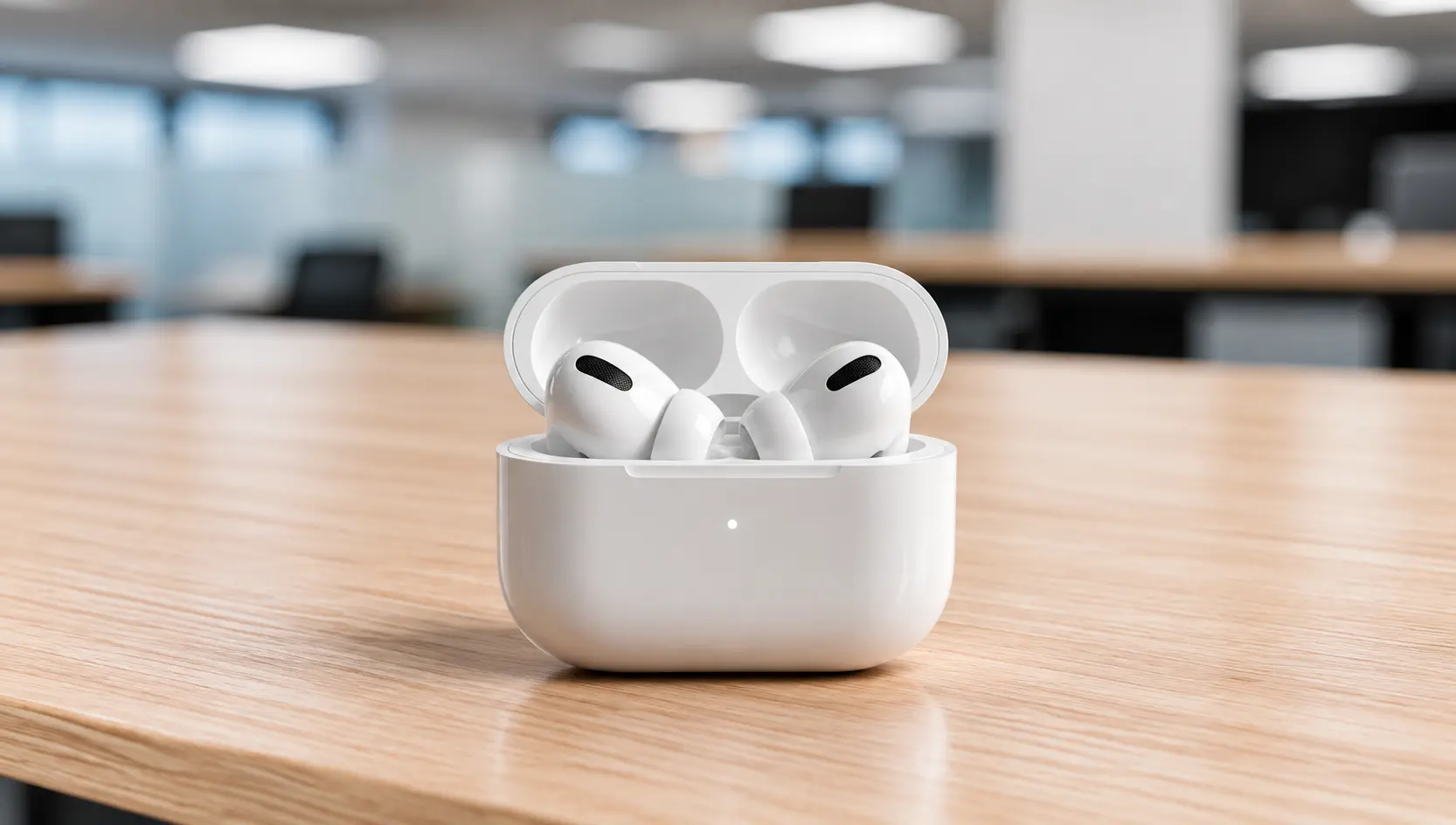
The chip inside is the Apple H2. We explain what it does in our guide to which earbuds have the H2 chip. The FDA has authorized a Hearing Aid Feature for compatible AirPods Pro, and we cover that further down.
| Spec | Detail |
|---|---|
| Battery | Up to 8 hours, up to 24 hours with the case |
| Water resistance | IP57 |
| Weight | 5.55 g per earbud |
| Bluetooth | 5.3, Apple H2 chip |
- Pro: light 5.55 g earbuds with an IP57 rating
- Pro: noise cancelling and Transparency mode
- Con: 8 hours per charge is shorter than the 11 hours of the Shokz OpenFit 2
Samsung Galaxy Buds3 Pro
The Samsung Galaxy Buds3 Pro are our pick for Android owners, and they work best with a Samsung phone. They offer noise cancelling, Adaptive sound and an Ambient sound mode, and the Galaxy Wearable app turns each one on or off from a control bar.
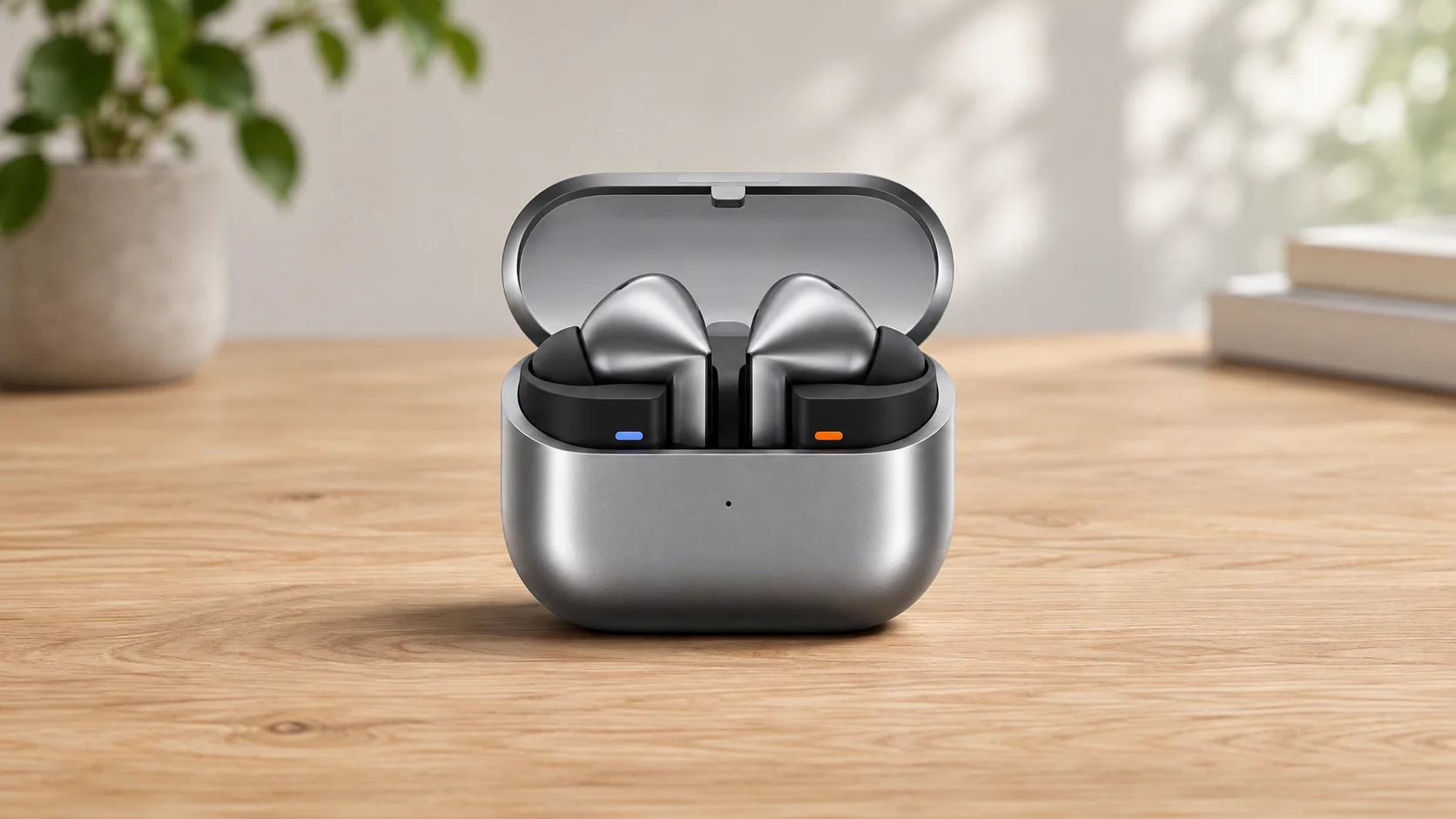
The controls are touch, swipe and pinch gestures on the blade of each earbud. They use Bluetooth 5.4, which we cover in our article on Bluetooth 5.4. Samsung lists Ambient sound for hearing the room, which helps when the user walks outside or answers the door.
| Spec | Detail |
|---|---|
| Battery | 6 hours, 26 hours with the case |
| Battery with ANC on | 4.5 hours |
| Water resistance | IP57 |
| Weight | 5.4 g per earbud |
- Pro: noise cancelling, Adaptive sound and Ambient sound
- Pro: IP57 rating and a light 5.4 g earbud
- Con: only 4.5 hours with noise cancelling on
Bose QuietComfort Ultra Earbuds (2nd Gen)
The Bose QuietComfort Ultra Earbuds (2nd Gen) are the pair we pick for seniors who want noise cancelling. They can help in a loud room or on a trip, and we explain how the feature works in our article on active noise canceling.
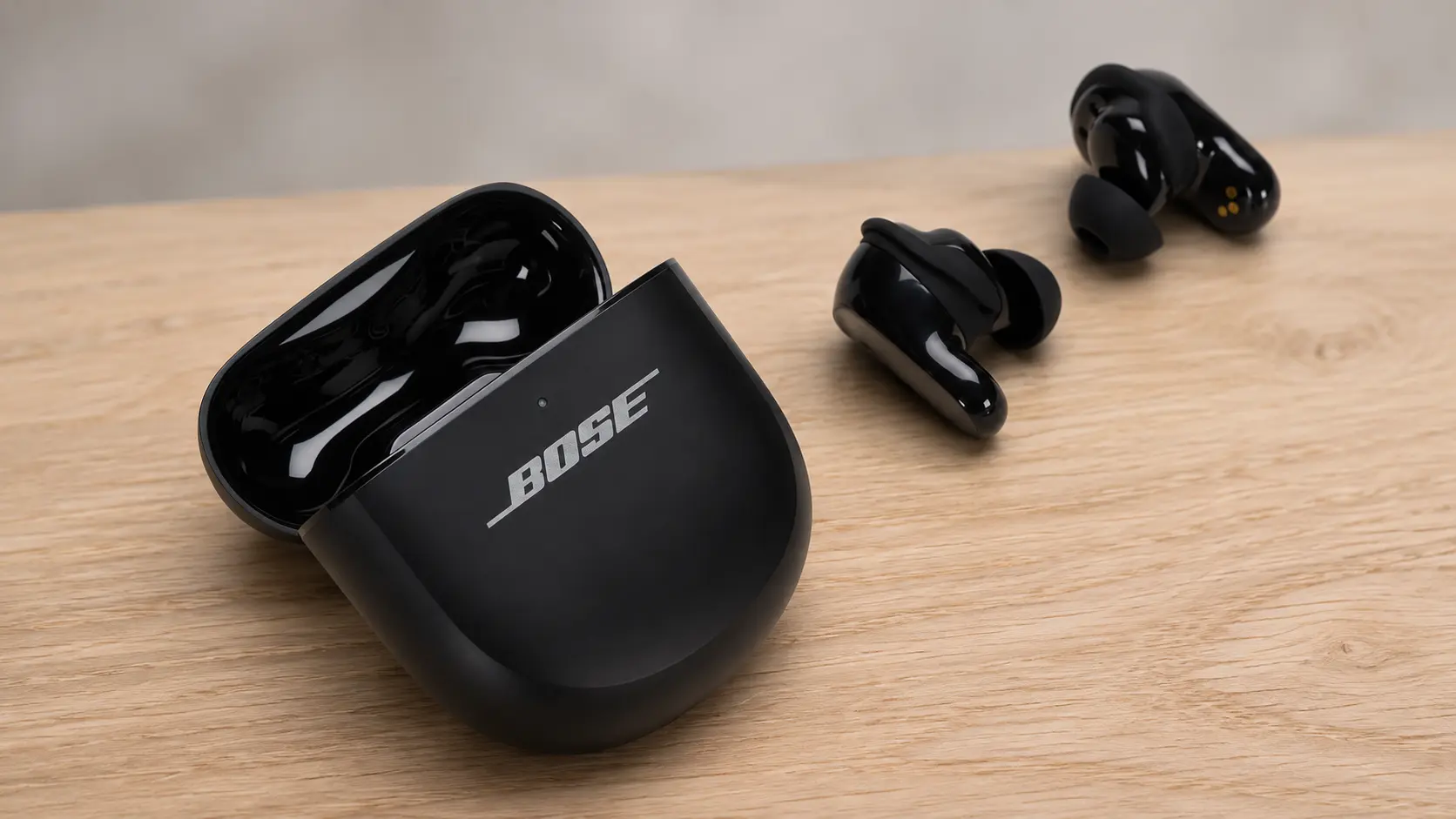
The codec list is SBC, AAC and aptX Adaptive, and Bose gives each earbud four microphones for calls. The wireless range is up to 30 feet.
| Spec | Detail |
|---|---|
| Battery | 6 hours, case up to 18 hours |
| Charging | 2 hours earbuds, 3 hours case |
| Quick charge | 20 minutes gives up to 2 hours |
| Water resistance | IPX4 |
- Pro: 4 microphones in each earbud for calls
- Pro: 20 minute quick charge gives up to 2 hours
- Con: 6 hours per charge, 4 hours with Immersive Audio on
- Con: IPX4 is the lowest water rating on our list
Shokz OpenFit 2
The Shokz OpenFit 2 is an open-ear design. It sits outside the ear canal, so the user can still hear the room, a doorbell or a person who walks in. For a closer look at this type, see our article on clip-on earbuds.
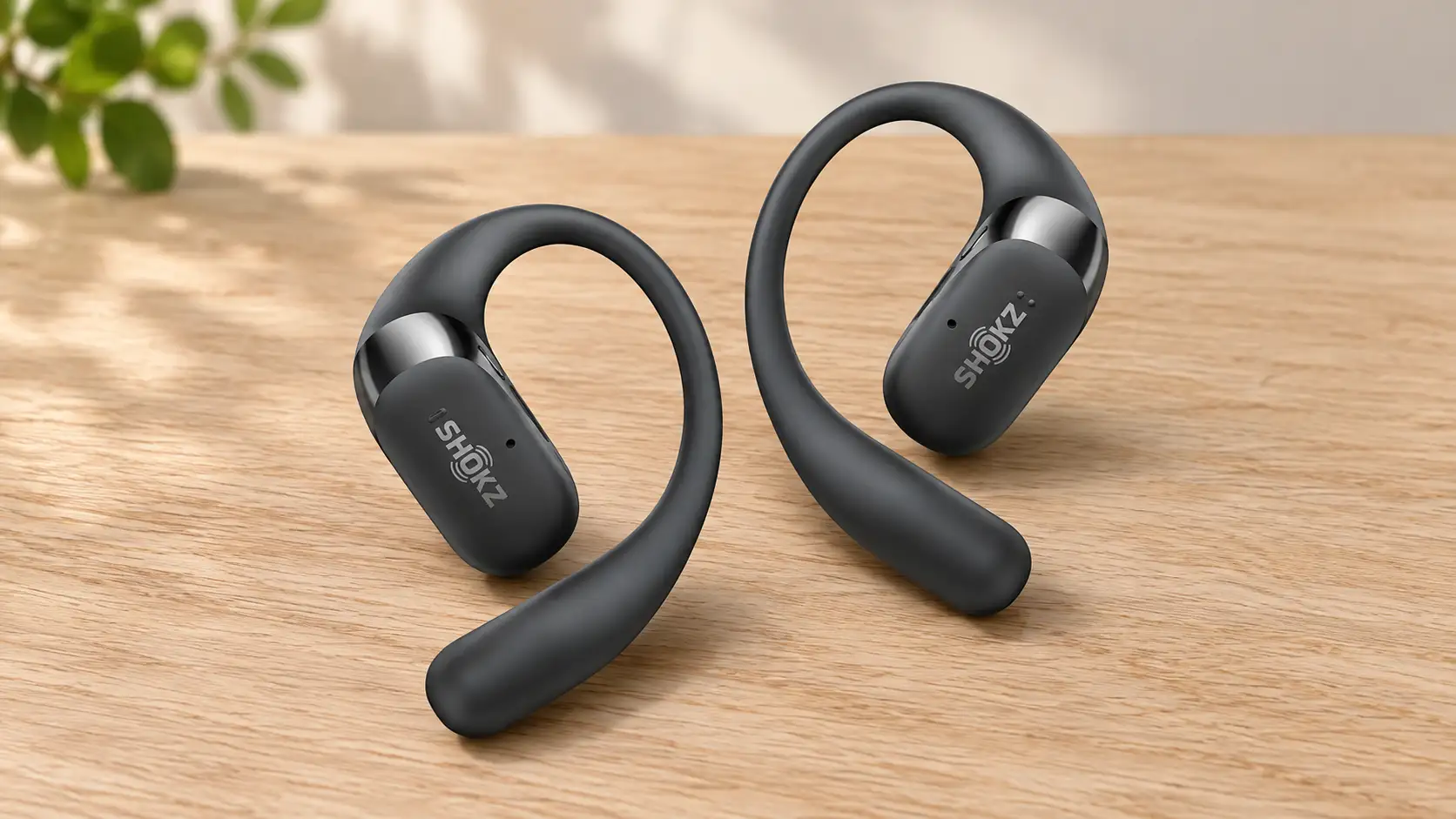
The OpenFit 2 has physical multifunction buttons, and touch controls can be turned on in the Shokz app. The app also has four EQ modes and MultiPoint for two devices.
| Spec | Detail |
|---|---|
| Battery | 11 hours, up to 48 hours with the case |
| Quick charge | 10 minutes gives 2 hours |
| Water resistance | IP55 |
| Weight | 9.4 g per earbud |
- Pro: physical buttons and an open-ear design
- Pro: 11 hours per charge and a 2 year warranty
- Con: heavier than the AirPods Pro 3 at 9.4 g per earbud
- Con: $179.95 list price
Avantree Medley Clear
The Avantree Medley Clear is made for TV listening, and that is why it is on our list. The transmitter plugs into the TV and doubles as the charging dock, so the earbuds are charged each time they sit on it.
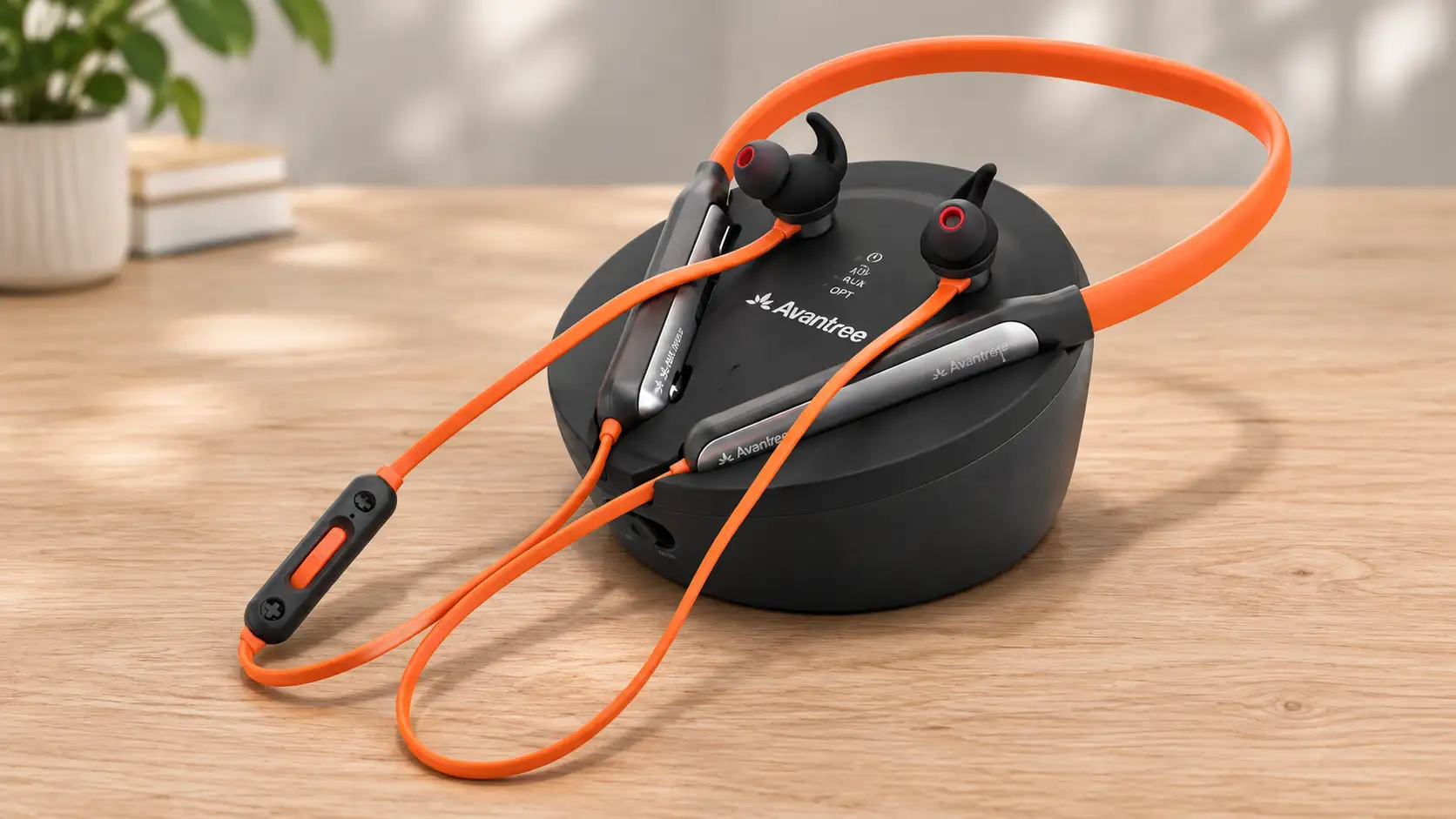
It has a Clear Dialogue mode and passes the sound through to a soundbar or receiver. Avantree lists a delay of under 40 ms, which keeps the voices in time with the picture.
| Spec | Detail |
|---|---|
| Battery | Up to 20 hours per charge |
| Latency | Under 40 ms |
| Range | 100 ft transmitter, 30 ft earbud |
| Price | $109.99 |
- Pro: transmitter that doubles as the charging dock
- Pro: Clear Dialogue mode and soundbar pass-through
- Con: the TV needs an optical, AUX or Bluetooth audio output
- Con: the page makes no hearing aid compatibility statement
Earbuds, Hearing Aids and TV Headphones: What Is the Difference?
Many articles about earbuds for seniors mix three different devices. They do different jobs, and the wrong choice wastes money.
| Device | Best for | What it does not do |
|---|---|---|
| Wireless earbuds | Music, calls and video | Replace a hearing aid |
| OTC hearing aid | Mild to moderate hearing loss | Fit complex or severe loss |
| TV earbuds with a transmitter | Watching TV at a set volume | Work away from the TV |
Wireless Earbuds
Wireless earbuds for seniors are made to play audio from a phone, tablet or computer. They connect over Bluetooth and charge in a case. They do not measure or correct hearing.
OTC Hearing Aids and Hearing Aid Mode
The NIDCD page on age-related hearing loss says about one in three people in the U.S. between 65 and 74 has hearing loss, and nearly half of those older than 75 have difficulty hearing. For mild to moderate loss, adults can buy over-the-counter hearing aids without a hearing test.
In September 2024 the FDA authorized the Hearing Aid Feature for compatible AirPods Pro, the first OTC hearing aid software device. The FDA announcement says it is meant for adults 18 or older with perceived mild to moderate hearing loss.
If hearing problems are complex, or an OTC device does not help, the NIDCD advises talking to a hearing health professional. We do not claim that any earbuds on our list treat hearing loss.
TV Headphones and Transmitters
TV earbuds come with a transmitter that plugs into the TV. This setup keeps the sound in time with the picture, and it lets one person listen at a comfortable volume while others keep the TV at a normal level.
What to Look For in Wireless Earbuds for Seniors
These are the points we check first when we choose wireless earbuds for seniors. Most of them cost nothing to check before buying.
Comfort, Weight and Ear Tips
A light earbud is easier to wear for a long time. The AirPods Pro 3 and the Galaxy Buds3 Pro weigh about 5.5 g each, and the Shokz OpenFit 2 weighs 9.4 g.
Look for several ear tip sizes in the box. A tip that fits well keeps the earbud in place and blocks outside noise, so the user does not need to turn the volume up.
Simple Controls: Buttons vs Touch
Touch controls can misfire, and small gestures are harder for some users. Physical buttons are easier to find by feel, and the Shokz OpenFit 2 has them. Earbuds with physical buttons for seniors are rare, so check the controls before you buy.
Clear Sound at Low Volume
Clear speech matters more than strong bass. Look for an app with EQ presets, so the user can lift the voices and reduce the heavy low end. The Shokz app, for example, has four EQ modes.
Clear calls need good microphones too. We explain how phone call noise is reduced in our article on AI ENC.
Battery Life and Easy Charging
Look for earbuds that last at least 6 hours on a charge. The charging case adds more, and a quick charge helps when the battery runs low.
Turning on noise cancelling often shortens the listed time. The Galaxy Buds3 Pro drop from 6 hours to 4.5 hours with it on, so read the fine print.
Easy Pairing and Multipoint
Pairing should take a minute and never need a manual. Multipoint lets the earbuds stay connected to two devices, such as a phone and a tablet, which is handy for calls and video. The OpenFit 2 lists it.
Noise Cancelling vs Transparency Mode
Noise cancelling removes much of the background noise, and Transparency mode lets the room in. For safety at home or on a walk, a mode that lets the outside in is useful. To see how modes are named on one brand, read about NC and AMB on Sony headphones.
Open-Ear Designs
Open-ear earbuds for seniors do not seal the ear canal. The sound reaches the ear and the room stays audible, which some users prefer. The trade-off is that they let more outside noise in.
Water Resistance and Durability
Look for an IP rating. IP55 and IP57 cover sweat and splashes, and IPX4 covers splashes only. A rating helps when earbuds go on a walk or in a pocket.
Safe Volume and Hearing Safety
Keep the volume at a level where a person next to the user can still talk. Take breaks during long listening, and use a good seal so the volume stays low.
How to Set Up Wireless Earbuds for Seniors
Setup is where most users give up. We keep it to a few clear steps, and we suggest doing it together the first time.
iPhone Setup
Charge the earbuds for 10 to 15 minutes first. Open the case near the iPhone, and a setup card appears on the screen. Tap Connect and follow the prompts.
Android Setup
Open the case and hold the pairing button until the light flashes. On the phone, open Settings, then Bluetooth, and tap the name of the earbuds. Samsung phones pair with the Galaxy Buds in the Galaxy Wearable app.
Keeping the Earbuds Connected Every Day
Put the earbuds back in the case after each use. The case charges them and keeps them in one place. If the earbuds are small and easy to lose, a bright case color helps.
How to Use Wireless Earbuds With a TV
Most TVs do not send sound to earbuds on their own. A transmitter that plugs into the TV solves this. The Avantree Medley Clear uses an optical or AUX cable from the TV.
Newer TVs may also support broadcast audio. We explain it in our article on Auracast. Check the audio outputs on the back of the TV before buying, because the transmitter needs a matching port.
Low latency matters here. A delay between the voices and the picture is tiring to watch, which is why the Medley Clear lists under 40 ms.
Common Problems and Quick Fixes
One Earbud Is Quieter
Clean the speaker mesh gently, and check that the ear tip is not blocked. Then check the left and right balance in the phone settings.
Earbuds Keep Disconnecting
Keep the phone close, and charge the earbuds fully. If the problem stays, remove the earbuds from the Bluetooth list and pair them again.
Touch Controls Misfire
Touch controls can trigger when the user adjusts the earbud. Turn off the gesture that causes the trouble in the app, or choose a pair with physical buttons.
Mistakes to Avoid When Buying Earbuds for Seniors
- Buying for bass: clear speech matters more than strong low notes.
- Expecting a hearing aid: earbuds do not replace one, and complex loss needs a professional.
- Ignoring the fit: a loose earbud falls out and pushes the volume up.
- Choosing tiny controls: small gestures are hard to use, so check the controls first.
- Forgetting the TV port: a transmitter needs an optical, AUX or Bluetooth output on the TV.
- Skipping the return policy: keep the box and the receipt, and try the pair at home.
Which Pick Fits Which Senior?
The right pair depends on the phone, the room and the habits of the person who will wear it. We match each pick to a common situation below.
| Situation | Our pick | Why |
|---|---|---|
| Owns an iPhone | AirPods Pro 3 | Easy pairing, light, IP57 |
| Owns a Samsung phone | Galaxy Buds3 Pro | Galaxy Wearable app |
| Wants quiet on trips | Bose QC Ultra Earbuds | Noise cancelling |
| Wants to hear the room | Shokz OpenFit 2 | Open-ear, real buttons |
| Watches a lot of TV | Avantree Medley Clear | Transmitter dock |
Bluetooth Earbuds for Seniors Who Use Phone Calls Most
Calls are the main use for many families, so microphones matter. The Bose pair lists four microphones in each earbud, and we cover call noise reduction in the section on clear sound. Bluetooth earbuds for seniors should also connect on the first try, so test a call before the return window ends.
Bluetooth Earbuds for Seniors Who Prefer the Room Audible
Some users feel uneasy when the ear canal is blocked. An open-ear pair like the Shokz OpenFit 2 keeps the room audible, and a Transparency mode does a similar job on closed earbuds. We suggest trying both ideas and keeping the one that feels natural.
Bluetooth Earbuds for Seniors With Small Hands
Small earbuds are easy to drop, and a case that is hard to open is a daily annoyance. Check that the case lid opens with one hand, and that the earbuds sit back in it without effort. Physical buttons also help here, because they need a press and not a precise swipe.
Quick Comparison of Our Five Picks
| Earbuds | Battery per charge | Water rating |
|---|---|---|
| AirPods Pro 3 | Up to 8 hours | IP57 |
| Galaxy Buds3 Pro | 6 hours (4.5 with ANC) | IP57 |
| Bose QC Ultra Earbuds | 6 hours | IPX4 |
| Shokz OpenFit 2 | 11 hours | IP55 |
| Avantree Medley Clear | Up to 20 hours | Not compared |
The battery numbers come from the maker pages, and the Galaxy Buds3 Pro figures come from a third-party listing. Real use can differ with volume and noise cancelling.
Care and Daily Habits for Wireless Earbuds
Earbuds last longer with a few simple habits. These habits cost nothing, and they keep the sound clear.
- Wipe the earbuds: use a soft dry cloth after each use.
- Check the ear tips: wax can block the speaker mesh and make one side quieter.
- Use the case: it protects the earbuds and keeps them charged.
- Charge on a routine: put the case on the charger at night, so the battery is ready each morning.
- Keep the box: the manual and the return window both matter in the first weeks.
Checklist Before Buying Wireless Earbuds for Seniors
A short checklist saves money and returns. We go through these points with the family before a purchase.
- Phone: check whether the phone is an iPhone, a Samsung or another Android model, because some features work only on one platform.
- Job: decide if the main use is music, calls or TV, because each job points to a different pick.
- Fit: make sure the box has several ear tip sizes, or choose an open-ear design.
- Controls: decide if physical buttons or touch gestures are easier for the user.
- Battery: read the time with noise cancelling on, not only the best figure.
- Return policy: confirm the return window, and keep the box and the receipt.
Prices change often, and the figures on the maker pages were the ones we saw at the time we checked. Compare the price at a few sellers before buying.
Setting a Comfortable Volume
A helper can set the maximum volume on the phone once, so the earbuds never play too loud. On many phones this is a setting in the sound menu. Start low and raise the level slowly, and keep it at a level where talking with a person next to the user is still possible.
Helping a Parent Learn the Controls
We suggest a ten minute session at the kitchen table. Show how to put the earbuds in, how to answer a call and how to pause the music. Write the three steps on a card and keep it next to the charger, so the controls are easy to remember.
Final Verdict
The best wireless earbuds for seniors depend on the phone and the job. For an iPhone owner we pick the AirPods Pro 3, and for Android we pick the Galaxy Buds3 Pro.
For noise cancelling we pick the Bose QuietComfort Ultra Earbuds, and for an open-ear fit with real buttons we pick the Shokz OpenFit 2. For TV listening, the Avantree Medley Clear is the pair to look at.
Keep the volume low, check the controls and the fit, and talk to a hearing health professional if hearing is a problem. These earbuds are made for listening, and they are not hearing aids.
FAQ
Are wireless earbuds good for seniors?
Yes, if they are light, comfortable and simple to use. Look for clear sound, easy pairing and a battery that lasts at least 6 hours.
Can seniors use wireless earbuds with hearing aids?
It depends on the hearing aid and the earbuds. Most earbuds sit in the ear canal where a hearing aid goes, so ask a hearing care professional, and check the maker statement for the model.
Do earbuds help with hearing loss?
Standard earbuds do not treat hearing loss. The FDA has authorized a Hearing Aid Feature for compatible AirPods Pro for adults with perceived mild to moderate hearing loss, and a professional can advise on other cases.
What are the best earbuds for watching TV?
TV earbuds with a transmitter, such as the Avantree Medley Clear, keep the sound in time with the picture. The TV needs an optical, AUX or Bluetooth audio output.
How long should the battery last on earbuds for seniors?
Look for at least 6 hours per charge, plus a case that adds more. Noise cancelling often cuts the listed time, as with the Galaxy Buds3 Pro at 4.5 hours.