The Monster Mission 350 is a wireless gaming headset that connects over 2.4GHz wireless, Bluetooth 6.0 and a 3.5mm cable. Monster lists 50mm dynamic drivers, virtual 7.1 surround sound, a detachable mic, RGB lighting and up to 90 hours of battery for gaming.
We used it with a PC, and we put the specs and our impressions together in each section below. We took the specs from the user manual and the product listings, and the impressions are what stood out in our own use.
Short version: it is comfortable, it looks good and it sounds great for gaming. The detachable mic is the weak point, and connecting it took us some time to get used to.
Monster Mission 350 Specs at a Glance
The table lists the main specs. The model code on the MCT listing is H28, and the retail price we found is $59.99.
| Feature | Specification |
|---|---|
| Connectivity | 2.4GHz wireless, Bluetooth 6.0, 3.5mm wired audio |
| Drivers | 50mm dynamic |
| Frequency response | 20 Hz to 20,000 Hz |
| Impedance | 32 ohms |
| Surround sound | Virtual 7.1 |
| Battery, gaming | Up to 90 hours |
| Battery, lights on | 45 hours (listing image) |
| Battery, calling | 70 hours (listing image) |
| Charging | USB-C, about 2 hours |
| Microphone | Detachable and noise-cancelling, plus a built-in mic |
| Weight | 0.54 kilograms |
| Colors | Black with red, white with blue |
Design, Build and Comfort
The manual lists leather, metal and plastic as materials, and the headset weighs 0.54 kilograms. The ear cushions use memory foam, and the listing calls this feature Comfort Wear. It comes in black with red stitching and red metal arms, and in white with blue.
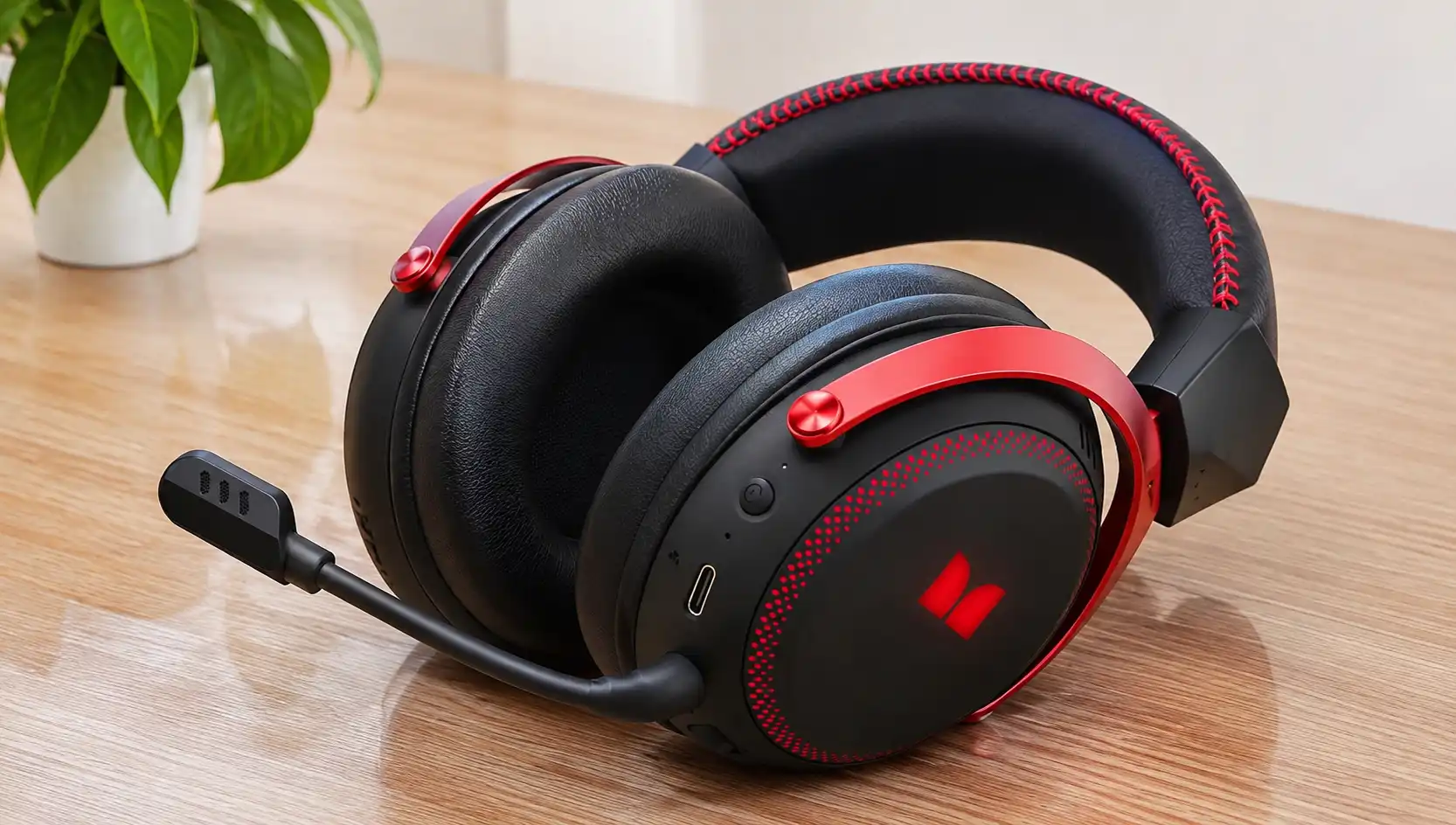
We like the look of the headset, and the Monster logo on the ear cup lights up, which adds a nice touch. The over-ear design fits well, and the earcups feel comfortable while gaming.
The box holds the headset, a Type-C charging cable, the 2.4GHz transmitter, a Type-C to 3.5mm audio cable and the user manual. The listing picture also shows the detachable mic and a separate Type-C adapter that pulls out of the transmitter.
Controls, Ports and Connectivity
The headset has a volume slider, an M button for lighting, previous and next song buttons, a USB-C charging port, an indicator light, an external MIC port and a built-in MIC. The power button turns the headset on and off with a 5 second long press. A single press plays or pauses music and answers or hangs up a call, and a 2 second long press rejects a call.
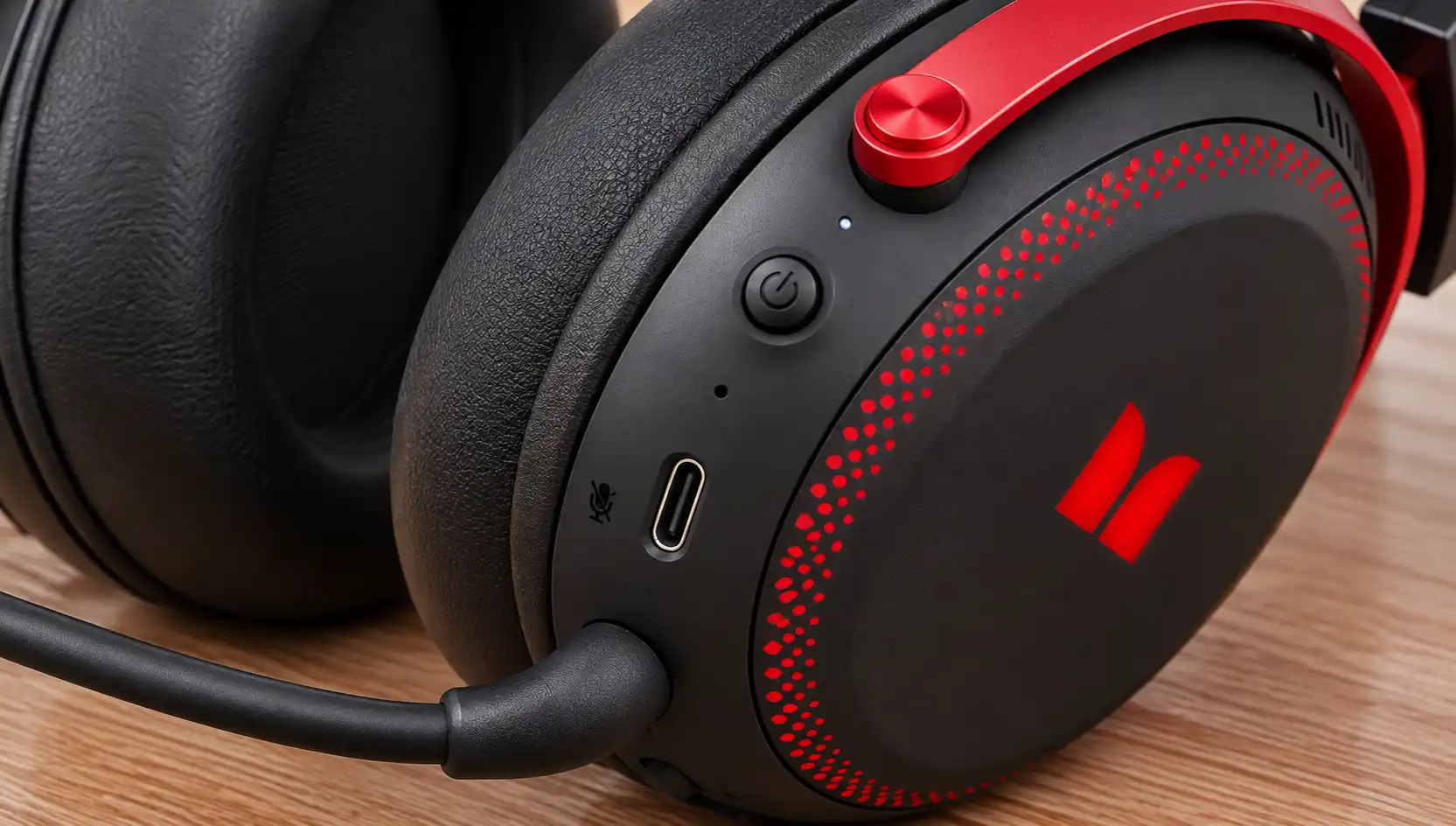
There are three ways to connect. The 2.4GHz transmitter has a USB plug on one end and a Type-C plug on the other, and it is the mode meant for PC and consoles. Bluetooth 6.0 reaches up to 33 feet (10 meters) and suits a phone, a laptop or a Switch in handheld mode. If you want to know what changed between versions, read our explainer on Bluetooth 6.
The third way is the Type-C to 3.5mm cable. In wired mode the headset runs in passive mode and does not use the battery.
The wireless connection is convenient because no cables get in the way. Connecting to the system took some getting used to, so give yourself a few minutes the first time. Charge the headset fully before first use, and use a different USB port if the 2.4GHz connection drops.
Sound Quality
Monster fits the Mission 350 with 50mm dynamic drivers, a frequency response of 20 Hz to 20,000 Hz and an impedance of 32 ohms. The driver size is the first thing we look at in a gaming headset, and we explain it in our guide to 50mm headphone drivers.
We used the headset with a PC, and the sound is great for gaming. We have no complaints about the audio quality so far. We did not run measurements, so we describe what we hear in play and nothing more.
Monster also lists virtual 7.1 surround sound, which is meant to help you place footsteps and in-game detail. The manual says it usually turns on automatically over 2.4GHz with compatible devices. That detail comes from the manual and not from our own testing. On PC you install and configure drivers or software, and the manual does not name it. For the basics of the mode, see what is 7.1 surround sound.
Microphone
The Mission 350 has two mics. The detachable mic is adjustable, the manual lists it as noise-cancelling, and it goes into the MIC port until it clicks. The listing says it fits gaming, streaming or casual listening, and you can take it off when you only listen to music. The headset also has a built-in MIC.
Keep in mind which mic you are using, because the two do not sound the same. In our use the detachable mic is not that good. We were lucky to have a mic from another headset to use instead, so if you rely on voice chat, think about that before you buy.
Mute is handled in the device or in the game and not on the headset. If the mic does not work, check that it is attached, check the input device and test it on another device.
Battery Life and Charging
Monster rates the battery at up to 90 hours of gaming. The listing images add 45 hours with the lights on and 70 hours for calling. Monster does not give test conditions for these numbers, so read them as rated figures.
A full charge takes about 2 hours over USB-C. The manual says to avoid frequent full discharges and to recharge when the battery is low. A low charge can also turn off the RGB lights.
The battery lasts long in our use, and we have not had to think about charging often. We cannot confirm the 90 hour figure, so it stays the rating that Monster lists.
RGB Lighting
Press the M button to cycle through 4 lighting effects. The listing shows the logo in red, blue and green and calls the lighting customizable.
We like the RGB look, and it fits the style of the headset. The lights cost battery time, because the rating drops from 90 hours to 45 hours with them on. If you want the longest runtime, leave the effects for the moments that count.
Gaming Use and Compatibility
The manual lists the 2.4GHz mode for PC, PS4, PS5, Switch Dock and Xbox Series X/S. Bluetooth covers mobile phones, laptops and the Switch in handheld mode, and retailers also list Mac. Any device with a 3.5mm output works with the cable.
| Platform | Connection |
|---|---|
| PC | 2.4GHz transmitter on USB |
| PS4 and PS5 | 2.4GHz transmitter |
| Xbox Series X/S | 2.4GHz transmitter |
| Nintendo Switch Dock | 2.4GHz transmitter |
| Nintendo Switch handheld | Bluetooth |
| Laptop and mobile phone | Bluetooth |
| Mac | Listed by retailers |
| Any 3.5mm output | Wired cable |
We tested it on PC only, so we cannot give impressions for consoles. The fit and the sound made long hours of play easy on PC.
Monster Mission 350 vs Mission ANC200
Monster sells both headsets under the Mission name, and you can see more models on our Monster headphones page. The difference that counts most is noise cancellation. The ANC200 lists it, and Monster does not list it for the Mission 350.
| Feature | Mission 350 | Mission ANC200 |
|---|---|---|
| Noise cancellation | Not listed | Active noise cancellation |
| Connection | 2.4GHz, Bluetooth 6.0, 3.5mm | 2.4GHz, Bluetooth 6.0, 3.5mm |
| Battery | Up to 90 hours (45 hours with lights on) | Up to 70 hours (about 40 hours with RGB on) |
| Charging time | About 2 hours | About 3 hours |
| Microphone | Detachable, noise-cancelling | Retractable mic with AI noise filter |
The ANC200 numbers come from its retail listings, and neither listing gives a latency figure we can compare. If noise cancellation matters to you, read about active noise canceling and look at the ANC200. If battery length and a lower price matter more, the Mission 350 is the one we used.
Who Is the Mission 350 For
- PC players: the sound is great for gaming and the fit is comfortable.
- Players who switch between PC, console and phone: the three connection modes cover all three.
- Players who want long battery: Monster rates it at up to 90 hours.
- Buyers who need a strong mic: the detachable mic is not that good in our use.
- Buyers who want noise cancellation: look at the Mission ANC200.
Price and Warranty
The MCT listing shows $59.99, down from $69.99, with a $10 saving for purchases by November 10, 2026. Prices differ by seller and change over time.
The user manual lists a 3 month warranty for manufacturing defects under normal use. Some retailers list 24 months, so ask the seller which one applies and keep your proof of purchase.
Final Verdict
The Monster Mission 350 is a comfortable, good looking gaming headset with great sound for PC play and a long rated battery. The wireless connection is convenient once you get used to it, and the RGB lighting is a nice touch.
The detachable mic is the part we would change, so plan on another mic if voice chat matters to you. Apart from the mic and the time it took to get used to connecting, we have no complaints yet. If you are still choosing, see our list of the best gaming headphones.
FAQ
Does the Monster Mission 350 have noise cancellation?
Monster does not list active noise cancellation for the Mission 350. The mic is noise-cancelling, and that only affects what others hear. The Mission ANC200 lists active noise cancellation.
How do I connect the Monster Mission 350 to PS5 or Xbox?
Plug the 2.4GHz transmitter into a USB port and long press the power button for 5 seconds. The headset connects on its own. The manual lists PS5 and Xbox Series X/S for this mode.
How long does the Monster Mission 350 battery last?
Monster rates the battery at up to 90 hours of gaming, and a full charge takes about 2 hours over USB-C. The listing image gives 45 hours with the lights on and 70 hours for calling.
Is the Mission 350 microphone removable?
Yes. The mic is detachable and adjustable, and it goes into the MIC port until it clicks. The headset also has a built-in MIC.
How do I pair the Mission 350 with Bluetooth?
Long press the power button for 5 seconds to enter pairing mode, and the indicator light flashes rapidly. Search for devices in your Bluetooth settings and select Monster Mission 350. The light stays steady when the headset is connected.