The DTS audio codec is one of those things most people meet by accident. You buy a soundbar and see the DTS logo on the box, you open a movie file and the player says the audio track is not supported, or you read a spec sheet and find five different DTS names that look almost the same. We wrote this guide to put all of it in one place.
Below we explain what DTS is, how every version differs, what the bitrates really are, where the audio codec DTS family stands next to Dolby, and what to do when a TV or player stays silent. We also cover the question behind many searches, which is where to find a safe download.
What is the DTS audio codec?
The name stands for Digital Theater Systems, a company that started as a rival to Dolby in cinemas. Today it covers a whole family of surround sound formats. When people talk about the DTS codec in a home setup, they usually mean DTS Coherent Acoustics, the format used on DVD, Blu-ray, soundbars and AV receivers.
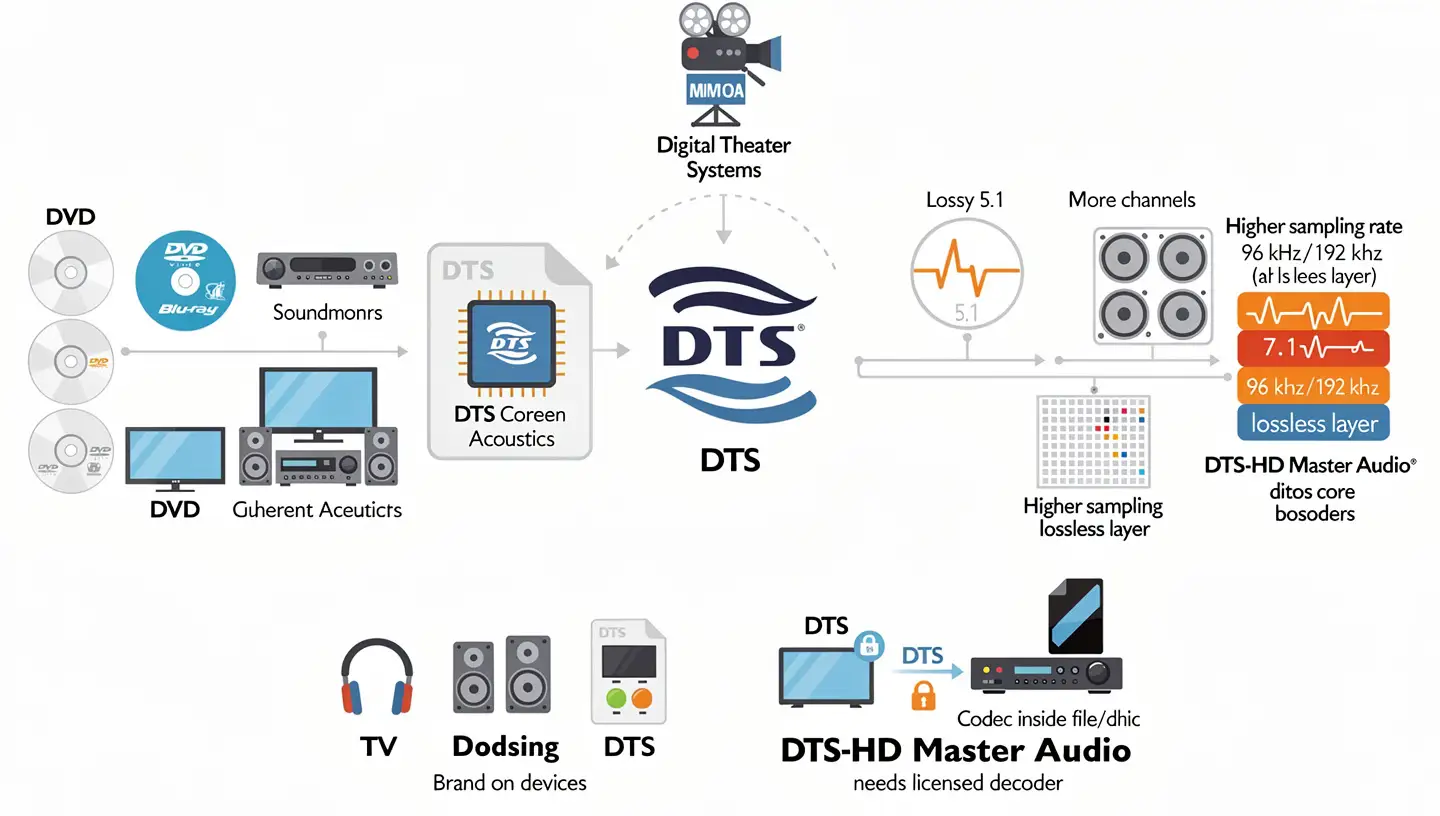
The base format is a lossy multichannel codec. It squeezes a 5.1 mix into a smaller stream by dropping detail that your ear is unlikely to notice. Later versions added more channels, higher sampling rates and, in the case of DTS-HD Master Audio, a lossless layer on top of that same base.
One thing that confuses people is that the name is both a brand and a codec. It appears on speakers, headphones, TVs and apps, but the DTS codec itself lives inside the file or disc. A device only plays it if the maker paid for the license and built in a decoder. That single fact explains most of the playback problems we cover later in this article.
A short history of DTS
The format reached the public in 1993 with Jurassic Park. Steven Spielberg picked it for the film after hearing a remaster of Close Encounters of the Third Kind, and the studio backing helped it spread to more than a thousand theaters in the United States. Dolby Digital had arrived a year earlier, so it was the challenger from day one.
Home use came a few years later. Jurassic Park appeared on LaserDisc with a DTS track in January 1997, and the format was added to the DVD standard the same year. Many early DVD players could not decode it, which is why such tracks stayed optional on discs for a long time.
After that the company grew through purchases. It bought SRS Labs in 2012, the MPEG software firm Manzanita in 2014 and the HD Radio company iBiquity in 2015. Tessera acquired it in December 2016, and the group was renamed Xperi in February 2017. It now earns its money mainly by licensing the technology to device makers.
Encoding and decoding in simple words
Two words come up in every DTS discussion, so it helps to separate them early. Encoding happens once, at the studio, when the mix is packed into a DTS stream and stored on a disc or in a file. Decoding happens every time you press play, when a player, TV or receiver unpacks that stream and turns it into sound for each speaker. A format only works if the device doing the decoding understands it, and that is why the same file can play on one gadget and stay silent on another.
DTS in cinemas: the original system
The first DTS system was made for theaters, and it worked very differently from what you have at home. The film print carried only a timecode, which an optical reader followed to keep the sound in sync, while the audio itself sat on separate CD-ROM discs played next to the projector. A 70 mm version existed too, and today it is mostly used for revivals and restorations.
The home codec is not a smaller copy of that cinema system. It is a separate design, which is why a home DTS track is not the same thing as the sound you heard in a theater. One side effect of the cinema approach was that the audio stayed off the film, so a worn print did not damage it the way it could damage a soundtrack printed on the film itself.
How the DTS codec works
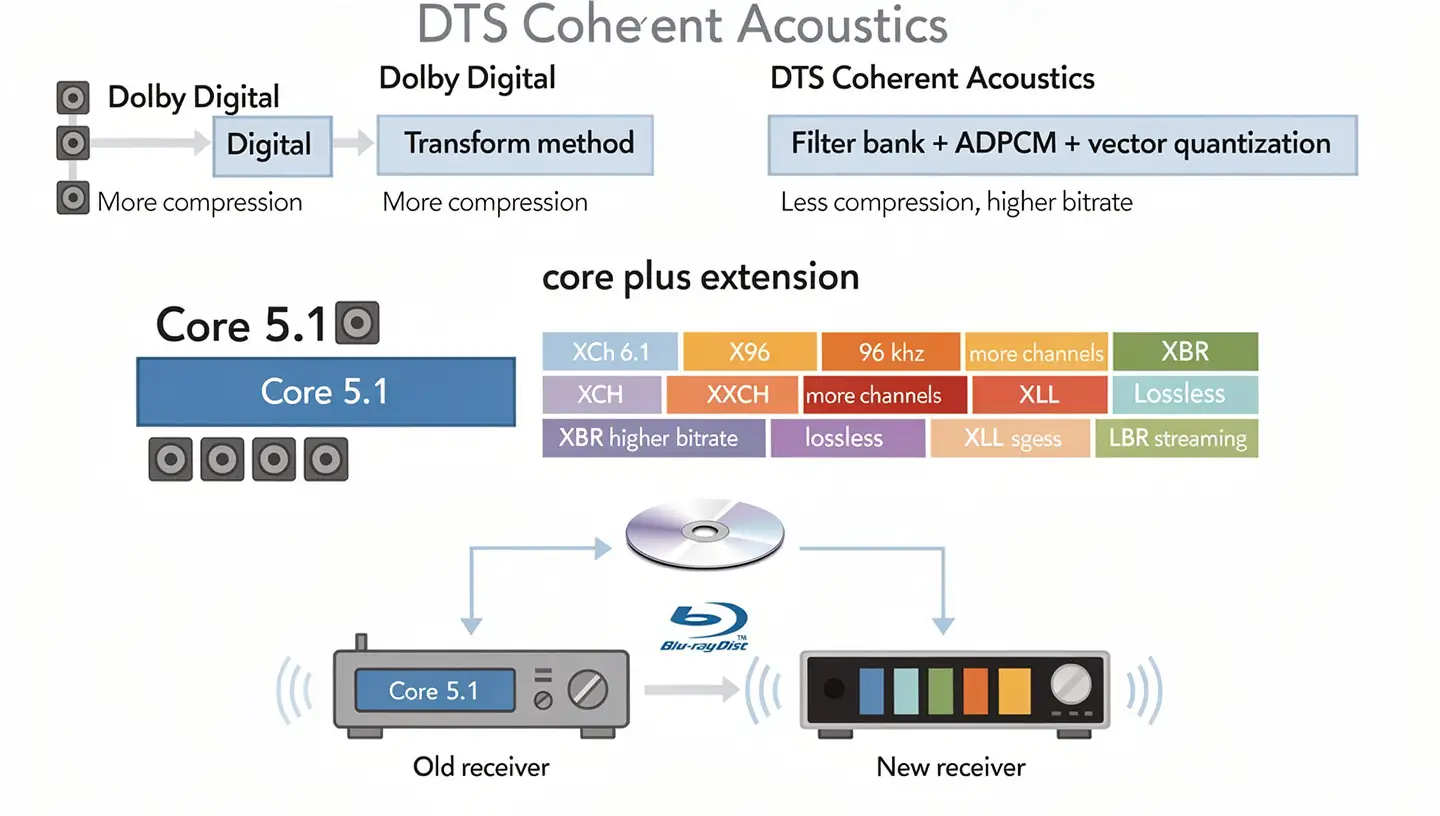
DTS Coherent Acoustics is built on a different idea from Dolby Digital. It uses a filter bank with ADPCM and vector quantization, while Dolby Digital relies on a transform method. In plain terms, it spends more data on keeping the signal accurate and compresses less aggressively. That is where its reputation for a higher bitrate comes from.
Core plus extension
Every stream starts with a core, which is the basic 5.1 track. Extra features are added as extensions that sit next to the core. A decoder that does not know the extension simply ignores it and plays the core. This is why a new disc can still work on an old receiver.
- XCh adds a center surround channel for 6.1, used by DTS-ES.
- X96 raises the sampling frequency up to 96 kHz.
- XXCH allows more channels than 5.1.
- XBR lifts the bitrate above the 1.5 Mbps core limit.
- XLL is the lossless extension used by DTS-HD Master Audio.
- LBR is a low bitrate component meant for streaming.
How lossless DTS-HD Master Audio is built
Lossless mode does not throw the lossy core away. The studio master is first encoded into a core stream. That core is then decoded again and compared with the original master, and the difference is stored as residual data. The residual is compressed without loss and merged with the core into one bitstream. A capable decoder adds the residual back to the core and gets a bit-for-bit copy of the master.
Why older receivers still play new tracks
The Blu-ray standard makes the core mandatory and the Master Audio extension optional. A player that cannot decode Master Audio falls back to the core and plays that. You lose the lossless layer, but you still get sound, which is a safer outcome than silence.
All DTS formats compared
The naming looks messy, but the formats follow a simple ladder. The table puts the main steps side by side.
| Format | Channels | Type | Typical use |
|---|---|---|---|
| DTS Digital Surround | 5.1 | Lossy | DVD, Blu-ray, streaming, soundbars |
| DTS-ES | 6.1 | Lossy | DVD, older home theater |
| DTS 96/24 | 5.1 | Lossy | DVD-Video with 24-bit, 96 kHz sound |
| DTS-HD High Resolution Audio | Up to 7.1 | Lossy | Blu-ray, HD DVD |
| DTS-HD Master Audio | Up to 7.1 | Lossless | Blu-ray, Ultra HD Blu-ray |
| DTS:X | Object-based | Built on DTS-HD Master Audio | Ultra HD Blu-ray, some streaming |
DTS Digital Surround and DTS-ES
The plain version is the one most people have actually heard. It carries six channels, which means five speakers plus a subwoofer track. DTS-ES came in 1999 for cinemas and 2000 for home theater, and it adds one rear center channel. It comes in a discrete 6.1 version and a matrix version that folds the extra channel into the surrounds. You need an extra speaker behind you to hear the difference.
DTS 96/24
Introduced in May 2001, this version kept 5.1 channels but raised the quality to 24-bit and 96 kHz on DVD-Video. It was an early answer for people who wanted better sound without moving to a new disc format. Today it is mostly a footnote, but you still see it on older music DVDs.
DTS-HD High Resolution Audio
This step stretches the core to 7.1 channels and a bitrate of up to 6 Mbps on Blu-ray. It is still lossy, so it sounds close to the original but not identical. Over an optical cable it falls back to plain DTS 5.1, and you need HDMI to get the full stream.
DTS-HD Master Audio
DTS-HD Master Audio is the lossless top of the DTS-HD family. It can carry up to eight channels, and the bitrate on Blu-ray reaches 24.5 Mbps. Sampling goes up to 192 kHz for stereo, while 6.1 and 7.1 layouts are limited to 96 kHz. Our guide to 7.1 surround sound shows how that channel layout fits in a room.
Other DTS technologies you will see on the box
The format names are only half of the story. DTS also sells processing tools and wireless systems, and their names end up on soundbars, TVs and gaming headsets. This is what the main ones mean.
| Name | What it does |
|---|---|
| Neo:6 and Neo:X | Matrix upmixers that spread stereo or 5.1 sources over more speakers. Neo:X can reach 11.1 channels. |
| Neural:X | An upmixing engine that remaps older content for object-based layouts. |
| Virtual:X | Creates a taller or wider sound field from a few speakers. |
| Surround Sensation | Gives you virtual 5.1 over regular headphones. |
| DTS Connect | A PC system that sends 5.1 over a single S/PDIF cable, using a real-time encoder at 1.5 Mbps. |
| DTS Express | A low bitrate version built for streaming and small devices. |
| Play-Fi | A wireless multi-room protocol based on Wi-Fi, which first appeared in late 2012. |
None of these is a new codec in the strict sense. Think of them as add-ons around the core formats. If you want to understand what virtual surround on regular headphones actually does, our article on surround sound on headphones explains the idea without the brand names.
Is DTS lossless or lossy?
The honest answer is that it depends on the version. Digital Surround, ES, 96/24 and High Resolution Audio are all lossy. Only DTS-HD Master Audio is lossless, and DTS:X can be lossless too when it rides on a Master Audio stream.
That matters when you compare labels. A box that only says DTS may mean the lossy core. If you care about a bit-perfect copy of the studio mix, look for the words Master Audio or DTS:X on both the disc and your receiver. For readers who want the bigger picture of high quality formats, we explain it in our article on what Hi-Res Audio is.
DTS bitrates in numbers
Bitrate is the reason DTS and Dolby are always compared, so it helps to see the figures in one table. These are the maximum values on Blu-ray, and many discs use less.
| DTS format | Max bitrate | Dolby counterpart | Max bitrate |
|---|---|---|---|
| DTS Digital Surround | 1.5 Mbps | Dolby Digital | 640 kbps (448 kbps on DVD) |
| DTS-HD High Resolution Audio | 6 Mbps | Dolby Digital Plus | About 1.7 Mbps in practice |
| DTS-HD Master Audio | 24.5 Mbps | Dolby TrueHD | 18 Mbps |
The DTS numbers are higher at every step, and the compression is lighter, roughly 4 to 1 against about 10 to 1 for Dolby Digital. A higher figure does not automatically mean better sound, though. Dolby argues that its codecs are more efficient and can match DTS at a lower bitrate, and we think that point is fair. The mix, the mastering and your speakers matter more than the number on a spec sheet.
The DTS:X audio codec
The DTS:X audio codec is the newest member of the family, and people also search for it as the dts x audio codec without the colon. Instead of fixing a sound to one channel, it treats sounds as objects with a position in space. The processor in your receiver then renders them for the speakers you own. It was first shown at CES in 2015 and uses a Master Audio stream as its container.
That design has a practical effect. A film mixed this way can play on a simple 5.1 system and still sound correct, and it gets more detail as you add speakers. Streaming versions go up to 5.1.4, and discs go up to 7.1.4. The processing side, Neural:X, can handle layouts up to 30.2 and also upmixes older stereo or 5.1 sources. Virtual:X is a separate tool that creates a taller sound field from as few as two speakers.
DTS:X vs Dolby Atmos
Both formats are object-based and both add height. The main difference is the setup. Atmos is designed around ceiling or up-firing speakers, while DTS:X works with a normal layout and is happy with any symmetrical arrangement. DTS:X also lets you raise the dialogue level, which is a real help in films with quiet speech.
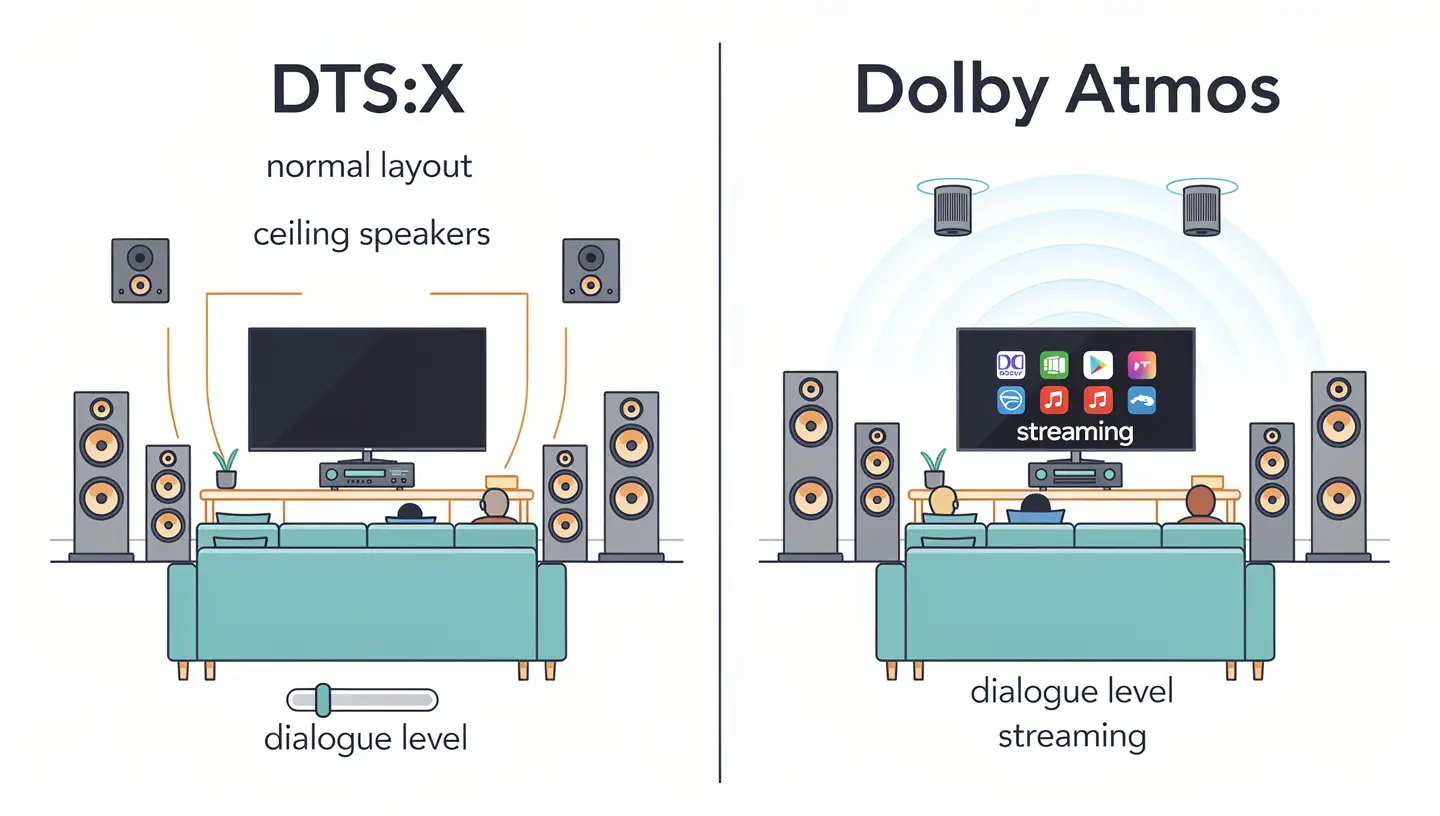
Dolby Atmos has the edge in availability, because it is far more common on streaming services. Our article on Dolby Atmos for headphones goes through the other side of that comparison.
Do you need height speakers for DTS:X?
No. The format will play on a 5.1 or 7.1 system, and you only need height speakers to hear the overhead effects as intended. If you cannot drill into a ceiling, a good 5.1 setup with a DTS:X receiver is still a sensible start.
DTS vs Dolby Digital
Dolby Digital arrived in 1992 with Batman Returns, and DTS followed in 1993. Both give you 5.1 channels, both exist in lossy and lossless versions, and nearly every Blu-ray player and receiver sold today supports them.
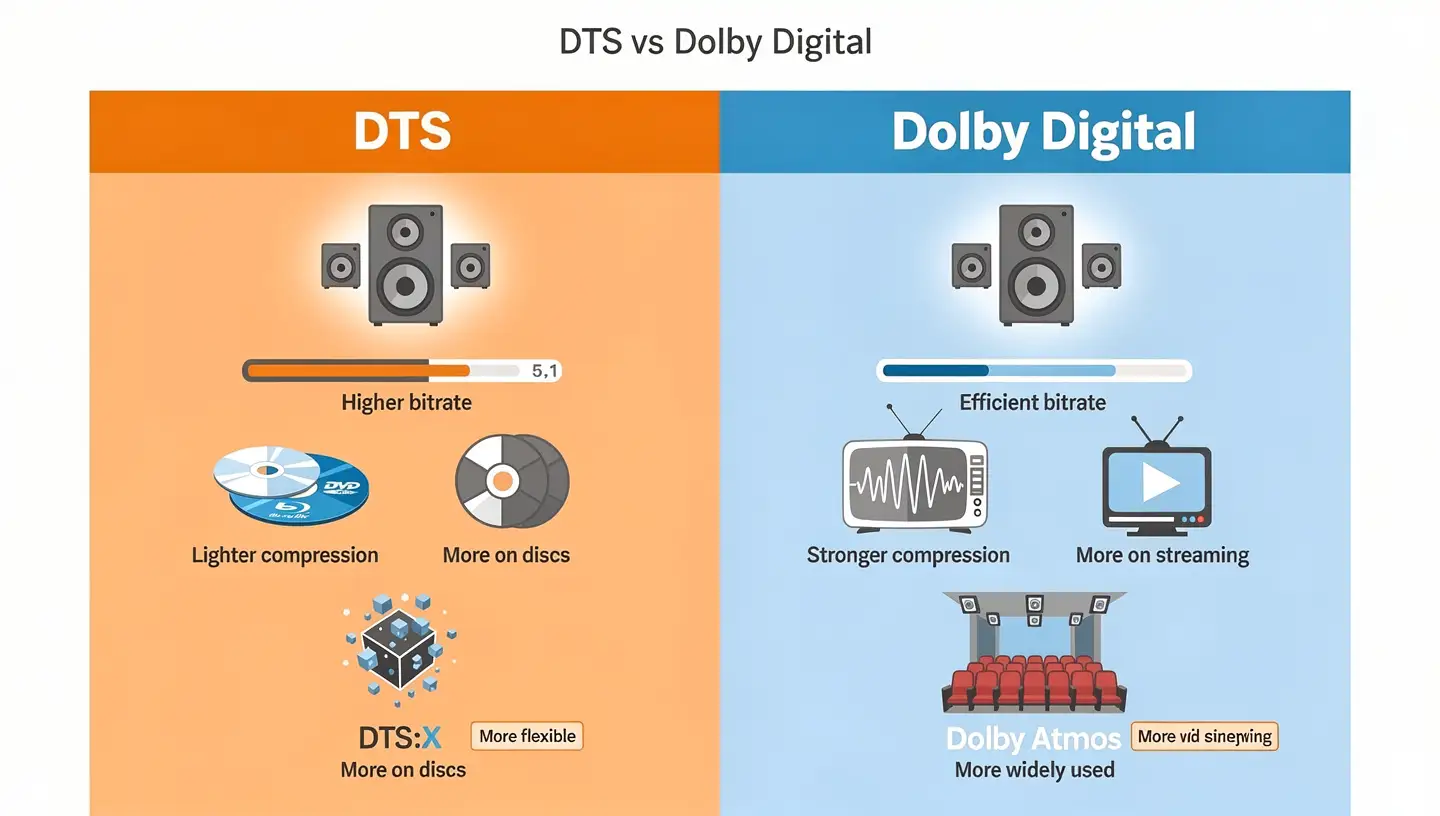
The gap lies in how each treats the data.
- Bitrate: DTS runs higher on both DVD and Blu-ray.
- Compression: DTS is lighter, Dolby is harder but claims better efficiency.
- Availability: Dolby is more common on streaming, while DTS is strong on discs.
- Newest formats: Atmos against DTS:X, where the second is more flexible and the first is more widely found.
Dolby Digital, Digital Plus and TrueHD in short
The Dolby side has its own ladder. Dolby Digital is the lossy 5.1 base. Dolby Digital Plus stretches it to 7.1 and needs HDMI. Dolby TrueHD is the lossless step, with up to 14 channels and a bitrate of up to 18 Mbps. They line up with core DTS, High Resolution Audio and Master Audio in that order.
In our view neither one wins by default. A well mastered Dolby track on a calibrated system will beat a lazy DTS track on a cheap one. If you can pick the track on a disc, choose the higher tier, so Master Audio over the core and TrueHD over Dolby Digital.
DTS vs other audio codecs
It is a surround format, so it solves a different problem from codecs built for music files or phone calls. MP3 and AAC aim at small stereo files. FLAC stores music without loss but is mostly a stereo format. Opus is built for low delay voice and streaming. It sits in the home theater corner, where six or eight channels have to travel together over a disc or an HDMI cable.
If you have a stereo file and want a quality format, this is not the right tool. If you have a film with a surround mix, it is one of the main ways that mix reaches your speakers.
DTS and Bluetooth headphones
This is the point that surprises many buyers. It is not a Bluetooth codec. When you pair wireless earbuds with a phone, the audio travels over SBC, AAC, aptX, LDAC or LC3, whichever both devices support. A DTS logo on a pair of earbuds does not mean the wireless link uses it. It means the device may offer a sound feature, usually a virtual surround effect, on top of a normal codec.
If you want to know which Bluetooth codec your headphones really use, start with the basics in our explainer on the SBC codec, which is the default every device must support. For higher quality over the air, LDAC is the option many Android phones and headphones offer. Those codecs decide how music reaches your ears. Our topic here decides how a surround mix is built before it gets there.
DTS Headphone:X and Virtual:X
DTS Headphone:X takes a multichannel signal and turns it into virtual surround for two ears. It uses level and reflection cues to place sounds around you, and DTS says it can imitate a large speaker system of up to 11.1 channels. The company keeps a database of more than 500 headphone models with a tuning for each one. Headphone:X 2.0 is the newer version found mainly in gaming headsets, some phones and PC or Xbox apps.
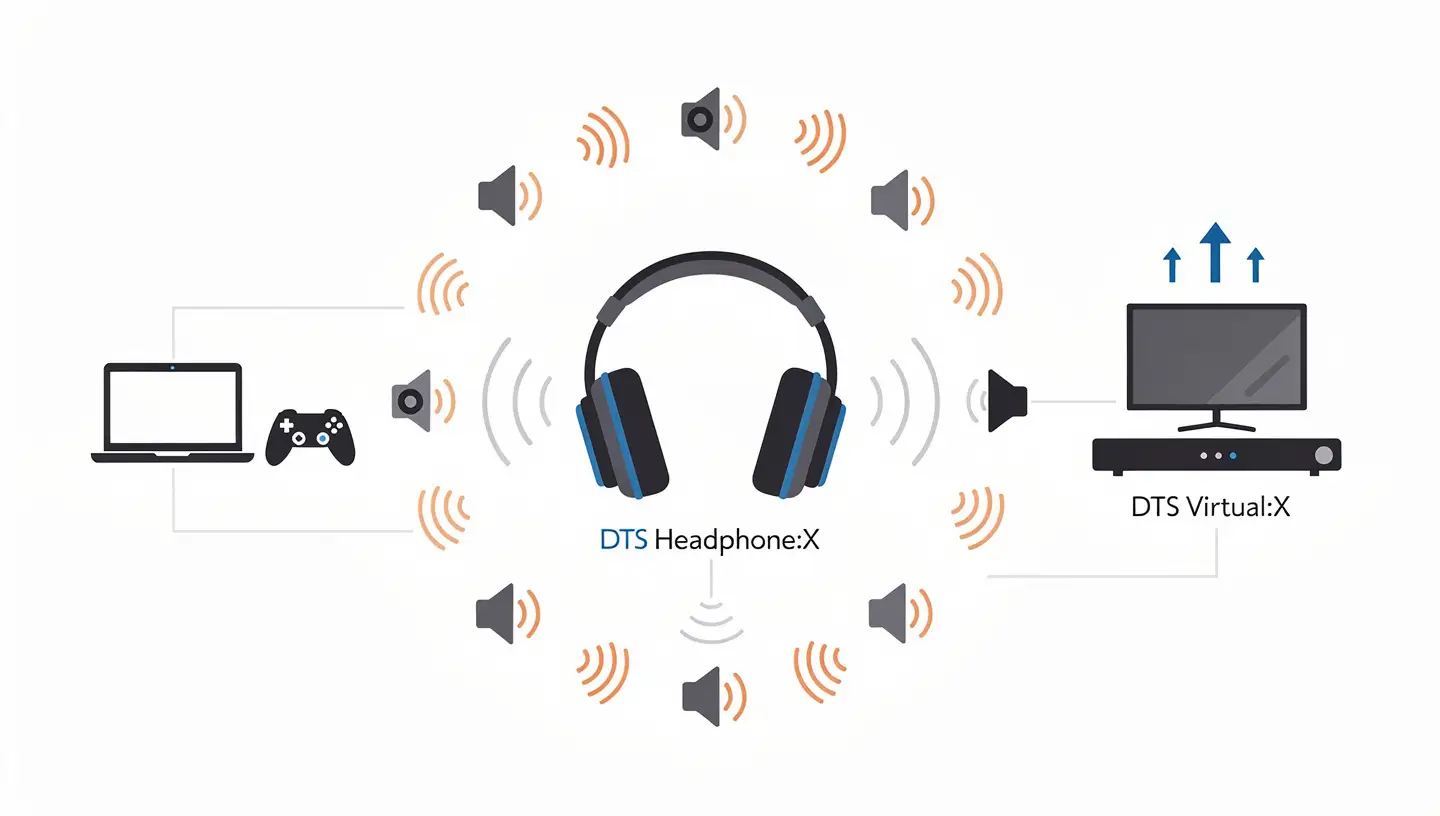
On Windows you get it through an app called DTS Sound Unbound. It needs Windows 10 build 18362.380 or newer, works with any headphones, and offers a free trial followed by an in-app purchase. Buying Headphone:X also includes the decoder for DTS:X. The same app brings the home theater version to Xbox consoles, where it needs eARC on the TV or receiver. We cover the second generation in more detail in our article on DTS Headphone:X 2.0 virtual surround sound.
Our opinion is simple. Virtual surround helps most in games, where position matters, and least in music, where it can make the sound feel artificial. It is cheap to try because of the trial, so the best test is your own ears and your own headphones.
DTS audio codec download and where to get a decoder
Many people search for a DTS audio codec download after a video refuses to play. The first thing to know is that there is no single official free file that adds support to every program. The technology is licensed, so the decoder normally ships inside a device or a program, and the maker pays for it.
Why there is no one official download
The same applies to the DTS-HD Master Audio codec download that people look for. The lossless decoder comes with a Blu-ray player, a receiver, a game console or a licensed app. If a website promises a free stand-alone DTS-HD Master Audio codec download for any Windows PC, treat it with suspicion.
Players that already include a decoder
The simplest fix is a player that has its own decoder. VLC is the usual example, because it uses the open source libdca library, and the VideoLAN project documents the format and its extensions on its wiki page about DTS. Switching to a full-featured player solves the problem more often than installing extra files, because the decoder is already part of the program.
For headphones on Windows, the licensed route is the Sound Unbound app from the Microsoft Store. The maker explains the trial, the supported systems and the decoder in its Sound Unbound FAQ. It also notes that some MKV files with DTS sound may not play in the Windows Movies and TV app, which is a good reminder that the built-in player is not always the answer.
Codec packs and unsafe download sites
Older guides send you to codec packs and filters, often old versions of ffdshow or AC3Filter. They can work, but they come from unofficial places, they are often years out of date and they can break other players on your system. Wrong settings can even cause buzzing or noise instead of sound. Our advice is to avoid them unless you know exactly what you are installing, and to never download a decoder from a site that looks like a fake download portal.
DTS files, extensions and DTS audio CDs
You can meet this format outside of movies. A DTS track can live in its own file, with the .dts or .cpt extension, or inside a video container such as MKV next to the picture. The stream comes in four variants, defined by the byte order and by whether the data is packed in 16-bit or 14-bit words.
The 14-bit variant is the one used on DTS music CDs. The data is packed into 16-bit containers, so a normal CD player that does not know DTS reads it as ordinary audio, and the result is a signal that does not sound like music. A disc player generally cannot decode a DTS CD without an external decoder, so you send the signal to a receiver that can. We mention this because many people find an old DTS CD in a drawer and think it is broken.
Where DTS works: devices and connections
Support is wide but not universal. Blu-ray players, AV receivers and most soundbars decode it, and game consoles such as the PlayStation 3, the Xbox 360 and the Xbox Series S and X can decode or pass it through. Many TVs can pass DTS to a soundbar, but some cannot decode DTS-HD Master Audio themselves. Streaming services mostly use Dolby formats, so this family shows up more on discs and local files.
The cable you choose decides how much of the signal arrives. The table shows what each connection can carry.
| Connection | What it can carry |
|---|---|
| Optical or coaxial (S/PDIF) | Lossy DTS core or stereo PCM. No DTS-HD Master Audio. |
| HDMI 1.1 or newer | Multichannel PCM, decoded by the player |
| HDMI 1.3 or newer | Full DTS-HD bitstream, decoded by the receiver. Needed for DTS:X. |
| Analog 5.1 or 7.1 | Decoded audio from the player, one cable per channel |
DTS passthrough, HDMI and eARC
Passthrough means the player sends the stream untouched, and the receiver or soundbar does the decoding. This keeps the lossless track intact and lets the receiver show the real format on its display. The other option is for the player to decode and send PCM, which also keeps quality but loses object data such as DTS:X.
When a TV sits between the player and a soundbar, the link needs eARC for the highest formats. Standard ARC has limited bandwidth, so a TV may downgrade DTS-HD Master Audio to the core or send nothing at all. If your soundbar shows DTS but the picture is fine and the room is silent, the cause is usually in this part of the chain.
DTS audio not working? Fixes for no sound
The symptoms look different on each device, but the causes repeat. Go through the list in order, starting with the cheapest change.
TV without DTS support
Some TVs do not decode it from USB drives, apps or broadcasts. The file plays, the picture works and the sound is missing or the TV says the audio format is not supported. Sending the sound out to a soundbar with a decoder often solves it, but the TV must pass the stream through and not try to process it.
eARC mode and speaker output
If you use eARC and get no sound with DTS-HD Master Audio, two settings are worth checking. Set the eARC mode to Auto, and set the TV speaker output to the audio system. Also check that every device between the source and the TV can output DTS-HD Master Audio, because one weak link lowers the whole chain.
Media servers and transcoding
Media apps and servers sometimes convert it to another format when the playing device cannot handle it. The sound still works, but you lose the original quality and the extra channels may be folded down. If you rip discs yourself, our guide to HandBrake audio codecs explains which options keep surround tracks and which ones convert them.
Damaged or mismatched files
A damaged track gives silence, crackle or a short burst of noise. Try the same file in a different player first. If it plays there, the problem is the decoder and not the file. If it fails everywhere, download or rip it again.
DTS in streaming and IMAX Enhanced
Disc and local files are the natural home of this family, but it also has a streaming side. DTS:X for streaming uses a low bitrate profile that supports up to 5.1.4 channels, and the stream adapts to the speed of your connection so the sound keeps playing on a weaker network. The bigger services still lean on Dolby, so you will find DTS:X on fewer platforms than Atmos.
DTS:X is also part of the IMAX Enhanced program for home cinema, which pairs DTS:X sound with UHD HDR video. If a title carries the IMAX Enhanced badge, it will normally ship with a DTS:X track.
Which DTS version should you choose?
The right pick depends on budget and room, so here is how we would split it.
- DTS 5.1: the sensible choice for a first home theater. It is widely supported and sounds good on a simple five speaker setup.
- DTS-HD Master Audio: the step up if you watch Blu-ray discs and want a lossless track.
- DTS:X: the most flexible option, worth it if you plan to add height speakers or already own a receiver that supports it.
Do not buy a receiver only for a logo. Check that it lists the exact formats you need, because two models from the same brand can support different versions.
Pros and cons of DTS
After going through every format, here is how we see the balance.
- Pros: high bitrates, a lossless option in Master Audio, strong support on Blu-ray, a flexible object format in DTS:X and graceful fallback to the core on older gear.
- Cons: confusing names, a decoder that depends on licensing, patchy support on budget TVs and apps, and less presence on streaming than Dolby.
Is DTS worth it?
It is worth caring about if you own a home theater, watch discs or keep local movie files. In that case Master Audio and DTS:X are good formats, and a receiver that supports them costs little extra. It matters much less if you mostly stream and listen on headphones, because streaming leans on Dolby and the Bluetooth link ignores it entirely.
Final verdict on the DTS audio codec
The DTS audio codec is a mature, well designed family that still earns its place on discs and in receivers. The names are the hard part, and once you know the ladder from the core to Master Audio to DTS:X, the rest follows. Our advice is to check what your player, cable and receiver actually support, use HDMI with passthrough where you can, and be careful with any site that offers a free decoder file.
DTS audio codec FAQ
What is the DTS audio codec?
It is a multichannel audio format, so the audio codec DTS name covers a family of versions. It is made by DTS, used on DVD, Blu-ray, soundbars and receivers. The basic version is lossy 5.1, and newer versions add more channels, lossless sound and object-based audio.
Is DTS lossless?
Only DTS-HD Master Audio is lossless, and DTS:X can be lossless when it is carried on a Master Audio stream. Plain DTS and DTS-HD High Resolution Audio are lossy.
What is the difference between DTS, DTS-HD and DTS:X?
DTS is the 5.1 base format. DTS-HD raises the channel count to 7.1 and adds either higher quality lossy sound or a lossless layer. DTS:X is object-based and places sounds in space instead of fixing them to channels.
Is there a DTS audio codec download?
There is no single official free file for every program. The decoder comes inside licensed devices and software. A player such as VLC already includes one, and the DTS Sound Unbound app offers a licensed option on Windows 10 and Xbox.
Can I download the DTS-HD Master Audio codec?
Not as a free stand-alone codec. A lossless decoder is part of Blu-ray players, receivers, consoles and licensed apps. Be careful with sites that claim to offer it for free.
Is DTS better than Dolby Digital?
DTS uses higher bitrates and less compression, but Dolby argues its codecs are more efficient. The mix and your equipment matter more than the brand, so we treat them as equals for most people.
Does DTS work over Bluetooth?
DTS is not a Bluetooth codec. Bluetooth headphones use SBC, AAC, aptX, LDAC or LC3. A DTS logo on headphones usually means a virtual surround feature, not the codec used for the wireless link.
Why does my TV not play DTS?
Many TVs lack a DTS decoder or cannot decode DTS-HD Master Audio from USB, apps or broadcasts. Pass the sound to a soundbar or receiver that decodes DTS, and check the eARC settings.
Can VLC play DTS?
Yes. VLC decodes DTS with the open source libdca library, so most DTS files play without extra files.
How do I convert DTS to Dolby Digital?
Use a converter or a tool such as HandBrake and choose a Dolby Digital output. Remember that converting from one lossy format to another always costs some quality.
What is DTS Headphone:X?
It is a virtual surround technology for headphones. It turns a multichannel signal into a spatial effect for two ears and uses tunings for more than 500 headphone models.
Do I need special speakers for the DTS:X audio codec?
No. It works on a 5.1 or 7.1 system. Height speakers help you hear overhead effects, but they are not required.
Which devices support DTS?
Blu-ray players, AV receivers, most soundbars, many TVs and consoles such as the Xbox Series S and X. Support for the lossless and object-based versions varies by model, so check the exact format names in the spec sheet.
What is DTS Connect?
It is a PC system that sends 5.1 sound to a receiver over one S/PDIF cable. It encodes the audio in real time at 1.5 Mbps.