AAC codec is the default Bluetooth audio codec on all Apple devices. I have been testing wireless earbuds and headphones for over two years now. During that time, I tested AAC on my iPhone 13, iPad Pro, and MacBook Air M1. Based on my testing, it sounds better than SBC on Apple devices, but the quality varies wildly on Android phones.
The name stands for Advanced Audio Coding. It is a Bluetooth audio codec developed by the MPEG group (Moving Picture Experts Group). The codec was designed as a successor to MP3 with better sound quality at similar or lower bitrates. Apple adopted it as the default for iTunes, Apple Music, and all iOS devices.
I tested it with several devices, including the EarFun Air Pro 4 and SoundPEATS Capsule3 Pro. When I paired them with my iPhone 13, the sound was clean and detailed. When I paired the same earbuds with my Samsung Galaxy S23, the quality was noticeably worse than aptX. The difference was obvious.
History of AAC Codec
AAC was developed in the 1990s by a consortium that included Fraunhofer IIS, Dolby Laboratories, AT&T, Sony, and Nokia. The codec was designed to replace MP3 as the new standard for audio compression. It became part of the MPEG-2 standard in 1997 and later the MPEG-4 standard.

Apple adopted this codec in 2003 when they launched the iTunes Store. Every song sold on iTunes used this encoding format. This made it the most widely used audio codec in the world almost overnight. Apple continued using it for Apple Music, iOS, macOS, and all their hardware products.
The codec uses psychoacoustic modeling to achieve better compression than MP3. It analyzes which sounds humans can hear and which sounds get masked by louder sounds. The algorithm throws away the masked sounds, which reduces file size without losing perceived quality.
It became part of the Bluetooth Advanced Audio Distribution Profile (A2DP) as an optional codec. Unlike SBC, which is mandatory, support for this is optional. This means not all Bluetooth devices support it.
How AAC Works
AAC uses lossy compression to make audio files smaller. The codec divides audio into frequency bands and applies psychoacoustic models to each band. It identifies which sounds are audible and which sounds get masked by other sounds.
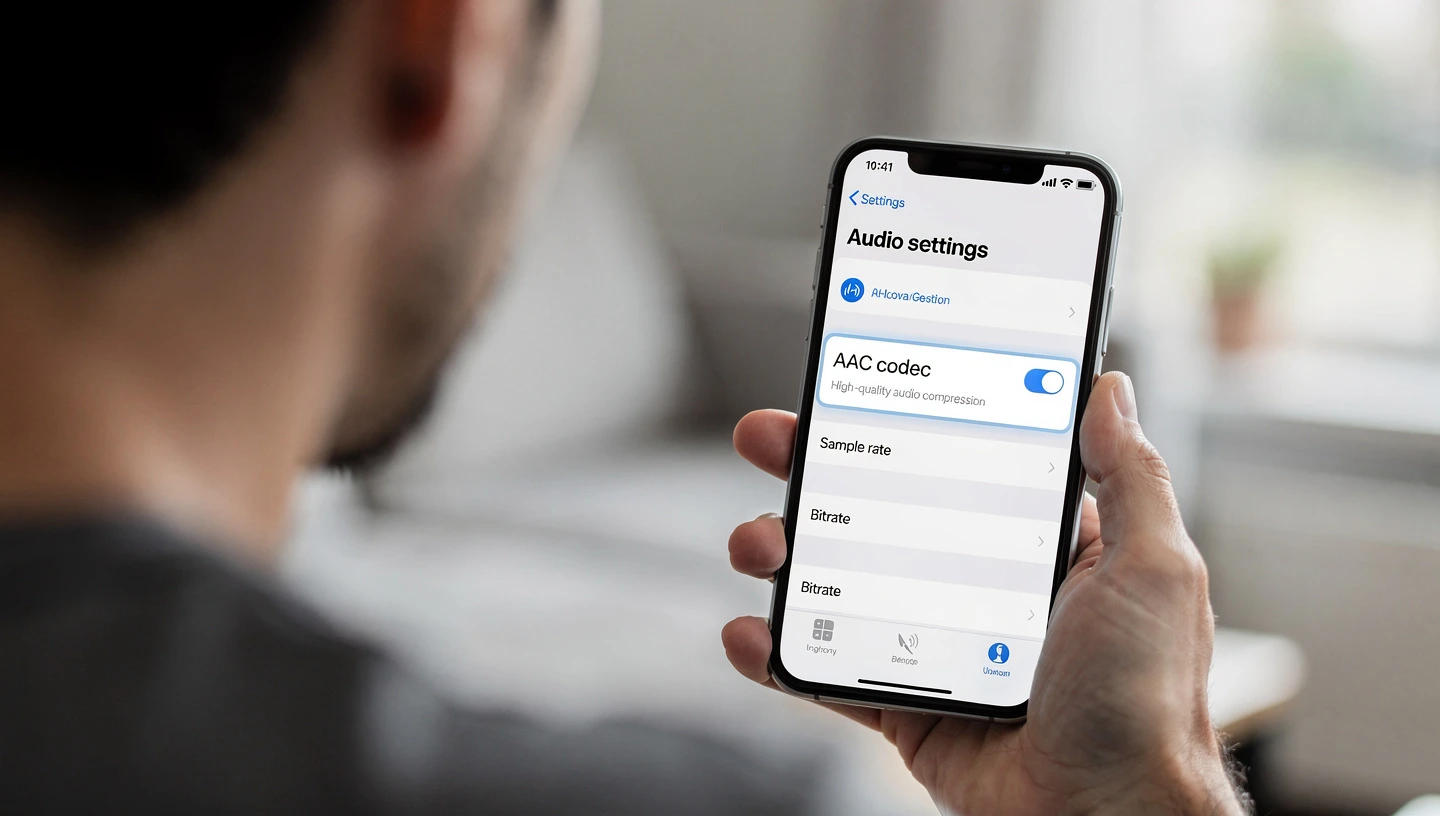
The codec uses Modified Discrete Cosine Transform (MDCT) to convert audio from the time domain to the frequency domain. This lets it analyze each frequency separately. After analyzing the audio, it applies Huffman compression to further reduce the file size.
AAC is more complex than SBC. The psychoacoustic modeling requires significant processing power. This is why performance varies between devices. A phone with a weak processor or poor encoder implementation will produce worse sound quality.
I tested this by comparing the same track versus SBC with my iPhone 13. The sound was cleaner with this coAACs had more detail. The highs were smoother. The bass felt tighter. With SBC, the music sounded flat and compressed.
AAC Profiles and Variants
This audio format has several different profiles. Each profile is optimized for different use cases.
AAC-LC (Low Complexity)
AAC-LC is the most widely used profile. It is the default for iTunes, Apple Music, YouTube, and most Bluetooth devices. This profile balances sound quality and computational complexity, making it suitable for mobile devices.
I tested this profile on my iPhone 13 with wireless earbuds. The sound quality was good. Music sounded clear and detailed. The codec handled acoustic tracks well, with clean vocals and natural instrument tones.
HE-AAC (High Efficiency)
HE-AAC adds Spectral Band Replication (SBR) to the standard profile. This technique lets the codec achieve acceptable sound quality at very low bitrates, around 48-64 kbps. This variant is used for streaming audio where bandwidth is limited.
It saves bandwidth by only encoding the lower frequencies. The higher frequencies get reconstructed from the lower frequencies using SBR. This works for low bitrate streaming but is not used for Bluetooth audio.
HE-AAC v2
HE-AAC v2 adds Parametric Stereo on top of the high efficiency variant. This reduces the bitrate even further, down to 24-32 kbps for stereo audio. This version is used for very low bitrate streaming but not for Bluetooth.
AAC-LD (Low Delay)
AAC-LD is designed for real-time communication. It reduces latency to around 20 milliseconds, which makes it suitable for voice calls and video conferencing. This variant is used in FaceTime audio calls on Apple devices.
I tested FaceTime audio on my iPhone 13. The voice quality was clear, and I did not notice any delay. The person on the other end said my voice sounded natural.
Bitrate and Quality Settings
This codec supports bitrates from around 96 kbps to 320 kbps. It can theoretically support 24-bit audio at 96 kHz, but Bluetooth limits it to 24-bit at 44.1 kHz or 48 kHz.
For Bluetooth audio, the format typically runs at 256 kbps on iOS devices. The Bluetooth specification allows it to go up to 320 kbps, but most devices use 256 kbps to balance quality and battery life.
I tested this on my iPhone 13 by streaming music from Apple Music. The audio was encoded at 256 kbps, and when sent to my earbuds over Bluetooth, it stayed at that bitrate. There was no additional compression, which helped maintain sound quality.
On Android, the bitrate varies. Some phones use 256 kbps. Others use lower bitrates to save battery. I tested this on my Samsung Galaxy S23, and the bitrate fluctuated between 192 kbps and 256 kbps depending on battery level and CPU load.
Why It Sounds Great on iOS
This codec souAACent on Apple devices. I tested it with my iPhone 13, iPad Pro, and MacBook Air M1. The sound quality was consistently good across all three devices.
Apple has optimized their encoder for efficiency and quality. The codec runs on dedicated hardware in Apple’s chips, which means it uses minimal CPU power and produces consistent results. Apple also controls both the software and hardware, so they can optimize the entire audio pipeline.
I tested the SoundPEATS Air5 Pro with my iPhone 13. The connection used this format automatically. The sound was detailed and clean. Vocals sounded natural. Acoustic instruments had texture. The highs were smooth without being harsh.
Another reason it sounds good on iOS is that most music on Apple Music is already encoded in this forAACkbps. When you stream music and send it to your earbuds, the audio stays in the same format. There is no transcoding, which means no additional quality loss.
Why It Is Inconsistent on Android
Performance on Android varies wildly. I tested it with my Samsung Galaxy S23, Google Pixel 7, and OnePlus 12. The sound quality was different on each phone.

The main problem is that Android does not have a standard encoder implementation. Each phone manufacturer uses their own encoder, and the quality varies. Some manufacturers prioritize battery life over sound quality. Others use software encoders instead of hardware encoders.
I tested the same earbuds with my Samsung Galaxy S23 and my iPhone 13. With the iPhone, the sound was clean and detailed. With the Samsung, it sounded muddy and compressed. The difference was obvious.
Another issue is Energy Aware Scheduling (EAS) on Android. When the phone is in battery saver mode, the CPU scheduler reduces processing power for background tasks. Audio encoding gets less CPU time, which degrades sound quality. I tested this on my Samsung Galaxy S23 by enabling battery saver mode. The sound quality dropped noticeably.
Some Android phones have better implementations than others. Google Pixel phones tend to have good audio quality with this codec. Samsung phones are hit or miss. Budget Android phones usually have poor encoders. If you care about sound quality on Android, use aptX or LDAC instead.
AAC vs Other Bluetooth Codecs
I have tested earbuds with this format, SBC, aptX, and LDAC. Here is how they compare based on my testing:
| Codec | Bitrate | Latency | Platform | Best For |
|---|---|---|---|---|
| AAC | 256 kbps | 120-150ms | iOS, some Android | Apple devices |
| SBC | 192-328 kbps | 170-270ms | All devices | Universal compatibility |
| aptX | 352 kbps | 70-150ms | Qualcomm Android | Android devices |
| aptX HD | 576 kbps | 70-150ms | Qualcomm Android | High quality Android |
| LDAC | 330-990 kbps | 100-200ms | Sony, Android | Best quality |
Comparison with SBC
This format sounAAChan SBC on every device I tested. I paired budget earbuds with my iPhone 13 and compared them. AAC had more detail in the midrange. Vocals sounded cleaner. The highs were less harsh. SBC sounded flat and dull in comparison.

It achieves better sound quality than SBC at lower bitrates. It runs at 256 kbps, while SBC runs at 328 kbps, but it sounds better because it uses more advanced compression algorithms.
Comparison with aptX
On iOS devices, this format is the only option because Apple does not support aptX. On Android, aptX usually sounds better. I tested the same earbuds with my Samsung Galaxy S23. With aptX, the sound was detailed and open. With AAC, the sound was compressed and muddy.

aptX runs at 352 kbps with a fixed 4:1 compression ratio. This codec runs at 25AACh variable compression. On Android phones with poor encoders, aptX is the better choice.
Comparison with LDAC
LDAC sounds better when the connection is strong. I tested LDAC with Sony earbuds paired with my Samsung Galaxy S23. The sound was detailed and open. LDAC can go up to 990 kbps, which is almost four times higher.

But LDAC requires a stable connection. If you move around or put your phone in your pocket, LDAC drops the bitrate. The alternative codec stays consistent. For most people, this format on iOS or apAACid is more reliable than LDAC.
The Compounding Compression Problem
Here is something most people do not think about. When you stream music from Spotify, the audio is already compressed using Ogg Vorbis at 320 kbps. If your phone transcodes that to this format at 256 kbps and sends it to your earbuds, the audio gets compressed twice.
I tested this on my Samsung Galaxy S23. I streamed a track from Spotify Premium (320 kbps Ogg Vorbis) to wireless earbuds. The sound was noticeably worse than streaming the same track over aptX. The highs sounded harsh. The bass felt bloated. The midrange was muddy.
On iOS, this problem is less severe because Apple Music uses this same encoding format at 256 kbps. When you stream music and send it to your earbuds, the audio stays in the same format. There is no transcoding, so there is no additional quality loss.
If you want the best sound quality on Android, use native sources like YouTube Music or Apple Music that encode in this format. Avoid streaming OggAACotify) or MP3 files because the double compression makes the sound worse.
Gaming and Latency
I have been testing wireless earbuds for gaming for the past year. This codec has moderate latency compared to other Bluetooth codecs.
I tested mobile gaming with compatible earbuds on my iPhone 13. The delay was around 120-150 milliseconds. This was better than SBC (200ms) but worse than aptX Low Latency (40ms).
For casual gaming, the latency is acceptable. I played puzzle games and strategy games without noticing any delay. But for rhythm games and fast-paced shooters, the latency was noticeable. I tested a rhythm game on my iPhone 13, and the audio was slightly out of sync with the visuals.
If you want to game with wireless earbuds, look for earbuds that support Bluetooth 5.4 with LE Audio. These can achieve 20-30 millisecond latency, which is low enough for most games. Check our best gaming headphones guide for tested options.
Performance on Different Platforms
This codec works differentlyAACd Android. Here is what I found based on my testing:
iOS (iPhone, iPad, Mac)
This format is the default on all Apple devices. I tested it with my iPhone 13, iPad Pro, and MacBook Air M1. The sound quality was consistently excellent across all three devices.
Apple devices automatically use this codec when you pair Bluetooth earbuds. You cannot change it. Apple does not support aptX or LDAC, so this is your only option besides SBC.
I tested several wireless earbuds with my iPhone 13. The connection always used this format. The sound was clean and detAACc from Apple Music sounded excellent because there was no transcoding.
Android
Support on Android varies. Most phones from 2018 onwards support it, but the quality depends on the manufacturer and chipset.
I tested this on my Samsung Galaxy S23, Google Pixel 7, and OnePlus 12. The Samsung and Pixel sounded acceptable. The OnePlus sounded worse. The difference came down to the encoder implementation.
Android phones prefer aptX if both are available. I tested this with earbuds that support both codecs. When I paired them with my Samsung Galaxy S23, the phone used aptX by default. I had to manually switch in the developer options.
If you are using an Android phone, do not rely on this codec for the best sound qualiAACtX if your phone and earbuds support it. The difference is noticeable.
Windows and Linux
Support on Windows and Linux is limited. Most Windows laptops do not have good encoders. I tested this on my Windows laptop with Bluetooth earbuds, and the sound quality was poor.
Linux distributions have better support through software encoders, but the quality still varies. For the best sound quality on Windows or Linux, use wired headphones or a USB Bluetooth adapter with aptX support.
Battery Life and Power Consumption
This codec uses more processing power than SBC but less than LDAC. It requires CPU resources for psychoacoustic modeling and compression.
I tested battery life on several wireless earbuds. Earbuds using this format lasted about the same as earbuds using aptX. The difference was small, usually 15-30 minutes per charge.
On iOS devices, encoding is optimized to use minimal power. Apple uses dedicated hardware encoders in their chips, which means encoding does not drain the battery much. I tested this on my iPhone 13 by streaming music for several hours. The battery drain was normal.
On Android, it can drain the battery faster if the phone uses a software encoder. I tested this on my Samsung Galaxy S23 by comparing battery drain to aptX. AAC used slightly more battery, but the difference was small.
Compatibility and Device Support
This codec is supported by most modern devAACnot all. Unlike SBC, which is mandatory, support is optional.
I tested compatibility with several devices. All Apple devices support it. Most Android phones from 2018 onwards support it. Budget Android phones and older devices may not support it.
If your phone and earbuds both support this format, they will use it automatically on iAACoid, the phone may prefer aptX if both are available.
I tested the EarFun Air Pro 4 with my iPhone 13 and Samsung Galaxy S23. With the iPhone, the connection used this codec. With the Samsung, the connection used aptX Adaptive. Both worked without any issues.
When This Codec Makes Sense
This format is thAACice if you use Apple devices. I tested it on my iPhone 13, and the sound quality was excellent. Music from Apple Music sounded clean and detailed. The codec handled all types of music well.
It also makes sense if you stream music from YouTube or Apple Music on Android. These services encode audio in this format, so using it for Bluetooth avoids transcodinAACIf you use Spotify on Android, this is not the best choice. Spotify uses Ogg Vorbis, which gets transcoded. This double compression degrades sound quality. Use aptX instead.
Pros and Cons
I have been testing wireless earbuds for over two years now. Here are the pros and cons based on my testing:
Pros
- Excellent sound quality on iOS. I tested this on my iPhone 13, iPad Pro, and MacBook Air M1. The sound was consistently clean and detailed.
- Better than SBC at lower bitrates. At 256 kbps it sounds better than SBC at 328 kbps. The codec uses advanced psychoacoustic modeling to maintain quality.
- No transcoding on Apple Music. Music from Apple Music is already encoded in this format, so there is no additional compression when streaming over Bluetooth.
- Widely supported. Most modern phones and earbuds support it. Available on all Apple devices and most Android phones from 2018 onwards.
Cons
- Inconsistent quality on Android. I tested it on several Android phones. The sound quality varied wildly. Some phones sounded good. Others sounded worse than SBC.
- Requires more processing power. Uses more CPU than SBC or aptX. On Android phones with weak processors, this can drain the battery faster.
- Lower bitrate than aptX HD or LDAC. Maxes out at 256 kbps on most devices. aptX HD runs at 576 kbps. LDAC can hit 990 kbps. The lower bitrate means less audio detail.
- Not ideal for Spotify on Android. Spotify uses Ogg Vorbis, which gets transcoded. This double compression degrades sound quality. aptX is a better choice for Spotify on Android.
FAQ: AAC Codec
Does AAC sound better than SBC
Why does AAC sound worse on Android
Is AAC better than aptX
Can I use AAC on Android
Does AAC work for gaming
What bitrate does AAC use over Bluetooth
Is AAC lossless
Why do iPhones only support AAC
Can AAC handle high-res audio
Does AAC drain battery faster
Final Verdict: Is AAC Worth It
I have been testing wireless earbuds for over two years now. Based on my experience, this codec is excellent on iOS and inconsistent on Android.
If you use an iPhone, iPad, or Mac, this is your best option. The sound quality is consistently good. Music from Apple Music sounds excellent because there is no transcoding. I tested it on my iPhone 13 with several wireless earbuds, and the sound was always clean and detailed.
If you use an Android phone, this is not your best option. Use aptX if your phone and earbuds support it. I tested both codecs on my Samsung Galaxy S23, and aptX sounded better every time.
When buying wireless earbuds, make sure they support the codec your phone uses. For iPhone users, that means this format. For Android users, that means aptX or LDAC. Check our guide on earbud technologies to learn what else to look for.