Music from the phone is transmitted to the earbuds via Bluetooth.
For that transmission to work and for the devices to understand each other, the phone and earbuds must use the same language. That language is the codec both sides use. Only then can music be compressed, sent from phone to earbuds, and then decompressed into sound you hear through the earbuds.
Besides phones and earbuds, there are music players, Bluetooth speakers, sound systems, and cars. But to keep this article clear, we’ll use the phone as the music source and earbuds as the receiving device.
For example:
- You play an MP3 file on your phone using Bluetooth earbuds that support LC3.
- The phone decodes the MP3 file into PCM (Pulse Code Modulation) data.
- The LC3 codec compresses the PCM data into an LC3 stream.
- The LC3 data is transmitted over Bluetooth to the earbuds.
- The earbuds decode LC3 back into PCM, then use a DAC to convert it to analog signal for sound.
Bluetooth Codecs on iPhone: What Actually Happens
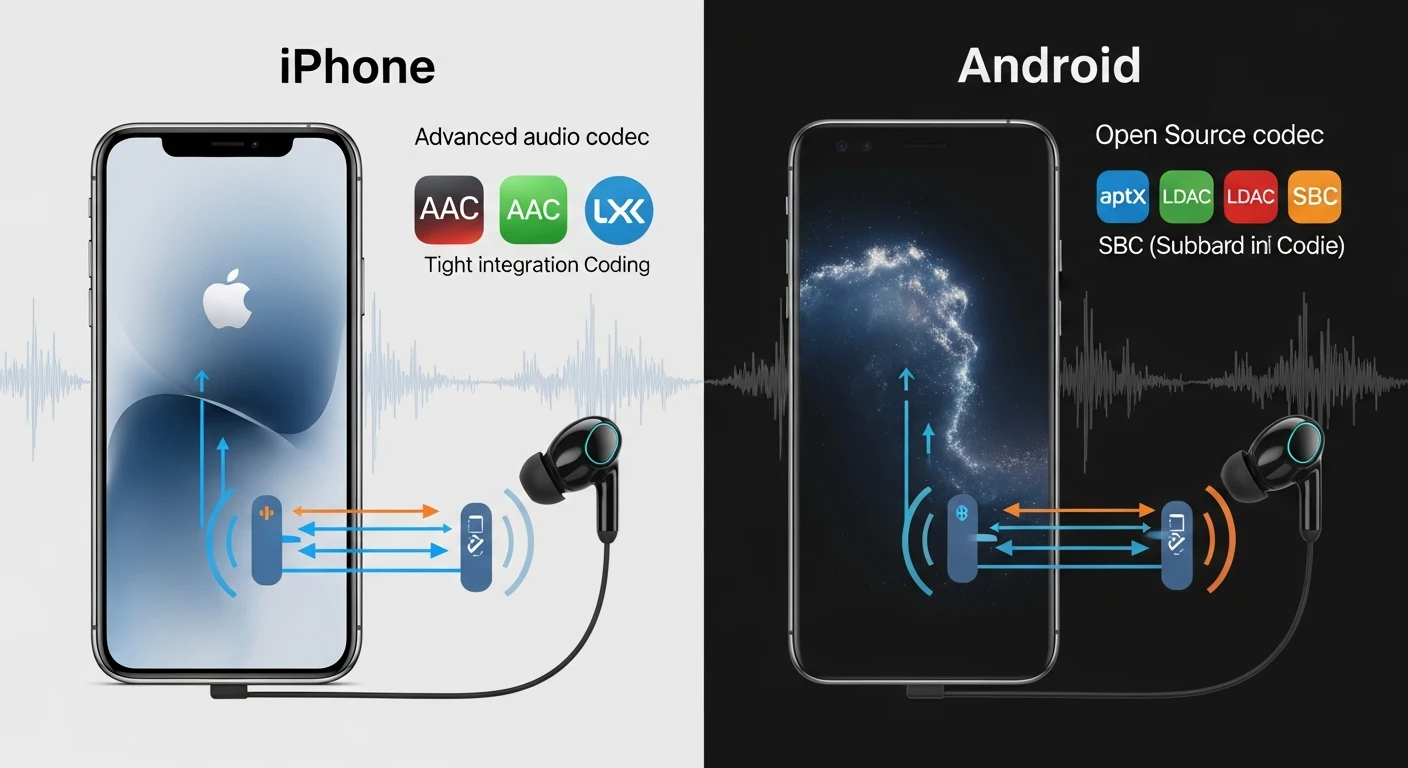
On iPhone, Bluetooth audio works in a simple, controlled way. The system uses AAC as the default codec, handling everything automatically without letting users choose or change codecs manually. Even if earbuds support advanced codecs like LDAC or aptX, the iPhone still transmits audio using AAC or SBC. Apple locks the experience to control stability, battery usage, and compatibility.
AAC as the Default Codec

AAC is the default Bluetooth audio codec on iPhone.
This codec transmits music, videos, and other audio with stable quality and relatively low power consumption. AAC serves as the main Bluetooth audio codec on iOS devices.
Why There Is No LDAC or aptX
iPhone doesn’t support LDAC or aptX codecs.
Even if earbuds support these codecs, the iPhone will still use AAC or SBC. Advanced codecs available on earbuds can’t be used with iPhone.
Why Apple “Locks” the Experience
Apple locks the Bluetooth audio experience so the system controls stability, battery usage, and compatibility. Users can’t manually select codecs or force higher-quality modes. Everything is handled automatically.
Bluetooth Codecs on Android: More Options, More Variables
On Android, Bluetooth audio behaves differently and offers more choices.
SBC as a Fallback Codec

SBC is the mandatory Bluetooth codec on Android.
When no higher-quality codec is available, or when connection becomes unstable, the system falls back to SBC automatically.
AAC on Android Is Not Always the Same
AAC exists on Android, but it doesn’t always behave the same way.
Depending on the phone, AAC can sound different due to system optimization, Bluetooth chip quality, and software implementation.
LDAC, aptX, and Adaptive Codecs
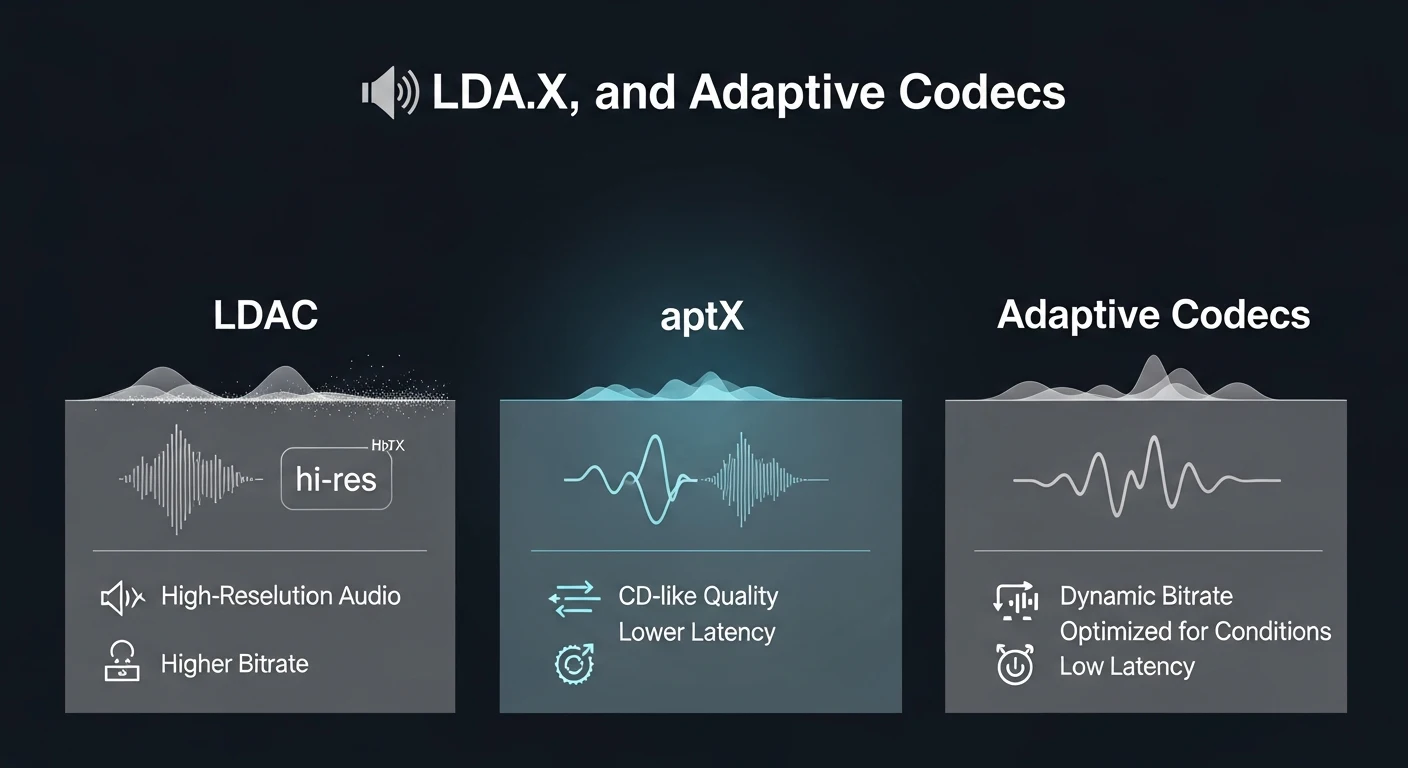
Android supports codecs like LDAC, aptX, aptX HD, and aptX Adaptive.
When both phone and earbuds support the same codec, higher-quality audio transmission becomes possible.
Why Two Android Phones Don’t Sound the Same
Even with the same earbuds, two Android phones can sound different.
This happens due to differences in Bluetooth chips, audio processing, system tuning, and software layers.
Is It the Codec or the Phone That Changes the Sound?
Many think Bluetooth sound quality depends only on the codec. In reality, the codec only defines how audio data is compressed and transmitted. Before and after that, other steps affect the final sound.
When you play music on the phone, the phone first decodes the music file into PCM (Pulse Code Modulation). Only after that does the Bluetooth codec compress PCM data into a codec stream sent wirelessly to the earbuds.
That codec stream is transmitted over Bluetooth to the earbuds. On the earbuds side, the codec stream is decoded back into PCM, then the DAC converts PCM into analog signal for playback.
Therefore, sound quality doesn’t depend only on the codec. The phone is part of the process, the decoding stage matters, and conversion back to analog sound also plays a role.
Conclusion: the codec matters, but it’s not the only thing that changes how Bluetooth audio sounds.
Why You Usually Can’t Choose the Bluetooth Codec
In real usage, users usually can’t choose which Bluetooth codec is used. The system automatically selects the codec for proper connection.
The system prioritizes stability over quality. If signal isn’t stable, bitrate is reduced or the system switches to another codec to keep audio playing without interruptions.
On Android, developer options allow users to see or select codecs. However, in practice this often doesn’t help because the system can override that choice if it detects instability.
On iPhone, codec selection is fully automatic and hidden from users. Users can’t choose codecs or change how Bluetooth audio is transmitted.
Latency, Stability, and Battery: iPhone vs Android
Latency is the time between when the phone sends audio and when earbuds play sound, measured in milliseconds.
Lower latency improves audio and video synchronization, important for watching videos or playing games. When listening to music, latency isn’t important.
Different codecs have different latency values. Some focus on sound quality, others on reducing latency.
Battery usage is also affected by the codec. Higher bitrate and more complex codecs usually consume more power on both phone and earbuds.
In environments with many wireless signals, like Wi-Fi networks and other Bluetooth devices, stability becomes more important than quality. In these situations, systems often lower bitrate to keep connection stable.
So Which One Sounds Better in Real Life?
Different codecs are designed for different goals. Some aim for better sound quality, others aim for lower latency or better stability.
Understanding Bluetooth codecs helps users choose the right phone and earbuds for their needs. Choosing the wrong combination can result in poor experience and wasted money.
iPhone offers a stable and consistent Bluetooth audio experience.
Android offers more options, but results can vary.