You buy a pair of headphones, pair them with your phone and start listening. Sound works. The problem is that the sound may not be as good as it could be, because in the background your phone and headphones are quietly making a decision you never see: which Bluetooth codec to use. That decision, one of the most overlooked in wireless audio, directly determines how much detail from a recording actually reaches your ears.
Two codecs currently dominate the premium wireless headphone market: aptX Adaptive, developed by Qualcomm, and LDAC, developed by Sony. Both sit far above standard SBC. Both support 24-bit audio. And both spark the same debates across forums because nobody gives the same answer to which one is better.
The answer exists, but it is not the same for everyone. This article covers every important angle, from technical specs to real listening habits, so you know exactly what to pick for your headphones and phone.
What LDAC is and how it transmits sound
LDAC is Sony’s Bluetooth audio codec, introduced in 2015. Since Android 8.0 it has been part of the Android Open Source Project, which means most Android phones support it without special licensing. The core idea behind LDAC was straightforward: push as much audio data as possible through a Bluetooth channel with limited bandwidth.
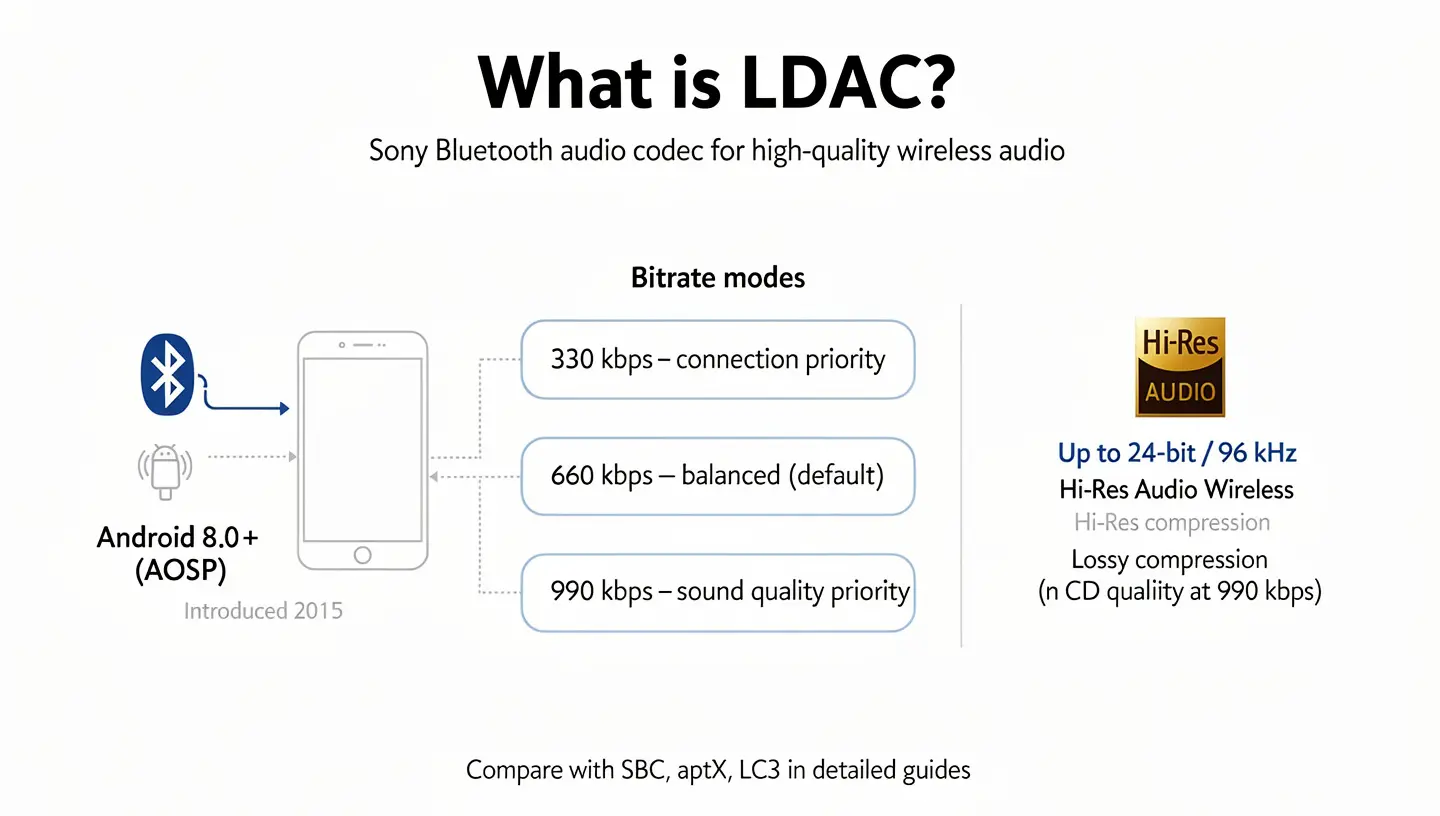
Standard SBC runs at around 328 kbps. LDAC at its peak reaches 990 kbps, roughly three times more data in the same timeframe. That translates to support for 24-bit/96 kHz audio, which earns LDAC a Hi-Res Audio Wireless certification from the Japan Audio Society.
Three fixed bitrate modes: 330, 660 and 990 kbps
LDAC does not operate at a single, fixed speed. It switches between three settings: 330 kbps, 660 kbps and 990 kbps. The choice between them depends on signal strength between phone and headphones.
- 330 kbps is the connection priority mode, selected when the signal is weak or there is heavy interference. At this level LDAC actually sounds worse than standard aptX.
- 660 kbps is the middle ground that most Android phones use as the default setting, balancing stability with decent quality.
- 990 kbps is the maximum that delivers LDAC’s full potential, but it requires a clean and stable signal to hold.
Switching between these three levels is not transparent. When LDAC drops from 990 to 330 kbps because of interference, the difference in sound is audible, especially on recordings with a lot of detail in the upper frequencies.
Why 990 kbps is not always what you actually get
Most Android phones do not automatically select 990 kbps even when the signal would allow it. The default is 660 kbps because Sony and Android engineers consider it a reasonable balance between quality and connection stability. To force the phone onto the maximum 990 kbps, you need to go into Developer Options and manually switch the setting to “Best effort”.
Even then, real conditions decide. In a flat with little electronics around and the phone in your pocket, 990 kbps holds well. On a busy street surrounded by dozens of Wi-Fi networks and Bluetooth devices in the 2.4 GHz band, LDAC starts dropping to lower tiers and loses its advantage over competing codecs.
What aptX Adaptive is and how it differs from other aptX versions
aptX Adaptive is Qualcomm’s most advanced audio codec, introduced in 2018. It is not just an upgrade to earlier aptX versions but a fundamentally different approach to audio transmission. Where older aptX HD runs at a fixed bitrate of 576 kbps, aptX Adaptive continuously adjusts its transmission speed based on connection conditions and the type of content it is carrying.
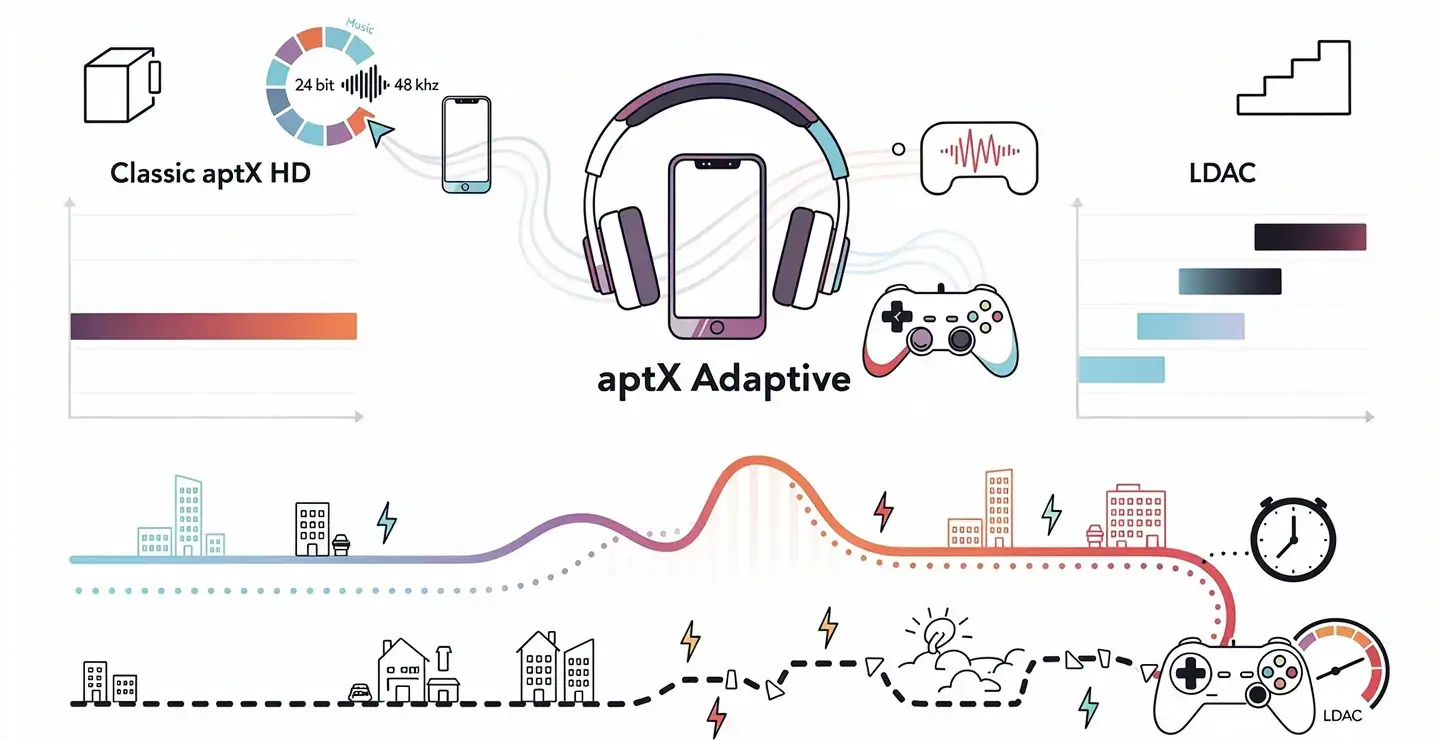
It operates in a range of 279 to 420 kbps for standard audio, but not like LDAC which jumps between three predetermined levels. aptX Adaptive adjusts bitrate continuously, in small steps, without the abrupt shifts that would be audible. It supports 24-bit/48 kHz audio.
Dynamic bitrate: from 279 to 420 kbps
What makes aptX Adaptive different is not a high upper bitrate ceiling but the way it manages the connection. The codec analyzes signal strength, interference levels in the area and the type of audio content in real time. If it detects you are listening to music at home without interference, it raises quality. If it recognizes you are watching video or gaming, it shifts into low-latency mode.
With LDAC, that shift is abrupt, between three fixed points. With aptX Adaptive it is continuous. That is why aptX Adaptive produces fewer audible interruptions in environments with variable signal, like walking through buildings or riding public transport.
Backward compatibility with aptX and aptX HD
aptX Adaptive is backward compatible with aptX and aptX HD. A phone that supports aptX Adaptive can communicate with headphones that only support aptX HD or standard aptX, and will automatically use that lower version. The reverse does not work: an older device with aptX HD cannot activate aptX Adaptive just because the headphones support it.
For full aptX Adaptive benefit, both devices, the phone and the headphones, need to explicitly support it.
aptX Adaptive vs. LDAC: technical specs side by side
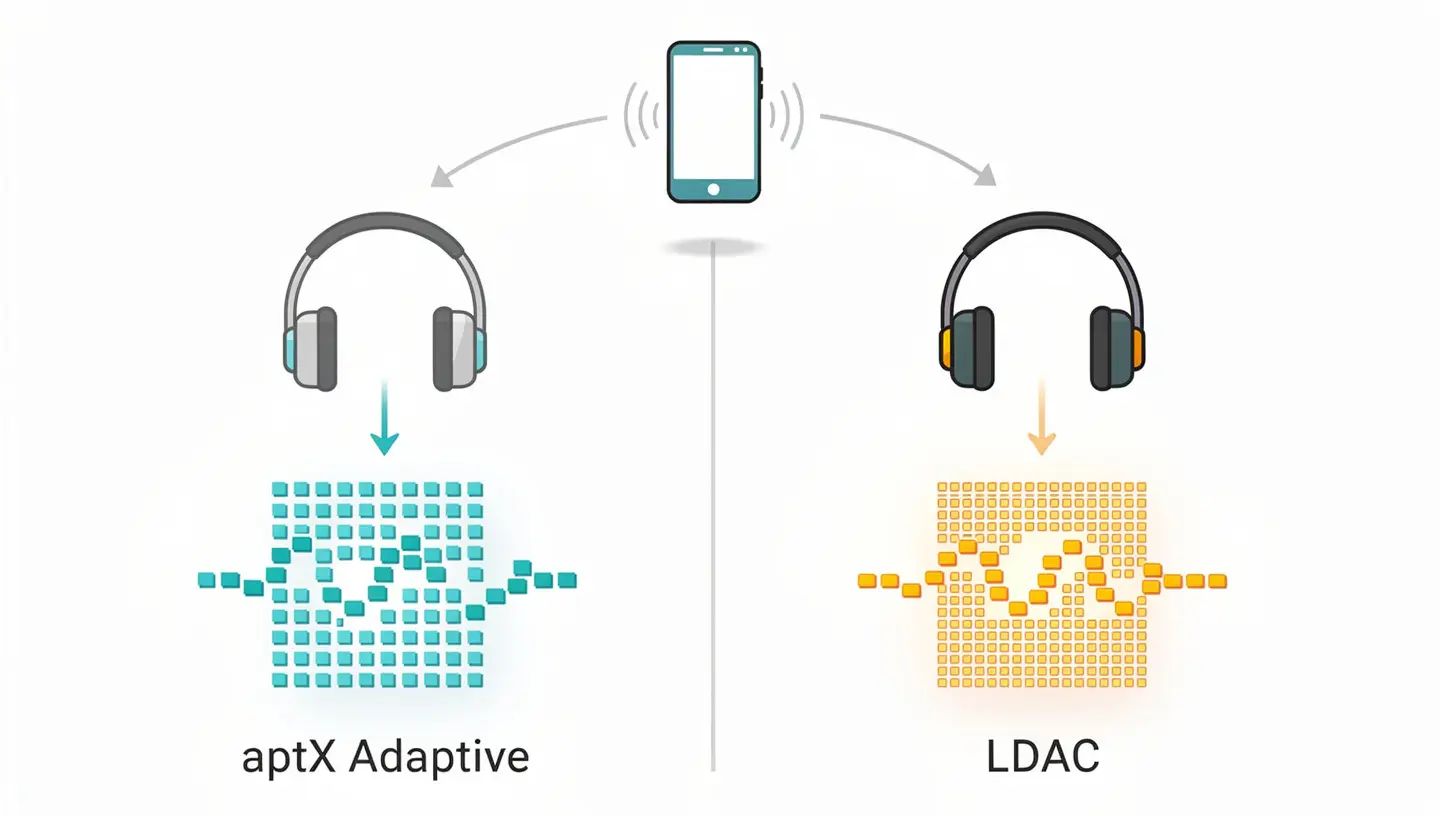
Before getting to which codec sounds better, it helps to see where each one technically stands:
| Spec | aptX Adaptive | LDAC |
|---|---|---|
| Max bitrate | 420 kbps (standard audio) | 990 kbps |
| Min bitrate | 279 kbps | 330 kbps |
| Bit depth | 24-bit | 32-bit supported / 24-bit typical |
| Sample rate | up to 48 kHz | up to 96 kHz |
| Latency | ~80 ms standard / as low as 24 ms in gaming mode | 200–300 ms |
| Bitrate adjustment | Continuous, in real time | Three fixed levels |
| Battery impact | Lower | Up to 20% higher at 990 kbps |
| Android support | Qualcomm Snapdragon devices only | Android 8.0 and newer (nearly all) |
| iOS support | No | No |
| Backward compatible | Yes (aptX, aptX HD) | No |
On paper LDAC wins on bitrate and sample rate. aptX Adaptive wins on latency and connection stability. What that means in practice depends on how you listen and where.
Sound quality: when LDAC wins and when it loses
At the top of its range, LDAC delivers something aptX Adaptive technically cannot: transmission of 24-bit/96 kHz audio data at 990 kbps. For an audiophile listening to FLAC tracks at home, sitting still near a strong Bluetooth signal with minimal interference, that difference is audible. There is more air between instruments, vocals separate more clearly from the mix, and quiet passages reveal details that other codecs compress away.
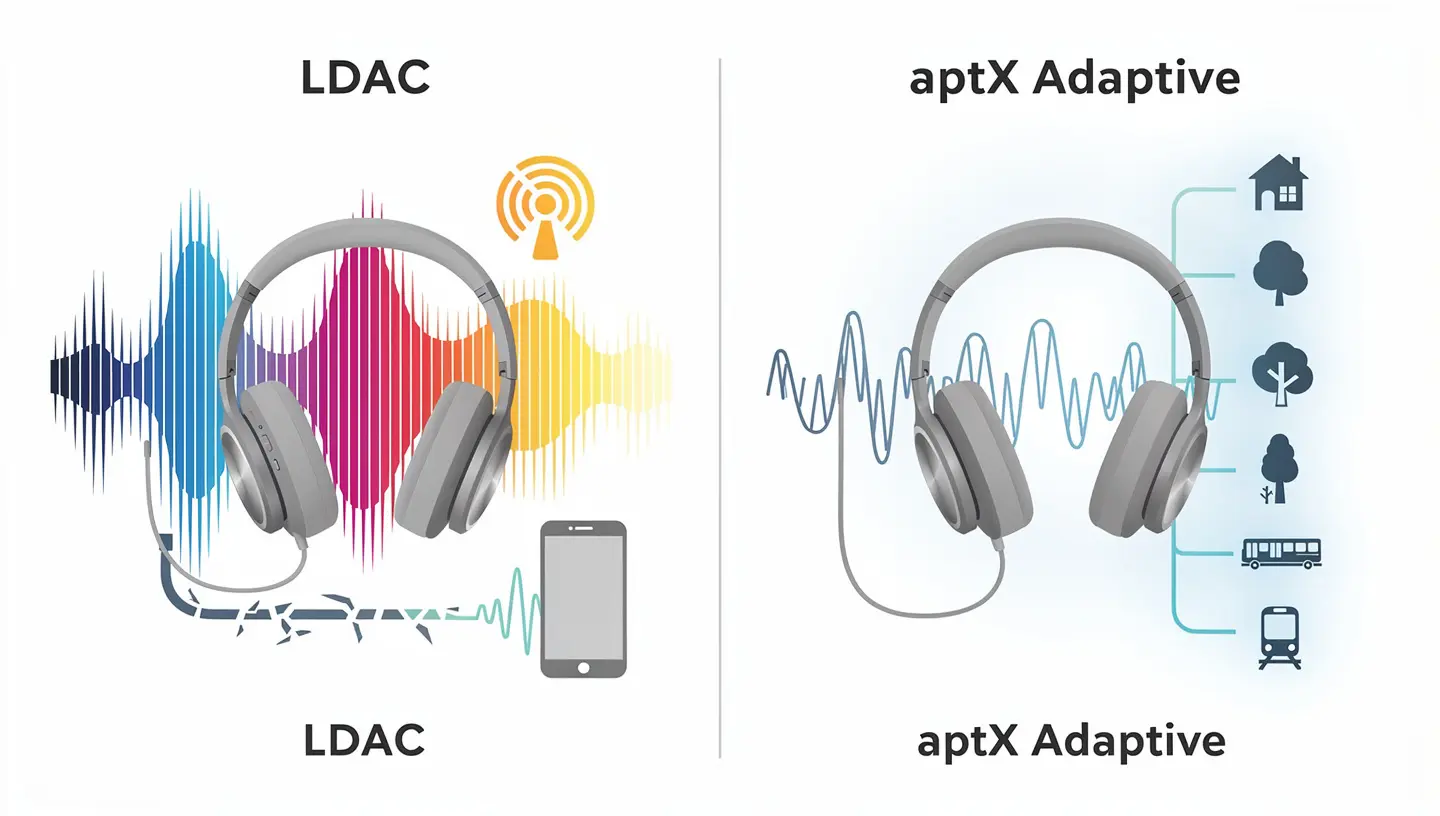
SoundGuys ran blind codec comparisons on premium headphones and LDAC consistently scored highest among listeners using high-resolution recordings. On lower-bitrate source material, like MP3 files or Spotify at standard quality, the gap between LDAC and aptX Adaptive nearly disappears.
LDAC at 990 kbps under ideal conditions
When everything works as intended, LDAC at 990 kbps is currently the closest thing to lossless Bluetooth in mass availability. It is not lossless, but the compression is low enough that most listeners in blind tests cannot reliably distinguish LDAC at 990 kbps from a wired source. That is a genuine achievement for a Bluetooth codec.
Phones that can fully exploit this are those that actively hold the signal at full strength. LG V30+ was one example that consistently reached 990 kbps, while Google Pixel 3 in testing never exceeded 330 kbps even under ideal conditions, because not every phone implements LDAC equally well even when it formally supports it.
What happens when the signal weakens
This is where LDAC loses its edge. In a real environment, a flat surrounded by Wi-Fi networks, on the commute, at the gym or in a city with dense 2.4 GHz traffic, the signal LDAC needs for 990 kbps is simply not stable. The codec drops to 660 and then to 330 kbps, and at that lower floor performance is worse than standard aptX.
Qualcomm’s internal testing showed that in an average urban environment with typical interference levels, aptX Adaptive delivered more consistent perceived audio quality than LDAC in over 80% of daily-use scenarios, because it does not fall through abrupt jumps between fixed tiers.
aptX Adaptive and consistent sound
aptX Adaptive does not try to beat LDAC on paper. Its upper bitrate ceiling is lower, and sample rate tops out at 48 kHz against LDAC’s 96 kHz. But what it does better is keep quality from varying audibly through the day. You wake up and listen at home, sound is good. You step outside and walk through a park, sound stays good. You get on the metro, sound stays good.
For a listener who is not sitting still with a hi-res FLAC collection, that consistency is practically more valuable than the theoretical maximum LDAC can hit once a week under ideal conditions.
Latency: why it matters and where each codec stands
Latency is the delay between the moment a device generates a sound and the moment you hear it through your headphones. For music listening, 200 ms of delay is completely unnoticeable.
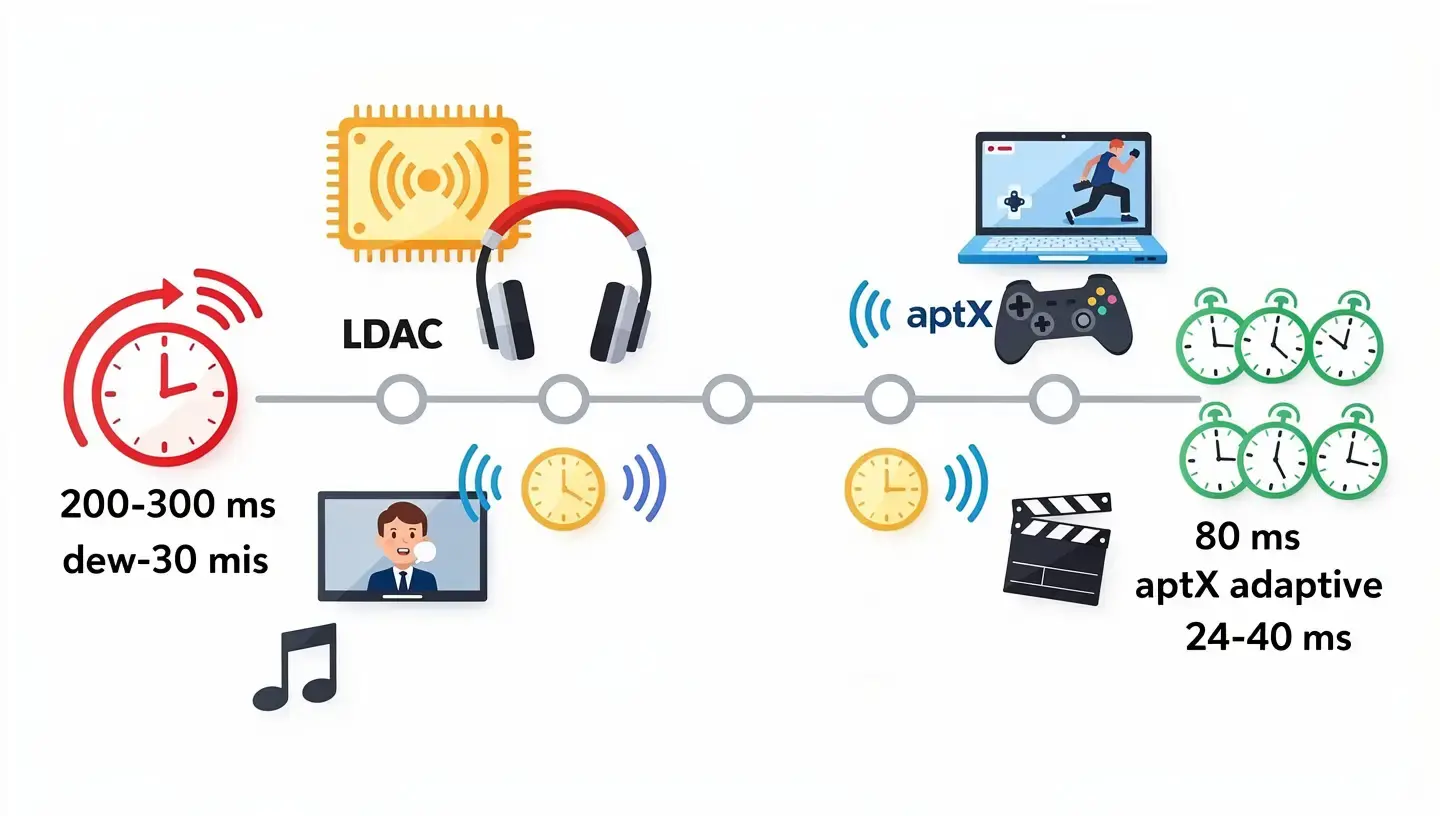
But for watching video or gaming, anything above 40 to 50 ms starts creating a visible gap between movement on screen and the sound you hear. At 200 ms, the difference between lip movement and speech in a video is clearly obvious.
LDAC latency: between 200 and 300 ms
LDAC latency sits between 200 and 300 ms, which puts it in an uncomfortable category for anything other than pure music listening. Sony did not design LDAC with latency as a priority. The priority was maximum transmission quality, and that requires larger data packets and more complex processing, all of which adds delay.
For gaming, films or video calls, LDAC is a poor choice. At 200 ms of delay, audio lags behind video enough that the brain cannot ignore it, regardless of how good the sound itself is.
aptX Adaptive latency: down to 80 ms and gaming mode
aptX Adaptive has a latency of around 80 ms in standard mode. When the codec detects gaming or video content, it switches to low-latency mode where delay drops to around 24 to 40 ms. That range is effectively imperceptible for gaming, as the gaming community generally uses 32 ms as the threshold below which the difference from a wired headset is not felt.
That switch between audio mode and gaming mode is automatic. The codec tracks content type and adjusts priorities without user input. The same headphones can be optimized for music in the morning and for gaming at night without touching a setting.
For anyone following the Snapdragon Sound certification, aptX Adaptive is a core component of that platform precisely because of this combination of adaptive bitrate and low latency.
Battery drain with LDAC and aptX Adaptive
High bitrate demands more processing on both the phone and the headphones. LDAC at 990 kbps is notoriously power-hungry. Anker Soundcore Liberty 4 earbuds, for example, last nine hours per charge on SBC or AAC. With LDAC active, that number drops to six hours. The general estimate is that LDAC increases battery drain by 10 to 20% compared to aptX Adaptive.
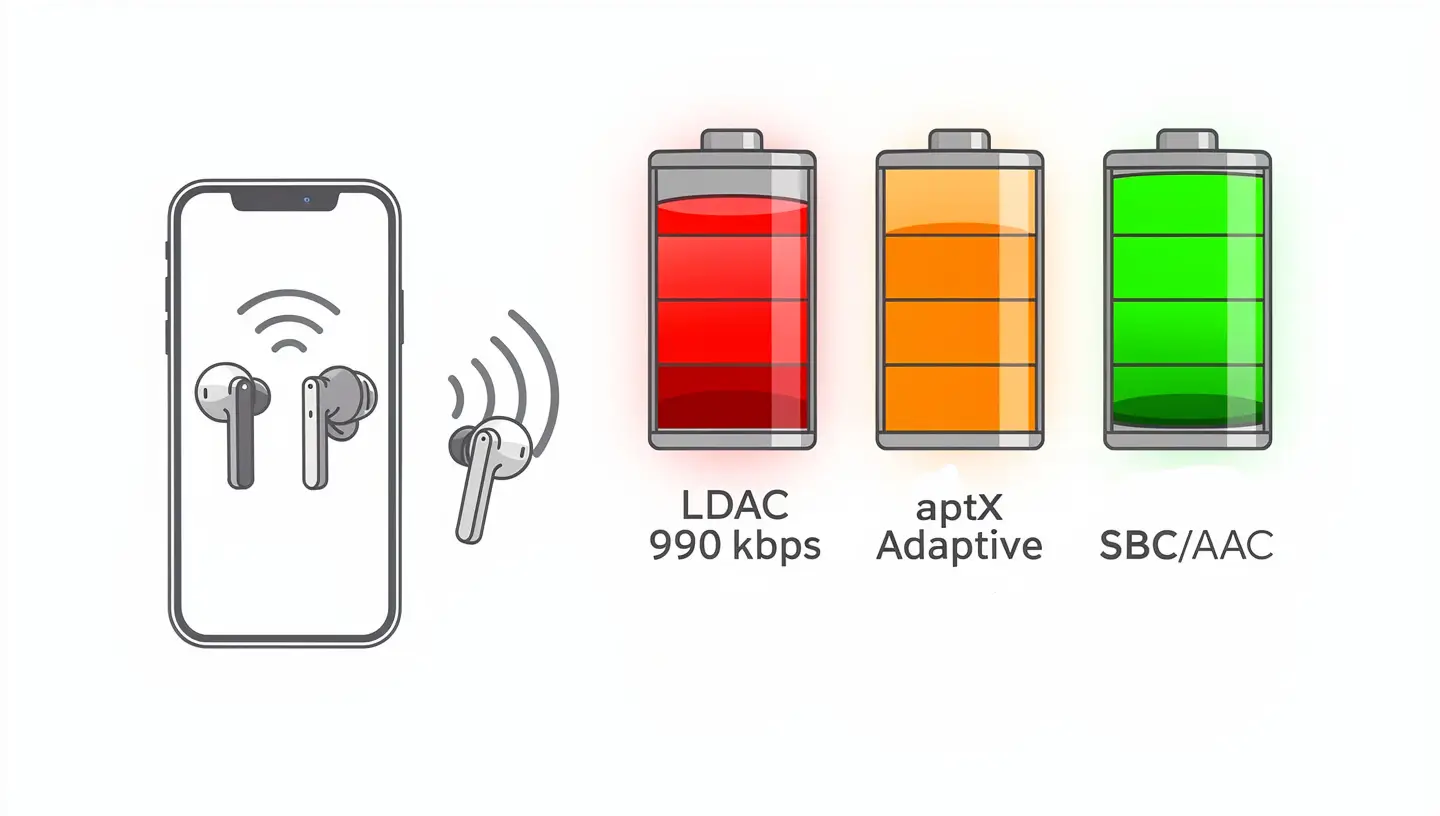
aptX Adaptive uses less power because the adaptive bitrate means the codec is not running at peak load continuously. Qualcomm states that aptX Adaptive consumes less energy to deliver the same perceived audio quality compared to aptX HD. Manufacturers incorporating aptX Adaptive generally do not report a drop in battery life compared to SBC or AAC. For users who listen all day, the difference between six and nine hours on a single charge changes how you use the headphones.
Compatibility: which phones and headphones support which codec
Every Bluetooth codec only works if both devices in the chain support it, both the phone sending the signal and the headphones receiving it. It is a mistake to assume that expensive headphones automatically run the best codec on any phone. The codec you actually use is always the highest one both devices share.
Qualcomm Snapdragon and aptX Adaptive: who is in, who is out
aptX Adaptive is not part of the Android operating system. It is not available to all Android phones automatically. It works exclusively on phones running Qualcomm Snapdragon chips with aptX Adaptive support, which generally means the Snapdragon 8 series from around 2020 onwards. On the headphones side, aptX Adaptive also requires a Qualcomm audio chip inside the headphones.
Phones with solid aptX Adaptive support include OnePlus models on Qualcomm chips, Xiaomi flagships, the Sony Xperia line and certain Motorola models. Not every Snapdragon phone is automatically supported because older Snapdragon chips do not carry aptX Adaptive.
Samsung and Google Pixel: why they do not support aptX Adaptive
This is the detail that surprises many buyers. Samsung Galaxy phones and Google Pixel phones, despite being the leading Android flagships, do not support aptX Adaptive. Samsung uses a mix of its own Exynos chip and Snapdragon depending on the market, but even on Snapdragon versions Samsung prioritizes its own Samsung Scalable Codec. Google Pixel uses its own Tensor chip which does not carry aptX Adaptive.
For users on those phones, regardless of how good their headphones are, aptX Adaptive is not an option. LDAC is the only high-res codec available to them.
LDAC on Android from version 8.0
LDAC is in a much stronger position on compatibility. Since Android 8.0 “Oreo”, LDAC has been part of the Android Open Source Project, meaning nearly every Android phone supports it, from Samsung flagships to mid-range Xiaomi and Realme models. iPhone does not support LDAC.
On the headphones side, LDAC is increasingly widespread. Sony has it across all major models, but Anker Soundcore, Nothing, Edifier, Sennheiser and many others now carry it too. Even many mid-range models ship with LDAC support.
If you are not sure which codec your phone is currently using, on Android you can check by enabling Developer Options (tap “Build number” seven times in About Phone), then go to Settings > System > Developer Options and look for “Bluetooth Audio Codec.” That shows the exact codec active while headphones are connected.
If you are looking for a concrete model recommendation, the guide to the best LDAC headphones covers the top options available right now.
Which codec to pick based on how you use your headphones
Technical specs are one thing, but the real decision comes from usage habits. Every listener has a different routine, a different phone and different headphones, so the recommendation cannot be the same for everyone.
Music listening at home in a quiet space
This is the one scenario where LDAC has a clear, tangible advantage. If you listen to FLAC, ALAC or other lossless formats from services like Tidal or Qobuz, you are sitting in one place, the phone is nearby and there is not much electronics around to disrupt the signal, LDAC at 990 kbps delivers maximum detail Bluetooth can transmit. The difference compared to aptX Adaptive is subtle but real, especially on good headphones.
Gaming and watching video
aptX Adaptive wins without argument. The 200 to 300 ms latency that comes with LDAC means visible desynchronization between image and sound. aptX Adaptive with latency from 24 to 80 ms depending on mode solves that problem. For gaming, especially mobile games where every millisecond affects reaction time, LDAC is a poor fit.
Everyday use on the move
For walking, riding public transport, working at a coffee shop or training, aptX Adaptive is the more practical option. Signal is not always stable, and LDAC in those conditions drops to lower bitrates and loses its main advantage. aptX Adaptive stays consistent even in dense RF environments because it does not operate through fixed jumps but adjusts smoothly.
That said, this only applies if your phone supports aptX Adaptive. If you use a Samsung or Google Pixel, LDAC at 660 kbps is your realistic high-res option for daily listening, and at that setting it performs well.
Phone calls
aptX Adaptive includes a feature called aptX Voice, specifically designed for voice clarity on calls. LDAC is not optimized for calls. For users who frequently talk through Bluetooth headphones, that difference can be noticeable.
What comes after LDAC and aptX Adaptive: LC3, aptX Lossless and SCL6
Neither LDAC nor aptX Adaptive is the end of the story. New codecs are already arriving and trying to solve limitations of both older solutions in fundamentally different ways.
LC3, the codec that comes with the Bluetooth LE Audio standard, is designed for better efficiency at lower bitrates, making it well suited for devices with small batteries. LC3 supports multi-stream audio, meaning one device can simultaneously send audio to multiple receivers. A detailed comparison is available in the guide on Bluetooth LE Audio vs LDAC.
aptX Lossless goes one step beyond aptX Adaptive and offers lossless transmission for CD-quality audio at 16-bit/44.1 kHz. It requires Bluetooth 5.2 and Qualcomm Snapdragon Sound certification on both devices, which currently means limited availability, but it signals the direction Qualcomm is heading.
SCL6, developed by MQA, takes a different approach entirely. It works across Bluetooth, UWB and Wi-Fi and can scale from a 200 kbps lossy stream all the way up to 20 Mbps lossless depending on available connection. It is the only codec that can dynamically switch between lossy and lossless operation depending on what the connection can carry at any moment. It potentially requires no new hardware and could arrive via firmware update on existing devices, though that remains in development.
aptX Adaptive vs. LDAC: final recommendation for each type of listener
Both codecs are good. Neither is a bad choice. But each has a type of user for whom it is the clearer pick.
Go with LDAC if:
- you have a Samsung Galaxy, Google Pixel or another phone that does not support aptX Adaptive
- you listen to lossless music at home in stable conditions
- you use Sony headphones tuned for LDAC
- battery life and latency are not priorities for you
Go with aptX Adaptive if:
- you have a phone with a Qualcomm Snapdragon chip that supports it
- you game or watch video through wireless headphones
- you listen while moving, commuting or working outside
- consistent sound without interruptions matters more than peak quality
- battery life is important
If you are not sure which codec your setup currently uses and what your headphones support, start with the guide on what LDAC is and the guide on aptX codecs, then check the specs of your devices.
One thing worth keeping in mind: no codec compensates for poor headphones or a compressed MP3. The codec is just one link in the chain, and usually the last one worth changing if the sound disappoints. Driver quality, acoustic design and headphone tuning remain the dominant factor regardless of which codec the Bluetooth connection runs above.
Frequently asked questions
Is LDAC better than aptX Adaptive?
It depends on conditions. LDAC at 990 kbps delivers a higher bitrate and supports 24-bit/96 kHz audio, making it technically superior for listening to lossless music in a stable environment. aptX Adaptive is better for everyday use because it does not drop through abrupt jumps between fixed bitrate levels and has significantly lower latency.
Does Samsung Galaxy support aptX Adaptive?
No. Samsung Galaxy phones currently do not support aptX Adaptive, regardless of whether they run a Qualcomm Snapdragon or Exynos chip. Samsung prioritizes its own Samsung Scalable Codec alongside LDAC. Samsung users have LDAC as their high-res audio option.
Does iPhone support LDAC or aptX Adaptive?
No. Apple only supports SBC and AAC on iPhone. Neither LDAC nor aptX Adaptive is available on iOS devices, regardless of which headphones you use.
Which codec is better for gaming?
aptX Adaptive, without argument. Latency from 24 to 80 ms depending on mode is in the range acceptable for gaming. LDAC has latency of 200 to 300 ms, which creates visible desynchronization between image and sound in games and videos.
How do I check which Bluetooth codec my phone is using?
On Android: enable Developer Options by tapping “Build number” seven times in About Phone. Then go to Settings > System > Developer Options and find “Bluetooth Audio Codec.” That shows which codec is active while headphones are connected.
Does LDAC drain more battery than aptX Adaptive?
Yes. LDAC at 990 kbps can reduce headphone battery life by 10 to 20% compared to aptX Adaptive or SBC. aptX Adaptive uses an adaptive bitrate that does not push the battery to maximum load continuously.
Which codec should I use for lossless streaming on Tidal or Qobuz?
LDAC at 990 kbps is the better choice for lossless streaming in stable conditions. aptX Lossless would be ideal but is not widely available yet. At 660 kbps, LDAC is a solid compromise that most phones can reliably sustain.