Every new device I test these days seems to have one. Phones, laptops, tablets, even game controllers – they all sport that now-familiar oval USB-C port. But here’s what frustrates me after testing hundreds of products for BestTechRadar: while every USB-C port looks identical, their capabilities vary wildly. That innocuous-looking port on your new laptop might support Thunderbolt 4’s 40Gbps speeds, or it might be limited to USB 2.0’s pokey 480Mbps. And good luck figuring out which is which before you buy.
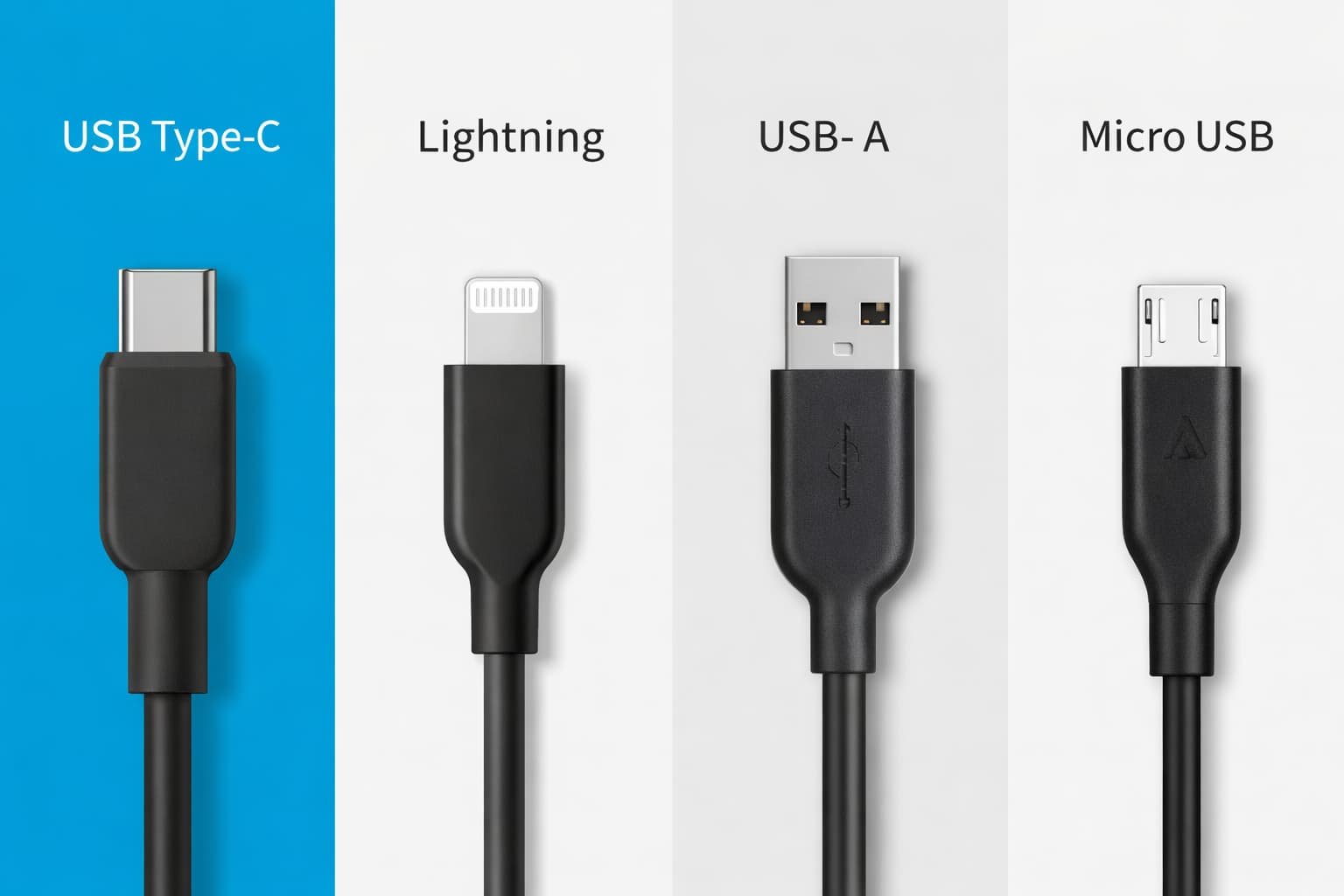
The promise of USB-C was simple: one cable, one connector for everything. The reality, as I’ve discovered through painstaking testing, is messier but ultimately more powerful. USB-C isn’t just a port replacement – it’s a platform that can be whatever manufacturers need it to be. Sometimes that’s good for consumers. Sometimes it’s confusing as hell.
The Connector That Fooled Everyone
Remember trying to plug in a USB-A cable? That awkward flip-it-over dance we all mastered? USB-C fixed that with its reversible design. But in solving that obvious problem, it created a subtler one: how do you know what a USB-C port can actually do?
I recently tested two seemingly identical gaming laptops side by side. Both had three USB-C ports. On the Asus ROG model, all three supported charging and high-speed data. On the Acer Predator, only one port could charge the laptop while powered on. The other two were data-only until the laptop was asleep. This crucial difference wasn’t highlighted in either product’s marketing materials – I discovered it during our standard charging tests.
The Speed Confusion
USB-C’s naming conventions are a disaster. What manufacturers call “USB 3.2 Gen 2×2” means 20Gbps transfers. “USB4” can mean 20Gbps or 40Gbps. “Thunderbolt 4” always means 40Gbps. Keeping track requires a decoder ring most consumers don’t have.
During our BestTechRadar cable testing last month, we found something concerning: of 15 “USB-C” cables purchased from Amazon, only 7 actually delivered their advertised speeds consistently. Three cables marketed as “100W charging capable” couldn’t sustain more than 60W in our thermal stress tests. One $8 cable labeled “USB 3.1” performed at USB 2.0 speeds – 480Mbps instead of the promised 10Gbps.
What USB-C Actually Gets Right
Despite the confusion, USB-C represents real progress. My testing bench tells the story: where I once needed separate cables for charging, data transfer, and video output, I now use one USB-C cable for my Dell XPS 13 Plus review unit. It charges the laptop at 100W, outputs to two 4K monitors via a docking station, and connects to external storage at 40Gbps speeds. That’s genuine convergence.
The European Union’s mandate that phones use USB-C by 2024 has accelerated adoption. Apple’s move to USB-C on the iPhone 15 felt inevitable, but testing the implementation revealed Apple-grade polish: consistent 27W charging speeds, reliable data transfer, and better accessory compatibility than I expected.
The Cable Problem Nobody Talks About
Not all USB-C cables are created equal. Through rigorous testing at BestTechRadar, we’ve identified three cable tiers:
Basic cables: Usually included with phones. Handle 60W charging and USB 2.0 data (480Mbps). Fine for phone charging, inadequate for laptops or fast data transfer.
Enhanced cables: Support up to 100W charging and 10-20Gbps data. These work well for most laptops and external SSDs. Look for “USB 3.2 Gen 2” or “10Gbps” labels.
Premium cables: Thunderbolt 4 or USB4 certified. Guarantee 40Gbps speeds and 100W charging. Expensive but reliable. Our testing shows these maintain performance longest under heavy use.
Real-World Testing Insights
Our USB-C testing methodology has evolved over two years. We now test each port on every device for:
- Maximum charging wattage (using a Plugable USBC-TKEY tester)
- Data transfer consistency (with Samsung T7 and WD Black SSDs)
- Video output capability (to Dell and LG 4K monitors)
- Daisy-chaining performance (how many devices can share one port)
The results often surprise. Some budget devices have better USB-C implementations than premium ones. The $399 Lenovo IdeaPad we tested last month offered more consistent USB-C performance than a $1,499 gaming laptop from the previous quarter. This mirrors what we’ve found in our audio testing – price doesn’t always predict performance.
Buying Advice Based on Actual Testing
After all this testing, here’s my practical advice:
For phone users: Any USB-C cable will charge your phone, but for fast charging you need one rated for at least 30W. The cable that came with your phone is usually sufficient.
For laptop users: Invest in at least one high-quality USB4 or Thunderbolt 4 cable for your primary charger. Cheaper cables may work, but they often can’t sustain high wattage during heavy laptop use.
For professionals: Thunderbolt 4 cables are worth the premium. They guarantee 40Gbps speeds, dual 4K display support, and consistent 100W charging. In our testing, they show fewer compatibility issues with professional gear like RAID arrays and high-resolution monitors.
The Bottom Line
USB-C has won. The format war is over. Every major device maker now uses it, and the EU’s regulations ensure it’s here to stay. But victory has brought complexity.
The good news: we’re moving toward true single-cable simplicity. The bad news: we’re in a transition period where not all USB-C is equal.
My testing recommendation? When you find a USB-C cable that works reliably with all your devices, buy several identical ones. Standardization reduces frustration. And always check the actual specifications, not just the marketing claims. That USB-C port might look like every other, but what it can do depends entirely on what the manufacturer built into it.
USB-C isn’t perfect, but it’s better than the alternative – a drawer full of proprietary cables that work with nothing else. And for that alone, it’s progress worth embracing.